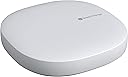
![SmartThings Hub 3rd Generation [GP-U999SJVLGDA] Smart Home Automation Hub Home Monitoring Smart Devices - Alexa Google Home Compatible - Zigbee, Z-Wave, Cloud to Cloud Protocols – White](https://m.media-amazon.com/images/I/614d2lQP0hL._AC_SL3840_.jpg)


Desertcart purchases this item on your behalf and handles shipping, customs, and support to Slovakia.
🏠 Your smart home’s brain — smarter, simpler, connected.
The Samsung SmartThings Hub 3rd Gen is a compact, energy-efficient home automation hub that connects and controls a wide range of smart devices via Zigbee, Z-Wave, and cloud protocols. Compatible with Alexa and Google Home, it enables seamless automation and monitoring through a single smartphone app, making your home smarter and more responsive.
| ASIN | B07FJGGWJL |
| Best Sellers Rank | #224,730 in Tools & Home Improvement ( See Top 100 in Tools & Home Improvement ) #274 in Home Automation Hubs & Controllers |
| Color | White |
| Customer Reviews | 4.3 4.3 out of 5 stars (9,003) |
| Date First Available | August 12, 2018 |
| Included Components | Hub^Power Adapter^QSG^HSG^LAN cable |
| Item Package Quantity | 1 |
| Item Weight | 8 ounces |
| Item model number | GP-U999SJVLGDA |
| Manufacturer | Samsung HI |
| Material | Plastic |
| Mounting Type | Wall Mount |
| Part Number | GP-U999SJVLGDA |
| Power Source | Battery Powered |
| Product Dimensions | 5 x 5 x 1.2 inches |
| Size | 1 Count (Pack of 1) |
| Special Features | Motion Sensor |
| Style | Hub |
| Type of Bulb | Infrared |
| Warranty Description | 1 Year Limited |
| Wattage | 3 watts |
R**D
It not only works extremely well, it's a game changer!
I don't quite understand the negative reviews -- and it almost stopped me from purchasing this remarkable hub. Let me start by saying that I have been actively upgrading everything in my home to be completely automated. It started with multiple Alexa and Google devices to Hue lighting and automated garage door openers. The next thing I wanted to do was put sensors on all my doors to announce when they were open and closed. It was suggested to me to buy this Smartthings hub along with their individual sensors. The hub arrived yesterday. I immediately unpacked it and plugged it in. I then went to my iPhone and downloaded the Smartthings app. From within the app, I added a device and was directed to the hub which I paired by scanning the QR code on the back of my device with my camera. The hub connected to my home WiFi network, new updates were downloaded and installed and I was ready to go. Really, I was paired and ready to roll in less than 15 minutes. Completely effortless. My first project was to put a sensor on my front door and have Alexa announce when it opens and closes. I chose to do this with Alexa due to its ease of adding routines. Doing this with Google would have been far more of a hassle (as of the writing of this review) since I would have had to go through the IFFT app and probably add additional software such as BigTalker2. So, all I had to do, after pairing the Samsung MultiPurpose sensor, was to go into Alexa, add routine, add device (Samsung door sensor) and then create two separate routines that announce when the door is open and then closed. I cannot begin to express my joy when I was easily able to create this routine with Alexa and to actually see it work. This hub is absolutely remarkable. Now that I have it, I plan to go crazy adding more sensors all over my home. For those who claim this product does not work, I have to totally disagree. Setting up the hub was effortless. Pairing their sensors were immediate. Everything has been working perfectly, as expected. Best of all, once you get this hub set up, the possibilities are endless when it comes to what you can pair with it to work with Alexa or Google. You may say that this is the "brain" of your automated home. It all begins with this product.
G**N
Easy
Much easier to set up than other smart home systems, but harder to do complex automations. Still, is good enough and supports all the protocols I need.
J**N
Home Automation for Tinkerers/Makers
I currently have a Wink 2 hub and before that I had a Wink hub. The Wink ecosystem has had its ups and downs, but overall I've been happy with it. I'm currently trying to "orchestrate" all my smart home devices (Wink, Hue, Nest, Ring, Amazon) by integrating them into the Amazon ecosystem wherein I can leverage voice activation and voice notification. The only problem, the Wink Alexa skill does not allow for sensors (contact, motion, temp, water, etc.). That's where Smartthings comes in. The Smartthings Hub has made use of those APIs since Amazon introduced them last year. This allows Smartthings associated contact and motion sensors to be pulled into the Amazon ecosystem and used as "routine" triggers. I found that Smartthings did allow me to pull not only contact and motion sensors into the Amazon ecosystem, but also water/flood sensors with a little creativity, since Smartthings supports open dev. This part worked well. The only downside I found was the following: 1) Smartthings app is really basic and kind of kludgy. Not a show stopper as I hadn't really planned on using it much, after all my goal is voice actuated or triggered automation. 2) Some sensors had difficulty maintaining a connection to the Smartthings Hub for some reason. These are sensors that maintained connection to the Wink hub without issue. Not sure what was going on here....interference, distance? 3) The Smartthings Hub has only z-wave and Zigbee radios. Compared to the Wink 2 hub which supports multiple standard AND proprietary radios. I have several Lutron dimmers, so idea of replacing my Wink 2 hub with a Smartthings Hub is not a one for one trade. Ultimately for me, it just wasn't worth the effort to try and replace or even augment the capability of my Wink 2 hub with the Smartthings Hub. Most folks will argue that the Smartthings Hub will support many more devices than Wink. Honestly, if you compare support for devices that matter OR devices that are supported WITHOUT customization I think it's pretty much six of one half a dozen of the other. Both are good hubs. If you are just getting into home automation and you like to tinker, get the Smartthings Hub. If you want plug and play or plan on using proprietary protocols like Lutron clear connect, then Wink 2 would probably be your best bet.
B**C
Ditched by Iris/Lowes? Join the SmartThings club
So, Lowes sent me a 'sorry, not sorry' about how they won't support Iris anymore. I spent close to $600 in security kits and what not over the last couple of years, so this was disappointing, to say the least. Luckily most of the Iris stuff will port seamlessly over to the SmartThings environment, provided you do the following: 1) download the Classic SmartThings app (don't bother with the new one) 2) using the iris portal (or app) remove one item (such as living room motion sensor) 3) using the classing ST app, add that item.. name it to match what it was ("living room motion sensor") repeat... this is a lot easier than doing what I did, which was remove EVERYTHING from iris as a batch... and then realize ST added everything with no immediate way of telling which is which (other than, walk to a sensor, trigger it, notice which one it was, click on settings, edit the name... so it's not critical, but will hopefully make the transition less annoying, esp with a large number of items to migrate) the Iris Keypads sort of works with ST... but you have to learn how to use the smartthing website to install custom handlers and smartapps. I can't get it to show 'partial' when i'm in 'armed (stay)' mode... sadly. and it doesn't let me use longer codes (stuck with a 4 length code) a few iris items didn't transfer over (gen 1 iris plugs) and the Radio Thermostat CT101 controls are lacking (Iris let us set the mode in automation... I cannot for the life of me figure out how to do so with SmartThings... only automate temperature down to 35F in 'Heat' and 120F in 'Cool' to pretend to turn off heating/cooling) also, I had to call it a 2gig CT100 to get it to pair. (and might have had to deal with custom handlers for that as well) Now, I do see ST showing the Iris Radio Thermostat CT101 as "coming soon"... so maybe, just maybe, it can be fixed in the [near] future. All in all, at least most everything works and I didn't end up with a house full of abandonware when Lowes pull the fast one on us. IIRC, we have until March 31st to transition. On the flipside, i'm now getting really nice alerts on doors being open directly from the app as well as text... I don't think Iris provided that in their 'free' account.
B**E
Useful Hub with ZWave
This review is for the hub only. I was a bit hesitant to get a smart hub. I didn't know which one might be the best hub for me, all I knew is I wanted to start getting and connecting my smart devices for my new home. I decided to get the Samsung SmartThings Hub mainly because it claimed to work with ZWave devices. For my first smart purchase of my new townhouse I bought 2 Yale Assure Deadbolt smart locks that I wanted to be able to control from an app. I bought the zwave variant under the impression it would hook up with my ADT system. ADT lied, and their newest software isn't rolled out to actually support these products yet. This left me pissed off and determined to find a way to make this setup work. This is where the Samsung SmartThings Hub came in. The hub did connect to my locks and allows me to remotely lock and unlock them. I'll admit it isn't perfect and I ran into issues when I first connected one of the two (it only half unlocked and I had to enter from the other side of the house) but once it was unlocked again it relocked as normal, and I've had no issues going forward. Since I got the Hub I have synced GE smart dimmers for my lights and fans, my locks, and GE daylight dimmer bulbs to lamps that I didn't want smart outlets or hardwired switches to. All of these were easily connected and everything but the locks was able to transfer easily into my Google Home setup for my personal Google mini army. My only real complaint about the hub is more of a complaint with Samsung's price for their smart outlet plugs. I want to add those in, but the only SmartThings compatible plug is their version which has a high cost compared to other plugs that would work but use the SmartLife app instead. I was hoping to keep everything between this hub and Google home, having to add in more apps is annoying if I ever want to create a working "scene." This hub was the easy solution to my problems and has improved my quality of life with my Google home assistant. Now, if only the other products were more affordable...
E**9
I like it!
Omg I love this! I bought another version years ago and it was so difficult to set up and would not pair to my GE light switches or any of my devices. So I waited too long to install it and I could not return it to Amazon. I ended up donating it to Salvation Army brand new. Now fast forward several years later, wink is trying to charge a monthly fee. So I was in search for a new hub. I saw in several reviews the smart things three. The reviews are very good so IDecided to buy it to try it again. I just set it up and it works so much easier than the wink hub. I didn’t have to carry it around to pair the devices. All I had to do was go around with my phone and connect the devices to the app. It was so easy. I am completely in love with this new hub. The best thing about it is that it also attaches to my Samsung TVs. It is a little hard to do the automations on it but I will read some further instructions and I’m sure I will have it set up. So far so good. It works a lot better with the iPhone than it did years ago as well. I’m happy!!!
B**I
Complete, Absolute Junk
Samsung SmatThings Hub 3 and the related app have been a frustrating waste of time. It's mind-boggling that entire teams of "smart" people apparently put their heads together to release such mediocre "technology". After 2 hours of effort, I can't even connect to this hub, forget about anything else. I'm an experienced home automation user. I have a Wink Hub 2 and a Hubitat at my home, so I bought the SmartThings Hub 3 for my parents for the sake of trying out a different product. I regret that decision. The Wink Hub 2 was a complete breeze to set up, whereas this SmartThings Hub 3 has been a nightmare. 1) The Samsung SmartThings app did not let me log in from my fairly new Android 9 (Honor View 10) device. When I tapped the login button it opened my default mobile browser (Chrome) and showed me a warning page notifying me that my browser is not compatible. It suggested that I download Chrome, Safari, or Samsung Internet browser, even though I was already using the Chrome browser! 2) Nevertheless, I downloaded the Samsung Internet browser and changed my device options to make that my default browser. Then I opened the SmartThings app and tried to login again. It opened the Samsung Internet browser and showed me the exact same error message informing me that I need to use a compatible browser. 3) I gave up trying to set up the SmartThings hub with my Android device and grabbed my mom's iPhone 8+. I was able to open the SmartThings app and login. Then when I tried to add a device I got a generic message informing me that my "country is not supported" (I'm in United States). I tapped on the error message and advanced to the following screen where I was able to select the type of device I wish to add. I selected the SmartThings Hub and followed the on-screen instructions. I was able to the part where the green & red lights on the hub are blinking, but the app never connects to the hub. 4) I repeated this process by directly connecting the hub to our cable modem. That was even worse. 5) I also tried once with the WiFi on my phone switched off, and once with the 4G data connection turned off. Neither options worked. 6) I followed the steps to reset the SmartThings hub. That solved nothing. 7) I logged into my router to ensure that it was set up to allow devices to talk to one another on the local network (it was set up correctly). 8) I called Samsung support after exhausting all options on my own. The wait time was well over an hour, so I selected the option for a callback. It has been over an hour, but I have not received a callback. 9) I'm returning this junk and ordering a Wink Hub 2. It's hilarious that a company which is recovering from bankruptcy (Wink Labs Inc.) has a significantly better product out than a multi-billion dollar conglomerate (Samsung).
S**M
Easy to install and integrate BUT when Samsung cloud goes down... DOES NOT WORK!
The only problem I've had is that the Samsung cloud went out in my area for a day and a half and when that happens your system is DEAD! This makes me very uncomfortable because it's only a matter of time before Samsung turns this into a subscription service and then I'm in too deep and they have me over a barrel. It is also very inconvenient to suddenly have to remember passwords for door locks that you forgot long ago because pushing a button is easy... I first bought another product that used the Raspberry-PI system but never could get the OS (Linux) working properly... So I went with the Samsung SmartThings Hub. It was very easy to install (recommend connecting it directly to the Wifi router using CAT7 cable. I have the ORBI routers with 5 CAT7 ports each and the exclusive backhaul channel makes my connection speeds really fast with no throttling due to bandwidth... Have over 20 Z-wave devices (Door locks, thermostats, Light switches, wall plugs, etc.) throughout the house and they all integrated easily. I've created automations using the SmartThings app and it was really easy! They have built in features that all the routines to only enable from sundown to sun-up. It integrated with my Ring doorbell so I didn't need to buy an additional motion detector... Very good app! I still have my initial Raspberry-Pi system and I think I'm going to keep pushing to switch over... Sorry Samsung but I can't have my entire security system dependent on your cloud service... You should make each hub independent so it stores local automation and works regardless of the cloud... Too many companies have pulled the "You no longer own your equipment... now pay us rent!" thing for there to be any reasonable belief that it won't happen here!
H**N
Funciona como se promete en Mexico
La verdad es que me tomo algo de tiempo decidirme para comprar este hub por los múltiples comentarios que había de que no funcionaba en Mexico. Después de recibir varias respuestas a mi pregunta de como hacerlo funcionar me animé y no me arrepiento. El producto llego antes de lo esperado. En cuanto llego empece el proceso de instalación. Voy a relatar la forma en la que a MI me funciono, el caso de otros puede ser diferente, no comparto esto como una opinion absoluta sino como una cuestión anecdotica esperando que a alguien mas le funcione. Habían recomendado que bajara Smartthings classic para poder configurarlo. Hice esto, entre a la app, procedí a crear una Samsung account a la cual le puse que estaba en Estados Unidos. Ya entrando en la app me pedía que diera de alta un Hub antes de agregar mas cosas pero requería un código el cual solo viene con Hubs V1 y V2, la pagina de Samsung decía que para el V3 (que es el de 2018 y el que compre aquí) no se requería el código pero se necesitaba la aplicación mas nueva (Smartthings a secas). Ya tenia conectado el Hub y el led que trae parpadeaba verde/rojo, como lo del código no se podía descargue la aplicación mas nueva. En la app nueva me logee con la Samsung account que habia creado con la Smartthings Classic, entre sin problema, le di a agregar dispositivo y lo detecto de forma inmediata, básicamente tal como lo indica la pagina de ayuda de Smartthings que viene en la app. Todo fue a través de Wifi, solo tuve que seguir las instrucciones que me iban saliendo en la app y listo!. En este momento ya agregue varias de las cosas que ya tenia en mi casa, por ejemplo mi cerrojo inteligente lo abro y cierro desde la app de Smartthings. Ojala les sirva a los que no han podido hacerlo funcionar!
A**X
Quick to get up and running
The Samsung Smartthings Hub was simple enough to get up and running. I did not use the WiFi connection, but decided to hard wire (ethernet) this to my router. It was simple to get this set up using the app. The hub picks up the devices easily...I have only put the water sensor and the multi-sensor onto the hub at this time - both Samsung Smartthings devices. They were all easy to connect, especially with the QR code on the unit. The surprising thing is that this hub picked up my WeMo plugs that are on the same WiFi network without me entering anything in. It just came up on the Samsung app and asked me to match them to rooms. In the end, I am able to use the Hub to control even these WeMo plugs and schedule things very easily. The hub really makes things easy.
A**R
Dissappointing
The item is not supplied with an Australian power adaptor therefore no use unless it's plugged into a convertor
Y**L
Excelente Producto Cálidad y Precio.
Solicite el producto y me llegó antes de lo prometido. Lo compre con el riesgo de que no funcionara en Mexico ya que leí varios comentarios de que no servía, pero Funciona perfectamente en MEXICO, lo conecte muy rápido y con cuenta de Samsung MEXICO. Excelente precio comparado con las tiendas aquí en CDMX. Funciona conectado por WiFi, no requiere cables, solo para la energía eléctrica. Quede muy contenta con este producto.
N**B
Thank wink, Samsung. SmartThings camera is another matter for Canada!
Works great. Easy setup. Despite way more product support myq garage doors aren't one of them. I'm in Canada and 100% worked out of the box and also was version 3. Much different gui than wink but it's okay. Will take some getting used to. Unfortunately, the camera would not register to my Canadian account and despite having a dedicated website to indicated samsung can provide a work around...they were far from helpful. Camera had to be returned and was unable to even see if it worked.
Trustpilot
1 month ago
3 weeks ago