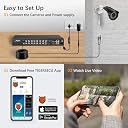
Desertcart purchases this item on your behalf and handles shipping, customs, and support to Slovakia.
๐ฅ Secure your world in stunning HDโbecause peace of mind shouldnโt wait.
The TIGERSECU Super HD 1080P 16 Channel H.265 Surveillance DVR is a versatile, hybrid 6-in-1 security recorder compatible with multiple camera types including 2MP/5MP HD TVI, AHD, CVI, Analog, and IP. It supports up to 32TB of local storage via two internal hard drives (not included), enabling continuous high-definition recording across 16 channels. Featuring silent cooling technology and remote access through a dedicated mobile app with no subscription fees, this DVR is designed for professional-grade surveillance with ease of use and reliability.


| ASIN | B078PPXZ2W |
| Audio Input | Microphone |
| Best Sellers Rank | #10 in Surveillance Video Recorders |
| Brand | TIGERSECU |
| Built-In Media | CCTV Recorder without HDD, DVR power supply, DVR remote control, USB mouse |
| Compatible Devices | Camera, Desktop, Laptop, Smartphone, Television |
| Connectivity Technology | Composite Video, HDMI, VGA |
| Customer Reviews | 4.2 out of 5 stars 1,206 Reviews |
| Item Dimensions L x W x H | 13.9"L x 9.1"W x 1.8"H |
| Item Highlight | Hybrid 6-in-1 CCTV Recorder Compatibility for 2MP and 5MP TVI/AHD/CVI/Analog/IP Security Cameras, with RS485 PTZ Control |
| Item Weight | 5 pounds |
| Manufacturer | TIGERSECU |
| Media Format Digital Video | HDD |
| Memory Storage Capacity | 32 TB |
| Mfr Part Number | TS-2MP-402T16 |
| Model Number | TS-2MP-402T16 |
| Number of Channels | 16 |
| Number of Items | 1 |
| Product Dimensions | 13.9"L x 9.1"W x 1.8"H |
| Total Usb Ports | 2 |
| UPC | 732240202615 |
| Unit Count | 1 Count |
| Video Input | AHD, CVBS, HDCVI, HDTVI, IP, RS-485 PTZ |
| Warranty Description | TIGERSECU security systems are backed by Lifetime Support and two-year warranty provided by TIGERSECU. |
| Wattage | 60 watts |
Z**X
App crashing resolved
This is an update to my previous review (1 star), wherein I complained about the CMS program constantly crashing. See the screenshot. This would happen anywhere between a minute and a day of running the program. It would also happen when closing the program, almost every time. It happened across several Windows 7 PC's I was using it on. I went around and around with Tigersecu and they couldn't solve it. They had me do things like update the firmware twice, and lower the camera data rates. Nothing helped a bit. Well, I stumbled on the solution. See the second screen shot image attached. If you right click on the Tigersecu_cms shortcut and go to "properties", you can check that box for Windows XP SP3 compatibility. This minor change completely resolved the issue. No more crashing. OK, so now that this issue is resolved, let me rewrite the review. The thing I like most about this unit is the user interface. Whether you're accessing it via a monitor and mouse attached directly to the unit, or you're accessing it over the network using the Tigersecu_cms program, it's intuitive and easy to use. You have to use other DVR's that aren't done nearly so well to really appreciate what a good job Tigersecu did on the user interface. In particular, DVR's that are accessed remotely via a web browser tend to be really bad. Most require some ancient version of Windows Explorer, because all modern browsers block the functionality required, for security reasons. And then when you do get into the unit, well, the browser interface tends to make it more cumbersome to find and access all the settings. In fact, many of them don't even provide full setup capabilities via remote access. So doing something like adding an IP camera must be done on the unit itself. And just viewing and monitoring the cameras themselves tends to be buggy when using a browser interface. Even the ones that provide a real CMS program, the program tends to be hard to use and leaves out some capabilities. They're generic type programs that work over a cross section of different products and require you to jump through hoops to connect and view. The Tigersecu's remote access, on the other hand, is done via a dedicated program designed specifically for their products, which really cleans it up and makes it simpler and more intuitive to use. It's called Tigersecu_cms. It gives you just as much access as if you were using the unit itself with an attached monitor and mouse, and through an essentially identical looking interface. So that's really really nice, particularly if your DVR isn't in an easily accessible location. Anything you can do at the box, you can also do remotely. What's more, it can access over your LAN, without going over the internet, and even has a built in scan function at the logon prompt ("Discover") to help find your DVR on your LAN. Or you can enter your DVR's secret code and it can access it via Tigersecu's server, if you're trying to access it from outside your LAN. No monthly fees or any of that other nonsense. And the CMS program remembers all your logon credentials, so that next time you go to access it, you don't have to enter anything. Nice. It's just really, really well done, compared to it's competitors. Very user friendly. They put a lot of thought into it. Likewise, the mobile app is designed specifically for Tigersecu, it's not a generic like xmeye or one of the others, and it has a clean interface. I do wish though that it would support two way audio with IP cameras. It has a microphone enable, but it doesn't work, and tech support confirmed for me that it's non-functional. Tigersecu should work on this. Also in my previous version of this review, I griped about the slowness of accessing event records. When I go to the playback screen and tell it I want to play back events, it can take minutes after playing one event before it starts playing the next. I found this really frustrating. Well, the Tigersecu staff saw my complaint and emailed me and let me know of an alternate way to view events. If you go to the maintenance menu and then click "Log", you'll see that you can build a log of events, over whatever time period you want and for whichever cameras you're interested in. Building that log only takes seconds. Once the log is built, it displays it, and each entry has a play button. You click that play button and almost instantly you're viewing your event. Exit that playback and you're back at the log and free to select and play another event, without rebuilding the log. Nice! Once again, they did a good job on the user interface. You really have to use other DVR's to appreciate how much thought and effort they put into the whole user interface. Really my only gripe at this point is the lack of support for 2-way audio with the phone app. Fortunately I have a good workaround, in that the app that came with my cameras supports it and it works fine. Still, it'd be nicer to have it built right into the Tigersecu app. I haven't been able to find perfection in any of the DVR's I've tried, but now that I've got the app crashing fixed and am able to play events without a long delay, the Tigersecu comes the closest to perfection of any DVR I've used. It's not the cheapest, not by a long shot, but worth the extra money in my opinion to have something robust, reliable, and easy to use.
D**S
CALLING ALL DVR MANUFACTURES - TAKE A LESSON FROM TIGERSECU
Question: What did I like about this product? Answer: Everything Question: What did I dislike about this product? Answer: Nothing I'll begin by saying that this review was written with my personal requirements and needs in mind. Your personal needs may be different than mine. If it turns out they are similar to mine, it's good that you stumbled upon this review. Over a period of 4 months from November 2018 to February 2019 after a purchase of 3 DVRs and returning two of them, I discovered something that everybody who wants, needs or purchases a DVR should know.. With forward progress and manufactures trying to capitalize on our needs based on what we're buying and what we're using the most. DVRs are a big item on that list of things we want and there are a lot of manufactures jumping on the bandwagon to try and sell us all a DVR. The 3 images I've attached are examples of 3 of these sellers/manufacturers, but they're not just examples, they're part of my personal experience. THE FIRST IMAGE: ZOSI DVR. Zosi has a great group of people running their shop and their customer service is one that all sellers should aspire to. This DVR did not support my needs and there was no way for me to reconcile or make due so I had to return it. This was after however, their fantastic support team spent close to 30 minutes with me on a live SKYPE video call so they could see what the problems were first hand that I was having. The reason we used Skype was because the support guy was in China. To me, a DVR is for the purpose of monitoring an area, a home or a property and being able to view that monitoring from the control tower. The control tower for me is my house which includes 5 rooms. So wherever I am in my house, I should be able to view my surveillance cameras via an external monitor. If I'm in the bedroom watching TV I should still be able to view my cameras without having to run out to the main monitor in the living room to see them if I hear a loud noise outside or a disturbance of some kind. For me, this unit didn't work, but that's because I'm old fashioned and I like to keep using things as long as they keep working. I've been using my old smaller TV sets as monitors in each room of my house because I take pretty good care of things and these old TVs just keep on working. Unfortunately this DVR doesn't work with my older TV sets because it is built with newer protocol and considers the newer type of TV set but not the older style TV sets. SUMMARY: So the Zosi HAS an output for external monitors, but that output only works with newer TVs and not the older TVs. So if you have all newer flat screen TVs that you're using for external monitors, there's no problem. THE SECOND IMAGE: AMCREST 1080-Lite 16CH DVR . I can't really say much about this because I'm still fairly confused myself about it. What I can say is that the component setup on this device is just baffling to me. It makes no sense to me because there is no output for external monitors. When I asked the seller where the output was for the external monitors they said: "The video in and out will pull from the BNC ports through the analog cameras. Amcrest doesn't recommend running 3rd party cameras on Amcrest DVR and NVR's due to software incompatibilities which may hinder features. Amcrest Team" I'm not sure what this means, but the bottom line was that I had no output to connect any external monitors except for the primary monitor through the HDMI output. So there were no additional monitors for viewing in any of the other rooms in my house. SUMMARY: So the Amcrest doesn't even have an output for external monitors. So if you're OK only having the primary monitor and not having a monitor in any other room, there's no problem. THE THIRD IMAGE: TIGERSECU Super HD DVR. I'm going to give everyone a break and cut my review short here. Simply because there's not really much to say about this device. Well, there is one thing I feel obligated to include it in my review because it would simply not be fair to Tigersecu or anyone of you reading this review if I didn't. The only thing I can say about my Tigersecu DVR is that I got it for a reasonable price, slightly more than what I paid for my previous two DVRs. I was OK paying more for this DVR when I found out that it literally did everything ALL DVRs should do. It works with every type of camera, it has a very easy to use online remote viewing application for my smart phone and my PC. SUMMARY: What this DVR has that every DVR SHOULD HAVE is an output port that allows you to connect as many external monitors whether they're old style TVs or new style TVs or just monitors in general. Other than that, I really have nothing more to say about this device except to throw out a big THANK YOU to Tigersecu for making a DVR that MAKES SENSE! Other that that, there's nothing else to say except that if you buy a different brand of DVR other than this one, I wish you luck.
L**N
Works with QD6012B Q-See Camera
REVIEW DVR: Works with QD6012B Q-See camera. The camera specs says 1080p; however the TigerSecu DVR only recognizes 480p. The video is a little grainy, but I acknowledge the BNC connectors and cables might be old too. In the end this DVR saved me from having to replace the entire system and some of my cameras are mounted on the second story. I don't expect to be able to recognize every detail on a person's face in the video, but it's good enough to trigger recordings for me to review and know whether someone was on my property. HDD: I had a brand new 3.5" WD Purple 4TB HDD so I purchased the option without an HDD. The WD Purple is compatible however the four screw holes used for mounting did not match any pattern on the TigerSecu, so my HDD is sitting losely inside the DVR. I tried every which way I could to try to match the pattern but could not figure it out. Phone App: I have the iPhone App. It works great so far with a few idiosyncrasies. 1) I wish there was a slider to control fast forwarding/rewind. 2) If I leave the app open but my iPhone locks (or just running in the background), the app will usually fail to reconnect when I try to connect. I have to close the app and open it again for it to connect. Minor inconvenience. 3) The Q-See app allowed us to drag and drop the camera to different positions on the screen. It would be great if we can select which cameras we want to view next to each other without rearranging the BNC connectors. User Manual: Very comprehensive. I'm not a manual reader, but I read every page of it. CMS for Macbook I absolutely love this software but itโs too bad it wonโt work with the new mac iOS Silicon. I plan to install on my Windows PCs as well. It's nice to have the cameras up on the monitor all the time and not have to use the phone app when I am home. I have three monitors, so I just keep the CMS application on one of the monitors. In fact the day I installed and configured, I was waiting for a package from USPS. Our carrier habitually puts my package in the wrong cluster box. I was able to see he was outside and grab the package from him directly instead of waiting for one of my random neighbors to *hopefully* bring it to me. Background if you're interested: I had a Q-See QT5616 DVR for the last 13 years. About a year ago we couldn't remote into the DVR anymore from outside the home network. I am not sure if my service provider made protocol changes but the DVR started getting multiple DoS attacks bringing down my service. So we had only been using remote viewing via the phone app when we were on the home network. Now, the DVR doesn't recognize the HDD anymore so it hadn't been recording. I bought the WD Purple HDD thinking I could just swap it out. Turns out the original HDD was fine, but after I put everything back together, the Q-See DVR just makes a high pitch alert (not beeping), no rhythmic pattern, just a constant alert that would qualify as audio torture. My ears were ringing and my vertigo was triggered. I tried finding another Q-See model on eBay but the only ones posted were for parts. I am glad I was able to locate TigerSecu via online searches for DVRs compatible with Q-See cameras.
A**R
What an AWESOME product!
Iโm a retired alarm/CCTV industry professional that upgraded my own home video system to the TIGERSECU 16-channel DVR (Digital Video Recording system) from an older system that was produced by the sister company of the one that I worked for. What an AWESOME system! The DVR is loaded with features that greatly enhances its desirability and usability and at a price that makes it an excellent value for the money. Some of those features include: โข In working with TigerSecu technical support on system โhow-toโsโ and custom details, Iโve found them to be very knowledgeable and promptly responsive to inquiries and tech support contacts. โข The TigerSecu DVR is easy to set-up right out of the box. โข The DVR has three output connections for HDMI, VGA PC monitor and composite video all of which can be used simultaneously if desired. โข Thereโs a free application you can download thatโs easy to setup and use on PCs or laptops to view, operate and control the system on your local home network or remotely via the internet. โข Thereโs also a free application from the app store to view and control the system from your smartphone (IOS or Android) and tablets. โข Iโve used all three local monitors as well as the IOS app on my phone and tablet and also the PC-based application and found them easy to use with great video quality and packed with featuresโa really thoughtful design. โข Reasonable internet security features exist to protect the system from unauthorized remote access but, as with most systems, you are STRONGLY advised to change the preset default logon password when you set-up the system. โข For smartphones and tablets, you can use your device to snap a picture of your systemโs unique QR code as displayed in a menu option on any of the local displays. That process identifies and configures your remote device to your own system making it ready to view and operate without having to type the unique system IDโ a really straight-forward set-up. Alternatively, you CAN enter the systemโs ID by typing it into the device set-up screen. โข On-screen menus can be activated with a mouse click and offer all of the systemโs features, settings, playback options and configuration in a logically organized selection menu structure. The smartphone apps provide similar access to features via touchscreen displays. โข You may record audio input for 4 of the 8 or 16 cameras (depending on the model you buy). Note that you need to purchase inexpensive MICs and cabling separately from virtually any source including Amazon. โข This system supports many different classes of cameras from the oldest black and white minimal quality analog models of the 90โs to the newest high definition cameras formats and resolution qualities. Newer IP (LAN/NETWORKED cameras) are also supported. Check out the system specs for compatible models or check with tech support for further details. โข The DVR supports both time-of-day schedules for continuous recordings of selected (or all) cameras as well as time-of-day (or continuous) event recording when motion is detected within a cameraโs view. The system allows you to specify the exact areas within the cameraโs view for where motion should automatically trigger recording from an overlaid grid across the picture of 20 x 11 areas dividing the view into 220 squares that you can turn ON or OFF with the included mouse to very specifically select motion-sensitive areas. Each cameraโs motion detection area also allows for a sensitivity setting from 1% to 100% to determine how much change within those detection areas need occur to trigger recording. โข An added option allows motion triggering from one camera to automatically and additionally trigger recording of a second camera even though that secondary camera has not yet been triggered by motion in its own view. This is great for two cameras that overlap the same area or that point in opposite directions in portions of the same location. โข The user can configure and select pre-triggering and post-triggering times to have the system include recording a cameraโs view of any events shortly BEFORE motion is detected and/or AFTER motion triggering has stopped when recording activity with a cameraโs view. โข The system supports sounding a built-in buzzer which can be optioned to sound locally at the DVR when motion is triggered in one or more specific cameras. โข Playback of recordings is easy from any screen or device. System memory notes which recordings occurred per scheduling and which were triggered by motion. You can select a date from the on-screen calendar for either or both activities types and then from a timeline display and playback recordings in actual time or at speeds of 4x, 8x, 16x and 32x forward or backward or even at a single frame step at a time. The 24-hour timeline has color-coded sections to show when recorded events occurred. During playback, the system will advance through the recorded segments automatically and display the actual time of each recording. โข There are options to allow the user to select the exact segments of the video they want to capture for export to a thumb drive including trimming the leading and trailing portion of the recording to grab just the desired result. Users can also take a โsnapshotโ of any specific frame on the screen to export as a still image. โข Camera settings allow you to adjust picture brightness, contrast, color saturation and hue for each camera to maximize that camera to its environmental lighting and the physical content at its location. โข Digital zoom feature allows for close inspection and expansion of any portion of a live or recorded camera. โข The user may โnameโ each cameraโs view and select whether and where the name and optional time and date is located on the recorded view of each camera. โข In addition to a master userโs โAdminโ log-on, the system supports up to ten userโs logon names and passwords. Each userโs individual permissions can be set for both local system use and/or remote internet logon insofar and what cameras they may view, which settings (if any) they can modify, and which system features they can access. โข The system supports remote pan/tilt/physical zoom capabilities for a number of compatible cameras via a 2-wire RS-485 interface. I havenโt tested this feature as all my cameras are โfixed-viewโ but the menu options look good. There are provisions to configure a โvideo tourโ for each PTZ camera insofar as pre-set views, the duration of each and so on. โข The system supports notifying one or more email accounts when motion triggering of a camera occurs and/or if video from a camera is lost. If your smart phone supports TEXT message via an email address for your phone number (like mine does) you can receive notices as real-time text messaging. โข Additionally, the system can be configured to send push-notifications directly to its own smartphone app also for remote notification of events when they occur. โข There are a rich host of views that can be used for local or remote viewing which include full-screen mode of a single camera; 2x2 (quad view), 3x3 (nine camera) and 4x4 (sixteen camera if your DVR model supports 16 cameras.) The system also allows for cycling through individual or multi-view modes. Additionally, the system allows for picture-within-picture configurations. โข Each screen of multiple views (2x2, 3x3, PIP, etc.) can be customized by selecting which individual cameras are displayed on the multi-screen view. โข Once youโve configured your system settings and options, (or as you adjust and set them up) the configuration can be stored as a back-up configuration image on a local thumb drive or at a specified location of your PC when youโre using the PC application. These settings can then be restored at a later time if needed or desired. โข Note that the current USB connections for a mouse and thumb drive are on the back of the DVR so, depending on where & how you locate your system, you might wish to purchase a 3-feet USB extension cable for a thumb drive in front of the unit if you desire to do so. โข The system includes a customized IR remote control that places virtually all functions, features and view capabilities right in your hand. Iโve added an inexpensive IR relay unit to be able to control those functions from an adjacent room that has its own monitor screen. โข There are a number of other features and options I havenโt mentioned. The instruction manual (which you can also view on-screen of a PC or laptop as a .pdf) is helpful and well-illustrated but not as quite as detailed as Iโd like. I understand that itโs currently being updated based on customer feedback and suggestions with newer copies available via free download. Until thatโs complete, the tech support team is well-versed in providing user assistance with the details and โhow-toโsโ of the system. As an alarm industry & CCTV professional, I am highly impressed with all the features of the TigerSecu system and fully recommend it as an excellent product, especially for its price. Dave P, Irvine CA
J**E
Buyer Beware - Key Feature No Longer Works - TigerSecu refuses to Update Firmware to Fix Issue
BUYER BEWARE! I currently own 2 of these expensive DVR units. I purchased them specifically because they allowed for Push notifications to my cell phone. This means that I have my DVR' set to detect motion and send me alerts. For example if there is someone at my front door, the DVR sends a notification to my phone alerting me so I can check the camera and see whats going on. Earlier this year Apple did an update to the iphone which stopped the notifications from being delivered. This type of issue means that the firmware on the DVR needs to be updated to match the new iOS update. I contacted TigerSecu support immediately to ask for a new firmware update to fix the issue. Everyone by now is aware that firmware needs to be updated as software updates occur. However, TigerSecu refuses to be bothered fixing it. It now been 7 months and this is the last message they sent me "Unfortunately, they informed me that there will be no updates available within the next couple of months. " Their solution for me is that I need to buy (2) new, more expensive DVR's if I want that option back. This is totally unacceptable. There 10's of thousands of customers with this problem and all they want to do is force the customer to buy new equipment instead of an easy fix of the existing... Just a little bit worse, they are still advertising this feature on this device when they know it does not work! DON'T BUY THIS UNIT!
E**D
TIGER SEC DVR. 16 CH 2 TB Storage
I needed to replace my old 15 year old q-see DVR system. I found this one and it seemed compatable at a reasonable price. I wanted to use my original cameras. Turned out to be a very nice system so far. Hope it lasts half as long as my last one. The Interface is a much simpler system. It's very straight forward. I was never able to get my old system viewable remotely, and in all honesty Tiger didnt work the first time either. But by simply following the instructions included the next attempt worked perfectly. The recorded playback on remote and on site is fantastic and easy. I can't vouch for it's dependability yet but so far it's great. I have worked on and administrated high price commercial systems for over 25 years. This system is every bit or better then all of those. Good job Tiger, so far...
V**G
Good DVR with Decent Feature Set; Some UI Quirks; Great support
Bought this to replace a failing DVR for 12 IP cameras. Setup was similar to my previous DVR. The UI is sometimes confusing and some settings don't seem to stick sometimes, particularly when using the Copy operations to copy settings from one camera to another. Has enough features to be useful, but there could be more settings to make it even more customizable. Initially during setup it stopped recording and I couldn't figure out why. At some point, I rebooted the device and it started recording again, even when I had made no recent changes to the config. This was confusing and my guess is that some settings may not always take effect until restarting even though the UI does not warn of this. If rebooting is not needed for any setting changes to take effect, then this was a strange fluke. Overall, I like it. Here are some general observations: Desktop app: - Login page remembers recent logins for easy recall. Wish it had a "remember me" box to allow bypassing login altogether. - Can connect using special code (QR scan) to allow internet access without port forwarding. This works most times but my guess is their server isn't always reachable because I couldn't consistently connect using this method. - Can connect using local IP via router/port forwading (works well) or my own dynamic DNS address (works well). - Viewer allows multiple screen divisions depending on how many cameras you have. - When viewing a single camera and clicking the Playback button on the toolbar, it falls back to multi-camera view and you must zoom into the one window you want to view footage for which is annoying but not a big deal. - Config menus are easy to access with right-click. - Was a bit confusing to find how to download a section of video from a recording, but it is possible and not too difficult once you find it. - Can set individual recording properties (FPS/bitrate) for each camera which is very useful as not all locations will need high frame rate recordings. - Recording playback is sync'd across all cameras. My last DVR didn't do this and I sorely missed this feature, so having it back on this DVR was a welcome addition. - Displays the current date/time in the upper right corner of the screen which can be annoying. It' can be a bit confusing when you play back a recording as the camera playback time (if your cameras have this) is correct for the recording you are viewing but the DVR still displays the current time in the upper-right. - Display of camera images is crisp. I'm using non-Tigersecu cameras, but all are Onvif 2.04 compliant and the DVR seems to work well with them. I would love to see the desktop CMS offer a page to allow changing camera settings for any Onvif compliant camera, similar to Onvif Device Manager. The CMS does offer general image control (brightness, contrast, etc.), but I'd like to see the ability to reboot a camera, edit user properties, camera network settings, etc.). - After viewing recordings, the display sometimes falls back to 4-up view even if I was previously using 16-up view... annoying. - DVR allows DHCP or static IP settings which works well. - DVR has a very loud buzzer/beeper installed which beeps extremely loudly when the DVR is shut down and it doesn't seem to have an option to silence it. I may have to put some tape over it to muffle it or even physically remove it from the board (Yes, I know this would void my warranty), but it's just that annoying. - There is a scheduled reboot feature which is nice, but due to the aforementioned loud beeper, I would not want that thing sounding off on any regular schedule. - It has a remote and mouse, but I didn't use them. I just installed the CMS software and did my setup directly from my PC which was very convenient and much easier since you can use your keyboard as well. - Allows zooming in on a single camera view, but the zooming UI is clunky. My previous DVR used the mouse's scroll wheel to zoom in/out which was very intuitive. I'd really like to see that added here. - Playback sometimes skips a few frames at regular intervals in the software viewer, but it must be an issue with the CMS software or the DVR's processor not keeping up because I downloaded the mp4 recording of the same time and the downloaded video was clear, crisp and didn't seem to display the same skipping as the footage viewed within the CMS software. As long as the downloaded video is proper, I'm happy as that's what will count when it's needed. Android App: - Works, but can be a bit slow scrolling from camera to camera sometimes. Not a big issue most of the time, but sometimes it's a little annoying. - Fewer functions than the desktop app, but this is expected on a phone app as you're really not likely to be setting up or seriously reconfiguring your security DVR from a phone app. - Remote login, like the CMS software, allows remote viewing and recording playback. Nice when you're not at home but want to see if everything's ok and need to review some footage. - Unlike the CMS software, this app DOES remember your login so you can just click on a device and start viewing. Wish the desktop app had this ability. - Has pinch zooming ability while viewing camera output and viewing playback. - Playback control is a bit counterintuitive. It displays a slider so you think you can slide the slider along the line forward and back to move forward/back in time. It does that but then the slider snaps back to the center of the line again. I figured out that it's not slider bar that represents the entire recording. It's simply allowing you to move forward/back in time from your current point. After seeking, the slider re-centers and you can move it forward or back again. It's not a "progress bar" that you might be used to in Windows. It's more akin to a momentary switch that moves up or down and trigger an action, then snaps back to the center again. Confusing until you figure it out. - There's a LQ/HQ toggle for camera quality, but my cameras didn't show any difference. I do know that my cameras do have two streams -- one low-res and one high-res, but this didn't appear to access them, nor could I find a default setting. It says it's using the LQ settings by default, but I wonder if it's really pulling the low-res stream from the camera. If not, it could help speed up the app to allow it to do so. Overall, I like it. It has a few features that are better than my last DVR (same price range as this one), and a few features that my old DVR had that this one doesn't. Regardless, it does the job well and is easy to use once you work through some of the UI quirks. No show stoppers that I could find. The image quality is good. I downloaded some recorded footage from earlier in the day (mp4) and played it back in a standard video player and it played fine and was very clear and crisp. I sent some questions to customer service, and overall they responded quickly (within an hour or two) during regular business hours and their replies were thorough and thoughtful. I've had the experience in the past of "canned" responses from techs who really aren't thinking through your individual question(s), but this was different. The responses I received were well thought out and included clear descriptions of the DVR's functionality, including screenshots to clarify the information. Nice! I'd recommend this DVR to anyone wanting a good mid-range DVR. It has enough power features (alarms and email triggers, etc.) to be powerful but is still easy to configure. The packaging was well-done and included a printed manual (a rarity these days) and even some security stickers. I hope it continues to function well for a long time in the future. UPDATE 11/17/2019: I'm increasing my score from 4->5 stars. This DVR has worked well since installation and I have also been impressed with the customer support from this company. They always respond quickly and thoroughly to my questions. I'd definitely buy this DVR again and recommend this to anyone looking to buy one.
J**K
Easy setup to replace old DVR and using new App.
I was replacing an old DVR Security System (8 years old). The alarm was triggering on my old DVR Security System. It appeared the HDD could not be located in order to record video on to it. I tried to trouble shoot it by ordering a new 4GB HDD, replacing the old 1GB HDD. After installation, the HDD alarm was still alerting/beeping. The old DVR system still couldn't locate the new HDD. I've been wanted to get a new DVR Security System anyway and began my research and read all the reviews on some new DVR Security System. That's when I came across the TIGERSECU Super HD 1080P 16-Channel Hybrid 5-in-1 DVR NVR Security Video Recorder. It fit what I needed for my home security. Shipment was fast with Amazon Prime and was received as ordered. Since I already had the new 4GB HDD and the old 1GB HDD, I ordered the DVR without HDD. It was easy to install both HDD now giving me 5GB HDD for a 10 camera system. If I recall the 1GB saved recordings for over 2 weeks, I think it may have been closer to 3 weeks. I just remembered it was enough time that if I needed to review sometime for me personally it was plenty of storage space/time. With 5GB now, it should be plenty for what I need. It was truly a plug and play system. The instruction booklet was easy to follow. I didn't even use the YouTube instructions that were available. The App was easy to download from the App store for my iOS setup. Scanning the QR Code was a simple process to set up. When it asked for login and password it took me a few minutes. But saw that it was the generic admin and password for the DVR. What this allowed you to do is set up other USERS with their own login and password. This allowed you to set up how much access you wanted each user to have. Access to just monitor the video feed or the ability to configure the DVR system via App. Once the login and password were entered, the video feed started to populated. The first set up took me about an hour but all other devices setup after that took me less than 2 minutes and that's including download time of the TIGERSECU HD Viewer App. I tested the App on both my home Wi-Fi mesh system and cell service. It worked great. The App is really simple and also has the ability for playback review. One other thing reference the 16 ch DVR. The BNC camera connections (2 rows of 8 BNC connections) is numbered starting with 1 from the middle to outside. With odd camera numbers being on the top row and the even numbers being on the bottom row. My old 16 ch also had 2 rows with 1 - 8 being on the top row and 9 - 16 on the bottom row. When I first plunged my BNC camera into the new DVR, I just went straight across the 8 BNC connections on the top row, left to right. Which again was all odd numbers. So when you look at the monitor; cameras 1, 3, 5, 7, 9, 11, 13 & 15 populated. When you picked multi-cameras view, it was all over the place. (much like a checker board). So I went back and plug the BNC in order from 1 - 10, using both top and bottom rows from the inside out. Now when the video feed populated it made more sense with a much cleaner look. I would highly recommend this line of DVR if you are looking for a new or replacement DVR Security System. Good Luck!
Trustpilot
3 weeks ago
2 days ago