


Buy anything from 5,000+ international stores. One checkout price. No surprise fees. Join 2M+ shoppers on Desertcart.
Desertcart purchases this item on your behalf and handles shipping, customs, and support to Slovakia.
๐ Elevate your desk game with the ultimate 7-in-1 smart docking station!
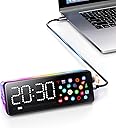
The Laptop Docking Station (7-in-1) combines a 4K@60Hz HDMI port, 90W power delivery, and 1 Gbps Ethernet in a sleek USB-C hub. Featuring a customizable built-in screen with multiple apps, it streamlines connectivity for Mac, Dell, and HP laptops, reducing cable clutter while boosting productivity and workspace aesthetics.


| ASIN | B0FF4KK446 |
| Best Sellers Rank | #46,056 in Electronics ( See Top 100 in Electronics ) #599 in Laptop Docking Stations |
| Brand | Generic |
| Color | black grey |
| Compatible Devices | Chromebook, Macbook, Windows Laptop, iPad Pro |
| Customer Reviews | 4.1 out of 5 stars 129 Reviews |
| Hardware Interface | Ethernet, HDMI , USB 3.0, USB 3.0 Type A, USB 3.0 Type C |
| Item Dimensions L x W x H | 6"L x 4.5"W x 0.8"H |
| Manufacturer | Generic |
| Mfr Part Number | MD001 |
| Model Number | MD001 |
| Number of Ports | 7 |
| Product Dimensions | 6"L x 4.5"W x 0.8"H |
| Total Number of HDMI Ports | 1 |
| Total USB Ports | 7 |
| Total Usb Ports | 7 |
| Warranty Description | 1 year |
| Wattage | 90 |
N**G
Excellent Docking Station with Smart Display
I recently decided to add a docking station to my desk setup and after some research and watching several YouTube videos, I settled on this one. I had a good idea of its capabilities, and when it arrived, it truly exceeded my expectations! The packaging is simple yet elegant, the materials feel premium, and it even includes a high-quality USB-C data cable. This docking station offers all the essential ports I need: HDMI, USB-C, USB-A, and Ethernet. While it only supports one external monitor, my MacBook Pro and ultra-wide Samsung 4K monitor work flawlessly with it. A cool bonus is the RGB light strip on the back, which has multiple modes, allowing you to easily set it to a solid color if you prefer. The standout feature for me is undoubtedly the customizable screen. I love being able to check the time, local weather, stock/BTC prices, and monitor my computer's hardware all directly on the display. Plus, you can download a variety of other apps through the App Gallery, such as Home Assistant, sports updates, and news. One of my absolute favorite apps is the Teslamate app, which allows me to monitor my Tesla's mileage, lock status, and charging progress. The customization options are vast, and switching between them is super easyโjust a quick button press. The app carousel feature is incredibly handy too; I can add the apps I want to keep an eye on, eliminating the need to constantly switch back and forth. As an engineer, I was keen to try creating my own apps. To save time, I used Cursor AI, feeding it Vobot's example code and documentation. Cursor then generated all the necessary code for me โ no need to understand the intricacies, I just uploaded it to the Vobot Dock, and it ran perfectly. This vibe coding feature is a genuinely fun and interactive touch! On the flip side, I did encounter a couple of areas for improvement. Some apps in the App Gallery are a bit complex to set up, and the photo app requires images to be cropped to specific sizes, which can be a minor annoyance. It would also be fantastic if it had a built-in speaker. Overall, this dock offers exceptional value. For under $70, you get a versatile docking station combined with a dynamic info display, making it a perfect and practical addition to my desk setup!
T**G
Great little desktop hub
Excellent little desktop hub that should fit well with anyones set-up. Everything seems to work as it should, the apps are limited but work. Apps are easy to use and easy enough to link a phone and access library of other apps. I especially like the weather and crypto app with the live feeds. Housing seems to be made very well and out of good materials. Both the RGB lighting and the screen are extremely bright even in full light. Only complaint is that the knob for selecting could be a better material.
M**7
Compact and sturdy!
Super happy! Easy set up, easy to read graphics, and it powers all my USB periphs perfectly. The LEDs are a nice touch. Some apps only work with iOS if you are on a Mac like the "Now Playing" feature. I am not sure why they went that route. It works great if you have your iPhone or iPad playing music but if you are using your laptop/desktop then that feature is not available. THat's really the only quirk that I can point out. But, I didn't get this to tell me what I am listening to and what I did get it for it does perfectly.
B**S
NOT FOR ANDROID/SAMSUNG- NO FAST CHARGE!!
Got this to aid in setting up DEX on my S24 ultra, ended up finding the wifi was the only thing I got to work, the apps are useless & I tried to plug my phone in to charge, only to find out using a 100w cord, 200w plug, only going thru the dock, just to get a SLOW CHARGE WARNING!! ๐
H**K
Useful Docking station with screen
Affordable, easy to set up, customizable and just a good product!
Q**L
Good dock
Good dock and plenty of ports for your needs and nice with the clock attached
L**O
Amazing!
Amazing product, it works perfectly with my Mac M1 using an external display, mouse, and keyboard
J**N
Great little dock, but with some drawbacks.
This is great, but it could be even better. Here's things that I like about it including things I wish it had. Pros: 1. I like the form factor. 2. The quality and materials feels good. 3. Screen is bright and clear. 4. I like that it is more than just a desk screen, but also a dock. 5. HDMI & Ethernet works, but it's not something I am using currently. 6. Added USB C and A ports are fantastic. 7. Compatibility is awesome & works with both my Mac & PC! Although I haven't tried it on Linux. 8. I like the multiple built in apps as well as the others from the APP Gallery like Home Assistant. Cons: 1. While the screen is bright and clear enough, I wish it was touchscreen. 2. I love that it has Home Assistant support, but I wish it supported camera entities so I can view my cameras. 3. The USB C "Input" is on the side and I feel aesthetically it should be on the back. 4. The unit doesn't feel "cheap" but it definitely could be heavier. 5. Monitoring your PC/Mac performance is cumbersome and requires an app to be installed. 6. The "Now Playing" App only works via bluetooth to your phone. Doesn't include Album Art either :( 7. Setting the unit up is a mess. It's harder than it should be. Adding a touchscreen would make this so much easier to use and setup. Overall: While I think this is great, is it warrant the regular price of $70? Not at all. I got it for $50 which I still think is almost too much for what this is. If they add a touchscreen and make the menu/setup a lot more intuitive while also making it a little heavier and moved the input USB C port to the back etc. I think it would be worth it hands down. If you are needing it for an actual USB Dock with HDMI and ethernet, I think maybe it would be worth it at $50.
Trustpilot
1 week ago
2 weeks ago