


Desertcart purchases this item on your behalf and handles shipping, customs, and support to Slovakia.
🖨️ Elevate your workspace with smart, sleek printing that keeps you ahead of the curve!
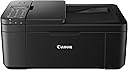
The Canon PIXMA TR4520 is a compact all-in-one inkjet printer designed for busy professionals who demand wireless convenience, high-resolution photo-quality prints, and smart features like Alexa voice control and automatic ink replenishment. It supports mobile printing across iOS, Android, and Windows devices, offers duplex printing, and includes a built-in ADF for scanning and faxing, making it an ideal space-saving solution for modern offices.


| ASIN | B07G5XZVLG |
| Additional Printer Functions | All In One |
| B&W Pages per Minute | 8.8 |
| Best Sellers Rank | #76,657 in Office Products ( See Top 100 in Office Products ) #34 in Desktop Photo Printers |
| Brand | Canon |
| Built-In Media | Inkjet Cartridges, PIXMA TR4520 Wireless Office All-In-One Printer, Paper, Power Cord, Setup CD |
| Color | Black |
| Color Pages per Minute | 4.4 |
| Compatible Cartridge | PG-243 (black), CL-244 (color) |
| Compatible Devices | Smartphones |
| Connectivity Technology | USB, Wireless |
| Control Method | Voice |
| Controller Type | Amazon Alexa, Vera |
| Customer Reviews | 4.2 out of 5 stars 14,479 Reviews |
| Display Type | LCD |
| Duplex | Automatic |
| Global Trade Identification Number | 00013803306217, 00013803953046 |
| Hardware Interface | USB |
| Initial Page Print Time | 13.6 seconds (color), 6.8 seconds (black-and-white) |
| Ink Color | Black |
| Item Dimensions D x W x H | 11.7"D x 17.2"W x 7.5"H |
| Item Type Name | PIXMA TR4520 Wireless Compact Fax Printer |
| Item Weight | 13 pounds |
| Manufacturer | Canon USA Inc. |
| Maximum Copy Resolution Black and White | 1200 dpi |
| Maximum Copy Resolution Color | 4800 x 1200 dpi |
| Maximum Copy Speed Black and White | 8.8 pages_per_minute |
| Maximum Media Size | 8.5 x 14 inch |
| Maximum Print Resolution Black and White | 1200 dpi |
| Maximum Sheet Capacity | 3 |
| Maximum print Resolution Color | 4800 x 1200 dpi |
| Model Name | Canon PIXMA TR4520 |
| Model Number | 2984C002 |
| Model Series | TR |
| Number of Trays | 1 |
| Other Special Features of the Product | Auto Power Off, Scanning |
| Output sheet capacity | 3 |
| Paper Size | 4 inch x 6 |
| Power Consumption | 172 watts |
| Print media | Glossy photo paper |
| Printer Connectivity Type | USB, Wireless |
| Printer Output Type | Color |
| Printer Type | Inkjet |
| Printing Technology | Inkjet |
| Processor Count | 1 |
| Resolution | 4800 x 1200 |
| Scanner Type | Photo, Portable |
| Series Number | 2984 |
| Special Feature | Auto Power Off, Scanning |
| Specific Uses For Product | Office |
| Total Usb Ports | 1 |
| UPC | 013803306217 013803953046 |
| Unit Count | 1 Count |
| Warranty Description | 1-Year Limited Warranty with InstantExchange Program. |
| Warranty Type | limited warranty |
| Wattage | 172 watts |
J**A
Class Act for General Duty - Print/Scan
Had to scramble to put together a work from home office. This copier had all the features I needed and the price was too good to ignore. Set up two laptops via Wi-Fi, my personal was a breeze my work issued caused me a little grief. Once set up printer worked great, no complaints on print quality, and scanning capability. Certainly not speedy but I have been able to conduct business from home without skipping a beat. Of course the pay back comes with ink. Canon OEM ink costs about $52 for the XL black & color cartridge combo with XL = "extra life/more prints" chances are you will use black in 2 to 1. Another small quirk is ink level indicator warns you way too soon, there is alot more ink when the (!) Symbols comes on, just keep printing until the pages show incomplete prints. I will add I did not connect this to use FAX (if people still do that) and I know this is key but I haven't printed photos, strictly office use. But I see no reason this printer wouldn't excel at that. Overall based on my light duty needs I'm very satisfied with this copier. If you trust a quality "refill" ink brand you can save a few dollar's in ink. Good bang for the buck.
L**.
Easy to set up, user friendly and a true bargain at this price!!
After reading all of the other reviews I almost did not purchase this printer. Thinking maybe the integrity had somehow been comprised as I had the same printer for almost 10 years but this one is just a slightly different design. It served me well in my business but I tried to yank a paper out that was too far into the auto feed scanner and I broke it. I went off of the few positive reviews and decided to purchase. So happy I did! I consider myself technically challenged and dreaded setting this up. I am very happy to report it was completely done in less than 30 minutes! The longest wait was downloading the drivers. The step by step instructions walked me through without having to call tech support!!! Yay! I felt so triumphant! The print quality is good as always and as for the clicking noise and machine readying itself to print it is the same as the other one. It does not take forever as stated in other reviews. It is about 5 seconds. If I don't do anything silly and break it myself it should last longer than 10 years this time. There might be silent printers that respond in a split second but they are not going to be priced for $50.00.!! I highly recommend this printer!
T**O
Simple printer
Bought this since kids needed a printer for home school since the pandemic. Cheap nice little printer. Does the job in printing. Easy to setup plugged into a computer. Wifi printing for computers is easy as well. Printing from iphone again is easy. Just download the app and just as long as your on the same wifi as the printer you'll be able to print to it. No fancy bells and whistles. Printer does seem cheap and flimsy but what do you expect for the price. Again does the job of printing/copying without any issues.
G**N
happy w/item
The Best
A**Y
Absolute garbage
I had a Canon MX922 for YEARS that I abused, and it was great, it finally hit the end of it's road (and it was a good long road) and having had a good experience, wanted to get another Canon and made a colossal mistake buying this piece of garbage. Bought it July 1, it's now September 2, so just about two months in, and really haven't used it very much in those two months: 1) Ink ran out: IN LESS THAN TWO MONTHS OF MINIMAL USE!! 1a) The ink replacements are easily 5x the cost of the MX922 ink cartridges 2) Having replaced the black printing is atrocious, like illegibly atrocious, some pages can barely see the ink at all, after cleaning and deep cleaning 3) Two sided printing stopped working about two weeks ago (it's a cheaper printer so I was willing to let this slide) 4) The screen doesn't light up, and isn't touchscreen, it's in a cabinet, where the MX922 was just fine (also not touch screen but it's 2020 for goodness sake!) but not lighting up makes it difficult to see anything that is going on on the screen 5) It jams constantly 6) It's very plasticy and cheap feeling, unlike the MX922 which was stylish, and just felt like it was well made FWIW, the MX922 we bought for under $100 at the time, so it was not an expensive printer, but with this overpriced paperweight we have now, we essentially went from a Toyota Camry, not flashy, not expensive, but reliable, and runs forever with minimal upkeep to a Geo Metro and paid more for it than we did the Camry. And of course, it craps the bed just after the Amazon return date is up... guess that makes it a bit more like Chevy planned obsolescence. Completely disgusted, DO NOT BUY THIS CHEAP PIECE OF GARBAGE, disregard the positive reviews, do not listen to them.
W**.
Let's Be Honest.
You're not here looking at this printer because you have some special job/ purpose. You need to get whats on your screen onto some paper so you can turn it over to an Employer, Teacher, or Government entity. Well congratulations you've found it. This is the printer that checks the box, it prints color just fine, black and white too. If you need an emergency photo on glossy paper it'll do and no one outside of the photography business will be any the wiser. Want to know why I'm here? I'm here because Epson will not print black and white when the Cyan cartridge is empty. I found this printer for $50. Not sure what it is for the endearing reader of this review but you can be assured I was not about to spend that exact amount to refill my Black+Color Epson ink cartridges. Although I cannot yet speak as to whether the printer will print in black and white with a depleted color cartridge. I have had cannon printers in the past that have. Even being able to print my documents in color ink when black ran out in a pinch. I'll keep you informed on that when the time comes. So let's boil it down. Yes, it works and it works well for your College students and Households NOT Offices (if you want an Office printer get any Laser Printer and you'll be fine.) It's not fast, it gets the job done well, easily, and reliably.
A**A
Great as a basic printer. But not great quality prints
Hopefully this review helps a bit for what you’re looking for! So I bought this printer because I was looking for an affordable printer that I can still use for my craft business. And when googling good printers for crafts that were also compatible with a cricut this one had decent recommendations. I’ll list my pros and cons! Cons first, cause people usually wanna know all the bad stuff that is t advertised on Amazon lol. CONS: I’ve had this printer for 5 days but have used it a decent amount so I can tell you a lot about it. First of all if you want to use this printer for art or photos I definitely wouldn’t recommend this printer. 1. For normal paper, matte sticker paper, and gloss sticker paper whether regular or vinyl, it does definitely jam every 2nd-3rd attempt on average. If you’re a crafter like me you know how expensive quality sticker paper is for a 10 sheet pack! Along with how frequent you need to use a printer. Lol and it completely ruins the sheet that gets jammed. I have to constantly readjust the tray to make sure it’s straight and sometimes hold the papers in a certain Angle so it doesn’t jam. 2. It streaks pretty bad, in 5 days I’ve run the ink heads through a cleaning cycle twice with no luck. Bought 4 different brands of sticker paper, and read reviews on the recommended ink I bought. No luck, with different material so I’m assuming it’s just the quality of the printer. 3. the colors are not vibrant. I use an art software to make my products and have found I need to turn the saturation setting all the way up after the design is finished in order to get a NORMAL (non faded) looking sticker. And even then the colors aren’t as vibrant. (I purchased the recommended ink and didn’t go the cheap route) this is a CON if you are looking for something to print photos as well. 4. 5 days in, and my printer says it’s low on ink. I understand since I have a craft business I use the printer a lot more than the average person, however I expected this ink to last at a minimum of 2-3 weeks. And I even bought the XL cartridge. Some printers cleaning cycle wastes ink and due to the quality of the prints being streaky I’ve had to try to run a cleaning cycle. The ink is definitely not cheap at all either. If the printer wasn’t jamming and wasting ink on a Jammed sheet, or not streaking and messing up products that have to be reprinted, the ink may last longer however I’m not sure. These are rather large issues when running a business. PROS: 1.This printer comes with a lot of cool features 2. This printer is easy to set up 3. This printer connects automatically to wifi and my cricut and have rarely had a delay on it printing when I click print(being cricut compatible) 4. For the very affordable price this is a great office printer. For someone who needs to scan, be reliable on wifi, easy set up, low maintenance, and print normal documents, this may be the right printer for you. 5. Prints fast without delays or having issues finding the printer on my phone. My bfs printer takes me 5-6 attempts for my phone to be able to even find the printer on the print option. Maybe poor connection. I regret all the wasted money I have put into buying a cheaper printer to save money cause in the long run with ink and paper I’ve had to replace has been close to another $200 lol. I’ve purchased a better $500 photo quality printer that has good reviews and am waiting for it to be delivered, but have decided to keep this one anyway as a back up in case the other ink is out of stock on Amazon, or just for shipping labels, to not waste ink on my craft printer. I am leaving this review with out any bias or anger, only because reading previous reviews no one really mentioned any of these issues I’ve come across (or at least no one posted a review on it when I was deciding to buy it) so I wanted to help anyone who would find this info more helpful when doing their research and can make a better decision.
B**A
A good printer, works in Linux Mint 19.1 with 2 drivers downloaded (scan and print)...
I haven't fully used this yet, I haven't tested the Fax and Scanning fully, but it's a nice printer. Color for cheat sheets is good and sharp, for instance. There is a little setup, two drivers for Linux to install, and you want to manage your firewall in Linux with it, and your local IP with your router, but it works flawlessly once you figure those out, very lovely product. My beloved (other brand) 15 year old laser printer stopped feeding sheets (I'm trying to fix it) so I had to get something, and figured color might be useful. Ink Jet printers are expensive with ink, but the refill I am using works well with initial tries. Works great with phone wirelessly, and Linux and Windows boxes (haven't tried Mac), and works with my laptop just as well as my desktop (both Linux) wirelessly. You have to figure out and connect using the settings (the settings are a little difficult to figure out on the printer itself) to establish what assigned local IP is assigned and then install the printer and scanner drivers and open your firewall, and badda boom, it's good to go!. (linux is more explicit and controllable than Windows and as such, an ounce of setup is worth a ton of cure). I've only used this on Debian based versions so far, FWIW. It doesn't seem to use much power if left on, which is great, too.
S**Y
excellent product
nothing every thing works perfectley
T**A
Genial por el precio que se paga
Por el preció no me esperaba algo tan bueno y es genial. Para conectar la impresora al modem es mejor buscar un vídeo en internet porque las instrucciones son engorrosas. Quedé totalmente satisfecho. En copilco venden cartuchos económicos.
M**G
Easy to set up and easy to use
It is light weight, with excellent quality print.
M**E
No hay cartuchos tinta hablé a canon México
Estoy muy preocupada no encuentro en la CDMX cartuchos de tinta para k impresora no hay en Amazon dónde los puedo conseguir es urgente ya no tiene tinta negra
A**R
Seize
Actual Printer size was smaller than I expected
Trustpilot
2 months ago
1 month ago