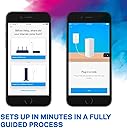
🚀 Elevate your Wi-Fi game—connect everywhere, effortlessly.
The Linksys WHW0303-UK VELOP is a tri-band mesh Wi-Fi system designed for medium to large homes, covering up to 6,000 sq ft with seamless, high-speed connectivity. Featuring a sleek, ultra-compact design with an 88% smaller footprint, it eliminates the need for extenders by creating a self-healing mesh network. Setup and management are simplified via the Linksys app, making it perfect for professionals seeking reliable, stylish, and scalable home networking.
| ASIN | B01N5M9NNB |
| Brand | Linksys |
| Brand Name | Linksys |
| Connectivity Technology | Wi-Fi |
| Control Method | App |
| Customer Reviews | 4.1 out of 5 stars 1,373 Reviews |
| Data Transfer Rate | 867 Megabits Per Second |
| Frequency | 2.4 GHz |
| Frequency Band Class | Tri-Band |
| Item Weight | 0.5 Kilograms |
| Item Weight Unit of Measure | 0.5 Kilograms |
| Manufacturer Part Number | WHW0303-UK |
| Model Number | WHW0303-UK |
| Number of Ports | 2 |
| Operating System | RouterOS |
| Other Special Features of the Product | wps |
| Special Feature | wps |
| UPC | 745883728473 |
| Wireless Communication Standard | 2.4 GHz Radio Frequency , 802.11a, 802.11ac, 802.11b |
| Wireless Compability | 2.4 GHz Radio Frequency, 802.11a, 802.11ac, 802.11b |
A**T
A good system with a heavy price tag, preferably for Techies and for people with Large (2000sqft+)homes !!!
This is exorbitantly priced in India, maybe because it is not officially launched here and all of these that are listed are Grey Market goods. I got this in London for GBP.399 roughly INR 33k. While I would agree with a few that even 33k is an exorbitant price for a Wireless router, however this is where Velop sets itself apart. Velop is not meant for people who only expect coverage and technically do not really understand the other nuances of a WIFI system, moreover this is meant for people who have a house which is 3BR+ or a Townhouse etc. Do not even bother to spend this money if you have a 1Br or a 2BR apartment. For people with large houses and who traditionally use wifi extenders for additional coverage Velop system provides you a similar flexibility however under one single SSID (MESH network) then you have other benefits of better control and manageability, clear visibility and logging, enhanced security and built-in firewall. If you have Amazon TAP or Echo devices you can also control the wifi using voice commands (truly next gen isn't it) :) In a nutshell this is a good system provided you understand its value and have a large home for you to get the expected ROI. There are some bugs however, Linksys is working pretty actively in fixing those and they do release newer updates in firmware. This system is really for people who understand technology and know how to take benefits of the built in features and functionality. If you are looking out for just extending or improving your wifi coverage don't waste your money on this better checkout other standalone routers from Asus or Linksys.
R**D
The best WiFi network I've ever had
I thoroughly researched the market before buying this product, looking at improving WiFi coverage around the house and finally decided to order the set of three units (AC6600). This system is a bit unusual and as a result some people, even those with network configuration experience, may find themselves confused when they set it up. I read several reviews complaining about what you cannot do with this system, however I found that it works very well for my needs and in my opinion it can satisfy the needs of most average users. So here is how it works: First of all, this system is not a modem and has to be connected to a device that can function as a modem, connect to the internet, acquire a public (WAN) IP address and then allocate a local (LAN) IP address to the mesh network. Most, if not all, the modems/routers supplied by the usual internet providers can do this. If you are looking at buying this product, you most likely already have a modem and WiFi router at home. To connect the Velop, just follow the incredibly basic and simple instructions. Essentially the process consists of creating an account with the manufacturer, download an app to your mobile phone or tablet (I use both the Android and Apple versions and they both work seamlessly), connect one of the three bases to the modem/router with the provided network cable and follow the process as instructed. One key element is to be patient and once the first base is configured, adding the other bases to create the mesh network is straight forward. Note that the Velop will create its own WiFi network, separate to the WiFi network provided by the existing modem/router. Most likely the modem/router will create the usual LAN with a 192.168.x.x IP range, whereas the Velop will create its own LAN with a 10.120.x.x IP range. Anyone with even just a basic networking experience knows that the two networks WILL NOT communicate with each other so there is no point in keeping, for example, a printer linked to the modem/router and a computer linked to the Velop network as you won’t be able to print. For either network to work as intended all devices have to be connected to the same network. The best thing to do once everything is configured, is to switch the old modem/router’s WiFi network off and just use the Velop network – you will never look back! It goes without saying that if the Velop has to work completely wirelessly, the bases MUST be able to communicate with one another and therefore be within their WiFi range. They do not necessarily have to communicate with the unit directly plugged into the modem/router, so long as there is a path to it, such as: base 1 connected to the modem/router, base 2 connected to base 1, base 3 connected to base 2. In this case base 2 will bridge the connection between bases 3 and 1; meanwhile all three bases will provide WiFi connection locally to them and roaming from one base to the others will be seamless. The system can work even if the bases are not in each other’s wireless range so long as you can connect them via a cable or via power line adapters. Once you have configured everything, you will have a great network able to provide high speed connection (subject to your internet provider’s maximum bandwidth). This system allows a lot of settings such as various WiFi configurations and options, parental control, device bandwidth prioritisation, remote monitoring of the home network via the app and online account, DHCP or manual settings, port forwarding (single and range), uPnP, MAC filters, separate WiFi guest network, etc.. I know there are people who are not happy about creating an account or having to use an app (though in fact you can also use a browser on any computer), however all taken into account this is by far the best network I have ever had at home and I had no problems to configure it to meet my needs. So much so that I bought another two units. I am now running a mesh network with 5 units in total, which covers the whole house with no gaps, plus a sizeable area around it. A real five-star network that you'll be happy with.
M**.
Vorsicht UK-Stecker!
Das Produkt ist wunderbar, Velop eine gute Wahl. Leider war bei der Bestellung nicht wirklich erkennbar, dass die drei Exemplare mit UK-Steckern ausgerüstet sind. Der Sternabzug betrifft also nur die Formulierung des Angebotes
M**M
جيد وإرساله يغني نقاط واسع دون اسلاك
يغطي نطاق واسع ويشبك لنقاط اضافية حيث تستطيع إضافة اكثر من ٧ نقاط من نفس النوع وربما اكثر
D**A
Really easy to install, works well
Arrived same day from Amazon. No unnecessary packaging. Waterproof film wrap on the box so was fine left out in the rain. Nice unboxing experience. Directs you to download an app to your phone. The app takes you through the connection steps - very easy. I connected to a talk talk router. Turned off the Wi-Fi network on the talk talk router first by using the talk talk control panel. Set up the new network with the same name and password as the old network. This meant I didn’t need to enter details into any of my existing devices. The tower is quite small and good looking. No problem leaving it in view. Plug itself is square, bulky but also white and labelled with Linksys so you know what it is in future. Little surprised it didn’t use a standard usb c socket but it doesn’t really matter. After half an hour I’d connected all three nodes. I’m in a mid terrace house and the reception in the kitchen was rubbish before - kept on dropping the network. I’d used Speedtest on my phone (in airplane mode and Wi-Fi on) before I bought the mesh network to map the speeds around the house. Router is at the front of the house where the phone cables come through the exterior walls. Had ok reception on the old network upstairs in a middle bedroom so installed a node there. Then installed the third node at the back of the kitchen which covers the room and garden. Now have 75mbps throughout pretty much everywhere. This is better than I was getting next to the talk talk router so is an upgrade. I only pay for 65mbps av speed internet so it’s great. You almost certainly don’t need faster Wi-Fi 6 unless you pay for a faster internet connection. Would suggest thinking about plug sockets and locations of the nodes before you buy. The app has basic parental Controls included so you can schedule / pause internet access for individual devices and block specific websites. Basic but combined with ISP and family screen time controls is fine. No real need to pay for the shield subscription. Also works with Apple HomeKit so your smart devices are less likely to get hacked. Easy to add to the home app. Highly recommended and you can tell I love it otherwise wouldn’t have left such a long review. Only caveat is that I’ve only just installed it so no long term experience!
M**I
Review
Good
Trustpilot
1 month ago
2 days ago