

Desert Online General Trading LLC
Dubai, United Arab Emirates
Desert Online General Trading LLC
Dubai, United Arab Emirates


🎮 Capture Every Frame, Own Every Game Moment
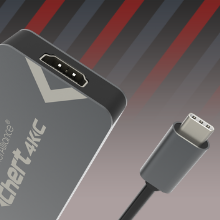
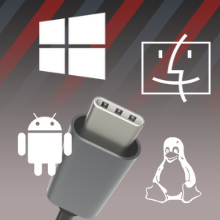
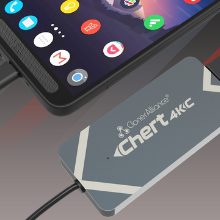
The Chert 4KC is a compact HDMI to USB-C video capture dongle designed for gamers and content creators seeking ultra-low latency (<90ms) streaming and recording. It supports 4K@30fps input and 1080p@60fps capture without drivers, compatible across multiple platforms and streaming software, making it the ultimate plug-and-play solution for high-quality game capture on laptops and mobile devices.


E**A
you get what you pay for
Really the latency is low, but it can considerably affect the gameplay of some online FPS.Sometimes the video seems as if it were compressed. but at least with the video camera works perfectly.What I really liked was the customer service, they contacted me and asked me what was wrong with me and they gave me some tips to improve performance.
S**N
Good 1080p recording
This can record from whatever you plug into it. I mean everything (wink wink, nudge nudge) I think we all know what I am saying here.If you, hypothetically say, accidentally plugged in your Blu-ray player, fire stick, Roku, etc, it would record.But we would never do that, now would we?Update: I see from some reviews that some users were having trouble with the somewhat proprietary video format the Cloner Alliance products use.My recommendations:1. Record in the resolution that matches as closely as possible the desired final format.2. Use Cloner alliance's Mp4-cloner software to trim, combine and otherwise edit your video. (really, just use it. it was made by the same company that made your recording device, so it would make sense that it would be the best product to use)3. If your videos need further massaging; run them through Handbrake, which can easily convert Cloner Alliance's MP4 format into almost anything you desire, or need.My experience with these products are that the above is the simplest, and fastest method, to clean up video files produced with these devices.If you just cannot bring yourself to use the free software that works the best, Run the files through Handbrake first then you can edit them in any software package you desire.
M**N
4K (1920x1080 / 3840x2160) doesn't work on Mac
The adapter works in general, but on macOS it can't capture actual 4K.QuickTime doesn't provide any settings to configure the resolution, so it downsamples the picture, and the quality is not great.The maximum resolution I managed to get using OBS was 1280x720. Any higher resolution gives you a black screen.I spent 2 weeks in an email thread with ClonerAlliance support, but they couldn't solve that issue for me.So, if you need to stream from an external device to your laptop (macBook) and don't care about the picture quality, I would recommend this adapter. If you expect actually get 4K, then look for another device.
H**S
Chert 4kc on MacBookPro is pure garbage
I went through two dSLRs thinking I had the wrong camera plugged in. The color was off, the motion was jerky and it was not a clear picture. Turns out when I switched to a different HDMI in product, all the problems went away. Running a 13" MacBook Pro and just wanting 1080p30 input.It's essentially a piece of garbage. Wasted months troubleshooting the wrong thing.Save your money and if you're on a Mac, find a different product like the Elgato Cam Link 4k.
A**R
I'm really amazed at the simplicity!
I simply hooked this device up to my x370 motherboard through one of their included adapters, ensuring that it is in a USB 3.1 10gig port just in case it allows for such use of bandwidth. I booted into the linux desktop, and it simply worked! When they say driverless, they mean it, which is typically essential to get exotic hardware working on linux.My DSLR (operating simply as a viewfinder, not recording anything) was treated as a webcam immediately by the app. I was excited about this prospect because the colors that are outputted by this vs. a capable 1080p logitech webcam are outright stunning. You can also control bokeh in this configuration, so you get a creamy background to an extremely in focus target. I can't wait to try recording some Nintendo switch games, though it should be noted that there is no pass-through. So you'll need an HDMI splitter to do such a recording.I was fully expecting to need to return this device due to incompatibilities, but was instantly and happily surprised.
A**T
Great device, but does not work with Google Pixel 3 phone
I bought this to use with my Google Pixel 3 phone for streaming baseball games from a GoPro camera. The Pixel 3 (android 10) phone will not recognize the camera. The device works really well connected to my laptop, if that is what I was using it for I would be very happy with the results.Customer service was great when I initially had the issue, they gave me some suggestions to try, but just determined it is not compatible with my phone.
R**S
The Chert makes is possible to use an Android phone as a better display for my video camera!
I've tried a variety of video cameras and many have inadequate displays so I went looking for an external display. After realizing that I have a better screen in my pocket than I could buy (for a reasonable price here), I looked for products that would make my phone usable. It turns out the Chert does exactly that; by connecting the output from my video camera to the Chert and the Chert to my phone I can now use it as a high resolution external display for my video camera.Extending on this idea, I wondered if it was possible to charge my phone while using the Chert. It turns out that you can... In addition to the Chert I purchased a hub that has (USB-C in), (USB-C PD in) and USB-C out... I then connected a standard 5V 2.xA power bank to the PD of the hub, the Chert to the USB-C in of the hub and the USB-C out from the hub to my phone... This allows me to use my phone as a display for the camera without draining its battery. It also ensures that the video output of the Chert stays stable as the Chert would sometimes freeze up (for a few seconds before unfreezing) when connected to just my phone. I've included a picture of my camera connected to the Chert (it's below the camera) and the hub connected to my phone (to the left of the camera). Both are held in place by two sided reusable nano tape.Quick update: Before trying the hub with the Chert I sent a question to the ClonerAlliance customer service team. I was extremely impressed by how fast they got to me, how fast they responded to additional questions and how professional the responses were. They truly stand behind their products which is refreshing to see.
Trustpilot
2 weeks ago
3 weeks ago