๐ท Capture the Past, Share the Future!
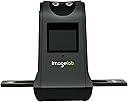
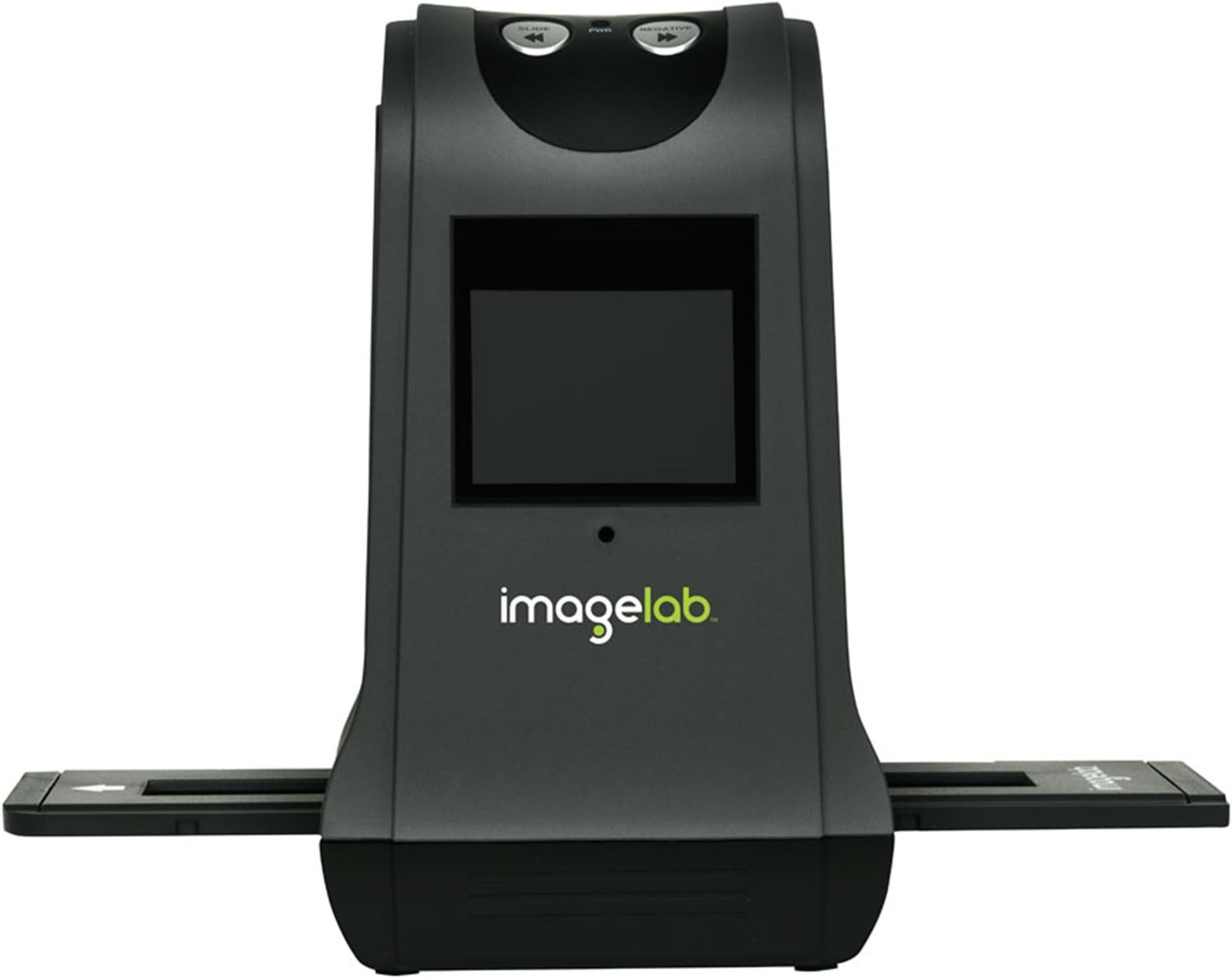
The FS9T 9 MP Slide and Negative Scanner is a powerful device designed to digitize your old slides and negatives with stunning clarity. Featuring a 2.4-inch TFT LCD screen for easy previewing, it supports a variety of media types and connects seamlessly to your computer via USB. With a resolution of 7200 DPI and compatibility with SD cards up to 32GB, this scanner is perfect for preserving your memories without the need for extra software or hardware.
| ASIN | B0048501SE |
| Best Sellers Rank | #1,282,602 in Office Products ( See Top 100 in Office Products ) #482 in Slide & Negative Scanners |
| Brand | Imagelab |
| Connection Type | USB |
| Connectivity Technology | USB |
| Customer Reviews | 3.7 out of 5 stars 124 Reviews |
| Global Trade Identification Number | 00874171003821 |
| Manufacturer | Imagelab |
| Media Type | Negatives, Photo, Slide |
| Minimum System Requirements | Windows XP |
| Optical Sensor Technology | CMOS |
| Resolution | 7200 |
| Scanner Type | Photo |
| UPC | 874171003821 |
| Warranty Description | 90 days |
M**T
Fantastic product
This is a great product and a great money value. I had come across a stash of my black and white work that was done years back, and wanted to transfer it to digital. The 7300 dpi scan quality is great, and it is not difficult to use. I've uploaded my entire collection. There was a lot of emotional exhiliration to be able to see and share work that for the most part, NO ONE, not even I, had viewed except in a contact sheet. One thing to watch for, but I don't consider it a flaw in design, but simply a reality of nature: dust can accumulate quickly within the scanner itself as you work, probably as a result of static electricity, etc. A little dust can make a big difference in a scan of this quality. So if your scan looks rougher than you thought, you should make sure your negative sheet is nice and clean, dust- and lint-free; and you should use canned cleaning duster (or simply blow through) the viewing casing (name of part?) where you slide the negatives through. Repeat your scan and you will probably see a big change. I also have a "lot" of color negs and have hardly touched them, but the ones I've done seem good. I do have some slides somewhere, but I haven't come across them yet, so I can only refer you to the other comments regarding slides. This was, for me, MUCH less expensive and far more satisfying than paying to have my collection digitized. Which, for me, was the point. For anyone who is not familiar with dpi impact on an image, in order to get a clear print, you need to have an image at 300 dpi or greater. So, WITHOUT razzing your image, you can enlarge a 7300 dpi image to very effective printable sizes; your 35 mm width can be enlarged to about 28" and retain good print resolution. And razzing isn't always that bad. If you're printing something larger than that, you'd have to razz an image captured digitally as well.
W**K
A Decent Product
I see a lot of poor reviews for this product and I wonder if it's simply because people expect more than they should from a product of this type. First, I wouldn't really call this product a 'scanner' - it's really nothing more than a digital camera image sensor that takes a photo of your slide or negative. The quality is not stellar, but I wasn't expecting that when I bought it. I knew that I would get decent quality for some applications, but not for serious archiving or processing. If you keep this in mind, then you should be pleased with the product. For the price, I find it well built and easy to use. It does what it says it will do and nothing more. I have thousands of negatives and slides. Of those, only a percentage (I'd say less than 10%) are what I would consider worthy of professional level scanning. With a service like ScanCafe, I can have that done, but even with their decent pricing, it can get rather expensive. This device is handy for turning all of my slides and negatives into useable images rather than packed away in a box somewhere. I would say the quality is fine for genealogists/family historians and the average person who may want to add some photos to an album or website. In my estimation, I would say any photos made from the 'scans' would reasonably allow you to print up to a 5x7, maybe even an 8x10, though I wouldn't hang it in a museum. Again, if you need that kind of quality, you need a profesional level scanner - if you don't have several thousand dollars to spend on one or several hundred to use a service, then this may work well for you. You should also note that any scan from this unit will require some post-scan modification, especially if your slides or negatives are a bit older. Over time, temperature, humidity and light have an adverse affect on film medium that will degrade images. There are many products out there to help you do this, some for free, some at a cost. Just expect to be doing some post-scan sharpening, color adjustments and messing around with stuff like gamma, levels and contrast. It's not hard once you learn, and if your software can 'batch process' a group of photos, you can handle a whole group of scans rather quickly. Products like FastStone Image Viewer can do just that, and it's free. Do be sure to clean your slides and negatives before scanning to minimize dust and lint that will cost you more editing time. Cleaning up dust and lint on your images is probably one of the most time consuming pieces of post-scan editing, plus you'll likely not find a free version that will give you that capability. The slide and negative 'carriers' that come with this unit are solid and well-built, something I've not found with previous scanners I've owned. If you can afford it, have your images professionally scanned, if not, consider this product. Overall, I'm pleased with my purchase. I got exactly what I was expecting, so there is no reason to be upset that I'm not getting all the bells and whistles that some others seem to think are missing. Go into this purchase properly informed and you should be satisfied as well.
J**T
Great Product!
Wow, I am totally impressed with this product. Not only was it simple to setup and use but it integrated to my MAC without a flaw. The quality of the images are amazing (providing that the slides are good). I have scanned photos in the past but find digitally converting the slides to be much better quality. NOTE: remember to blow off the dust on the slides before you scan them. The system comes with 2 trays each for slides or negatives. Although that may not seem like a lot (3 slides per tray) it proved to be fine. I also used the SD memory card from my camera so I didn't have to buy another one. I do recommend using a memory card for without it the system can only store about 10 pictures. With the memory card I was able to use the machine and the 1000 slides I have and quickly convert them while I was watching a movie. Later I went back to my desk and connected the scanner to my MAC and downloaded. Easy! If you have old slides I highly recommend doing this. Not only will you get a good laugh at old memories but for me I will be putting together a DVD to give as gifts. I am sure the rest of my family will get a kick out of the old pictures as well.
R**X
Pretty Good Value for the Price
This is the first negative scanner I have ever used, so I don't have much to compare to. However, I have years of experience working in a darkroom and with digital photograpy, so I had high expectations. The unit is very easy to use; a child could operate it. So far, I have scanned about 300 B&W and color negatives from the 1960's, 1970's and 1980's. I'm getting 0.7 - 1.6 MB files for each negative scan (3488 x 2317 pixels, 72 dpi, 24-bit). I scan to an SD card, then transfer to my PC using the SD slot. It adds considerable contrast to each B&W image. Dust is an issue; after scanning several trays of negatives, bits of white dust show up on each picture. The box included a cleaning stick which I use to wipe dust off the internal sensor, which helps somewhat. Be prepared to retouch the dust out of some of your scans. Overall. I'm fairly satisfied (7/10). My family members are thrilled to see lots of old pictures they never knew existed. So, for sharing scans on Facebook and email, this is perfect. I have printed some 4x6's and 5x7's, and the results are very good. I suspect printing 8x10's or larger would not be as satisfactory. I know I'm only getting perhaps 50%-70% of the actual potential resolution of the negative, but for $100-$150, this is to be expected. I will continue to use it scan the rest of my negatives, but I will continue to look for a negative scanner that is able to better capture the resolution and contrast of the original negative. Here are some scans so you can see what to expect: [...] [...]
P**2
Poor Results, Though Easy To Use
I bought this scanner based on the initial reviews, which where positive. I've used it, and it works. But, I'm replacing it with a multi-function printer that does slides and negatives (the Canon MP8120). The good: + Very easy to set-up + Very easy to use + Quick to scan + Easy to transfer scanned images to computer The bad: - Washes out some of the details, over exposes many pictures (they look much better when viewed through the projector, lose detail in the final product on the PC) - No fine focus (though most scanners don't provide this) While it claims to be a 9 megapixel viewer, none of my images have come close to that level of detail. Perhaps it is because the bulb is washing them out. I've not tried the red plastic film on the slide tray another viewer suggested. Maybe I'll give it a go while I wait for my new printer to arrive. I'm going to redo my slides using the new printer/scanner. Hopefully it will result in significant improvement. 1/14/2010 - Today I received my new Canon MG8120 multifunction printer/scanner. It does scan negatives and slides. I posted pictures from two slides that I scanned using both this ImageLab and the MG8120. You can see them at by going to [...] - there is no www in the address. To be honest, I like the ImageLab view of the castle better, but it washes out the details and colors in the slide with the campers. The ImageLab is significantly faster, two minutes or less for three of them. The Canon took 10 minutes or more to scan four slides. These slides were taken in 1965.
B**T
Waste of time
My husband was initially excited about this scanner. He liked the speed with which he could scan our old slides, but when I saw what the scanned files looked like, I told him to stop wasting his time. The results were so overexposed they were unusable. I tried to use our photo editing software to recapture some of the excellent quality of our original slides, but there was just too much information lost in the scans. My husband bought a dimmer switch to attach to the scanner and there was a TINY improvement in scan quality. We have returned the scanner we purchased for a refund. Since then I read TNOldtimer's idea to use red plastic and paper to diminish the overexposure. I am not sure that is a great solution. The overexposure was patchy with some areas of the pictures burned out more than others, so I don't know if his solution would give consistent results over the whole area of the slide. We are going to go back to our more time consuming, but tried and true method of digitizing our old slides--projecting them and photographing them with our digital camera. That gave good quality results for the more than a thousand of my mother's old slides that I did last year. I was hoping for speed, but I really want those old pictures to look as good as they can, and this scanner is not the way to get quality photos.
L**4
Very simple to use...surprising results.
I was amazed at how easy this is to use, and how fast I could put slides on an SD card! I bought this for my parents, who are in their late 80's, so I could convert their old slides into digital and they could see them on the digital frame I also bought. They were in awe! pop the slide in, move it into position, press a button, and bang! It is on the SD card. I have not gotten to try the negatives yet, but I have a big pile of them to go through. I think I will teach Dad to do this, and he can take care of it. It is a great little machine, and worth the money. I have seen it for more many other places. I paid around $80 some for it on Amazon.
A**R
Not bad, but you need to know its limits
I purchased this scanner from Amazon and while I wish it had a few basic adjustments, it is not a bad unit. I have to echo the sentiments of "Just some guy" below. I found that it worked best on color negatives, probably because they contain a more limited dynamic range than color slides. It works best with slides that don't have a lot of shadow detail or bright highlights, in other words, those with a more limited brightness range. On such slides or negatives, I found that an 8 1/2 by 11 print looks pretty good. On slides with a wide dynamic range the results range from marginal to unusable. Bear in mind, however, that such slides are not easy to convert to digital, even on a desktop scanner equipped with a light box. Compared to such a scanner, which is what I was using previously, this scanner exposed for the shadow and did a much better job of capturing shadow detail than the desktop, while washing out highlights. The desktop, however, exposed for the highlights and lost a lot of shadow detail. When "Just some guy" mentioned a professional scanner, he was talking about some very expensive equipment. The preview screen tends to show the image a bit better than it will turn out, in that some that look fairly good may turn out marginal. If the result will be really bad, though, the preview screen usually looks pretty bad, so you can cut the time wasted on those. A really good result on the preview screen usually means a pretty good end product. On the plus side is the high 9 megapixel resolution, higher than many of these devices, and is evident on the scans of the "better" slides and negatives. Also, the slide and negative carriers are better built than many of those found on this type of device. They are even sturdier than the negative carriers that came with the light box for my Epson Perfection 1200 scanner. All in all, a good purchase and quite usable for many slides and negatives.
Trustpilot
3 weeks ago
1 week ago