We remain fully operational. Our teams are working around the clock to ensure your deliveries continue safely.

DOWNLOAD THE APP


Customer Services
Copyright © 2025 Desertcart Holdings Limited
DOWNLOAD THE APP

🎥 Elevate your stream — because your gameplay deserves the spotlight!
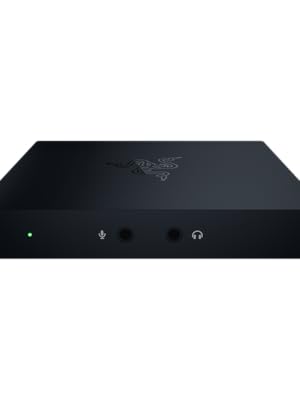
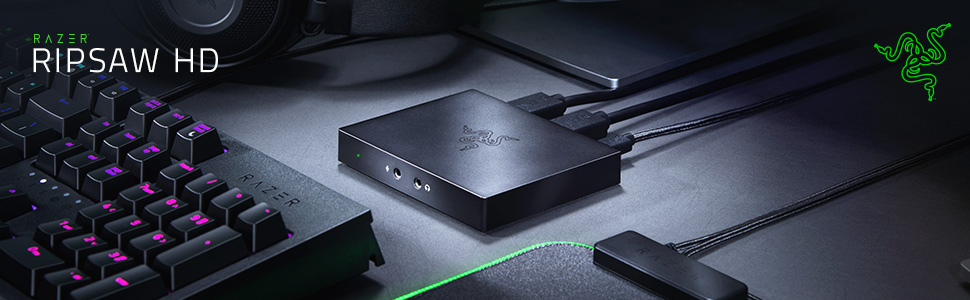
The Razer Ripsaw HD is a compact, high-performance capture card delivering 4K 60 FPS passthrough and 1080P 60 FPS recording. Compatible with PC, PS4, Xbox One, and Nintendo Switch, it features USB 3.0 connectivity for zero latency and a 3.5mm audio input with full mixing controls, making it the ultimate tool for professional-quality, hassle-free game streaming.







| ASIN | B07Q2X651Z |
| Best Sellers Rank | #142 in Internal TV Tuner & Video Capture Cards |
| Brand | Razer |
| Color | Black |
| Customer Reviews | 4.2 4.2 out of 5 stars (1,278) |
| Date First Available | April 8, 2019 |
| Is Discontinued By Manufacturer | No |
| Item Dimensions LxWxH | 4.14 x 3.35 x 0.63 inches |
| Item Weight | 5.3 ounces |
| Item model number | RZ20-02850100-R3U1 |
| Manufacturer | Razer |
| Operating System | nintendo switch |
| Product Dimensions | 4.14 x 3.35 x 0.63 inches |
| Series | Razer Ripsaw HD - Game Capture Card |
D**W
Excellent, simple and elegant. I’ll probably buy another one
Beyond dope. I managed to get it into Zoom through vMix so that I could use my camera as a primary input. My thoughts... Pros: - Very small, lightweight and high-quality construction - Extremely simple self-installation for almost instant usability in software like OBS, Zoom, vMix etc. - Fantastic overall performance Cons: - Maybe small enough to get lost if you’re using it mobile - Not heavy enough to be used with cables that may move around - Audio output seems a bit on the quiet side even at full blast. Probably need an amp - Can be fiddly with certain hardware audio interfaces - Only one input (which honestly, for the price and quality you get, is excellent) - Max 1080p/60p (again, excellent at this price)
D**L
Perfect for your Xbox one X!!!!!!!!!!! 4K BABY!!!
I tired the El Gato 60 HD i was disappointed how many times it didn't work (you have to unplug and plug everything back at times) I also lost my 4K res while playing so i returned it. Then one of my buddies told me about this capture card and my had i am happy i don't need to spend over $300 to play in 4K. I use this with OBS and it works perfect i am not sure how others are having problems maybe they don't have experience with OBS. That is the only con i have is that if you cant or are fairly new to OBS you might have a ruff time. You can get the hang of it pretty easy with OBS if you have any question you want to ask just swing by my Mixer stream: LooneyFuego
M**L
happy with my first ever capture card called: Razer Ripshaw HD for building my gaming setup.
Hello there everyone on Amazon. My name is Martell Nelson, and I'm excited to share my experience with my first-ever capture card: the Razer Ripshaw HD. This device is definitely worth the investment at $124+ (taxes and fees) for anyone looking for a high-quality capture card. I'm in the process of getting a Razer Blade 14 laptop to start creating gaming content on YouTube and Twitch, using the Xsplit premium bundle. I chose the Ripshaw HD after watching several YouTube reviews and seeing its ability to capture games at 1080p at 60 FPS with 4K passthrough, making it a future-proof investment when I upgrade to the Razer Blade 14. As a gamer since the Sega Genesis era, it's important to me to have reliable and top-tier equipment. I'm currently capturing footage from my Nintendo Switch, Ayn Odin 2 Max, Ayn Loki Max, and Xbox Series X Halo Infinite Limited Edition. My setup also includes the Razer Seiren V3 Mini, Razer Kiyo Pro webcam, and Razer Barracuda Pro headset, so having a capture card like the Ripshaw HD completes my lineup perfectly. Overall, this capture card has met my expectations and I can't wait to keep using it in my content creation journey. Written on October 12th, 2024.
R**N
I cannot recommend enough that you avoid this product
If you are a content creator of any stripe, whether it's streaming to thousands of people a day or just recording video for your friends, I cannot recommend this product in any way, shape, or form. Issues: - Razer does not have their own capture software designed to work with this product. You will need to use another capture program like OBS or XSplit. - Passthrough doesn't work unless the unit has power, so you can't leave it in line without your computer being powered on. - Razer makes it sound like setup is a breeze but if you are not familiar with capture software, you are in for a bumpy ride - this is absolutely not a plug and play product for novices, despite what the instructions and marketing material suggests. I spent a solid hour and a half trying to figure out why audio was not being captured. Instead of passing audio through the device, the Ripsaw creates a virtual channel on your PC and you have to be sure to capture *that*, too. This is not covered in the included instructions. Don't understand video/audio sources in OBS? It'll probably take you a lot longer to figure that out. - Once you've captured the audio source, you might find the output is incredibly quiet. This is because the virtual channel defaults to about half volume in Windows 10. So you'll need to go into your audio recording sources and manually adjust the output in there too. This is not covered in the included instructions. I had to spent a half hour trawling Reddit to find that piece of troubleshooting advice. - You've got your audio and your video captured. Finally! It looks great! Until you record or stream anything over ten minutes. The audio and video RAPIDLY go out of sync, and no matter what settings I changed in OBS, no matter whether I recorded to an external drive or an internal M.2 drive, no matter how much I adjusted the video quality or the audio settings, the loss of sync is consistent. Occasionally the video will stutter which for live streaming is completely unacceptable. I tested this on both a high end desktop and a high end laptop and it happened every single freaking time. - Want to record your comms on a console? You'll need an extra mic to connect directly to the device to record your own voice, and if you have a wireless headset that is now rendered useless (at least on PS4) because the PS4 does not allow you to send your audio to your headset and through the HDMI simultaneously. You'll need to run a cable from your headset to the unit. Granted this is not entirely a Ripsaw problem, but the implementation requires more components than is provided in the unit. Prepare to shell out extra for additional devices. I am not in the habit of leaving negative reviews on products that frustrate me, because life is too short - but given how many people are taking up streaming and looking for an easy way to get started, I can't recommend that you go this route. You will be consistently dissatisfied and frustrated. As someone experienced with content creation, familiar with OBS, Twitch streaming AND computer literate, I spent hours of my day messing with this thing to get it even vaguely functional. If you are just starting out, go with another product. I'm just going to wait for the Elgato HD60S+ - I had a lot of success and zero issues with the HD60S and this product is a good reminder of why Elgato have become the market leaders. Super disappointing. I expected a lot better from Razer.
R**T
Great capture card, I use it with the Xbox series x on a 4K UHD Samsung tv, and a ryZen 4600 laptop with Obs software no issues works great very happy upgraded from the live gamer plus
A**L
Excelente, años con ella y me ha funcionado muy bien
R**I
Best product, Razer Ripsaw HD Capture card
F**O
Nota la capturadora SOLO puede TRANSMITIR/GRABAR en FULL HD, pero si cuentas con un paso directo a tu monitor en una calidad de 4k hasta 60fps, lo que vienen más que bien si tienes una Series X/S o PS5, ya que no perderás calidad al momento de verla. Yo la compre en super rebaja por unos 90 USD, para el precio que la adquirí me parece de lo mejor.
J**N
The product is great just takes a bit effort to setup
Trustpilot
1 week ago
1 month ago