
DOWNLOAD THE APP


Customer Services
Copyright © 2025 Desertcart Holdings Limited
DOWNLOAD THE APP


🎮 Relive PS2 glory days in HD—because your classics deserve the big screen!
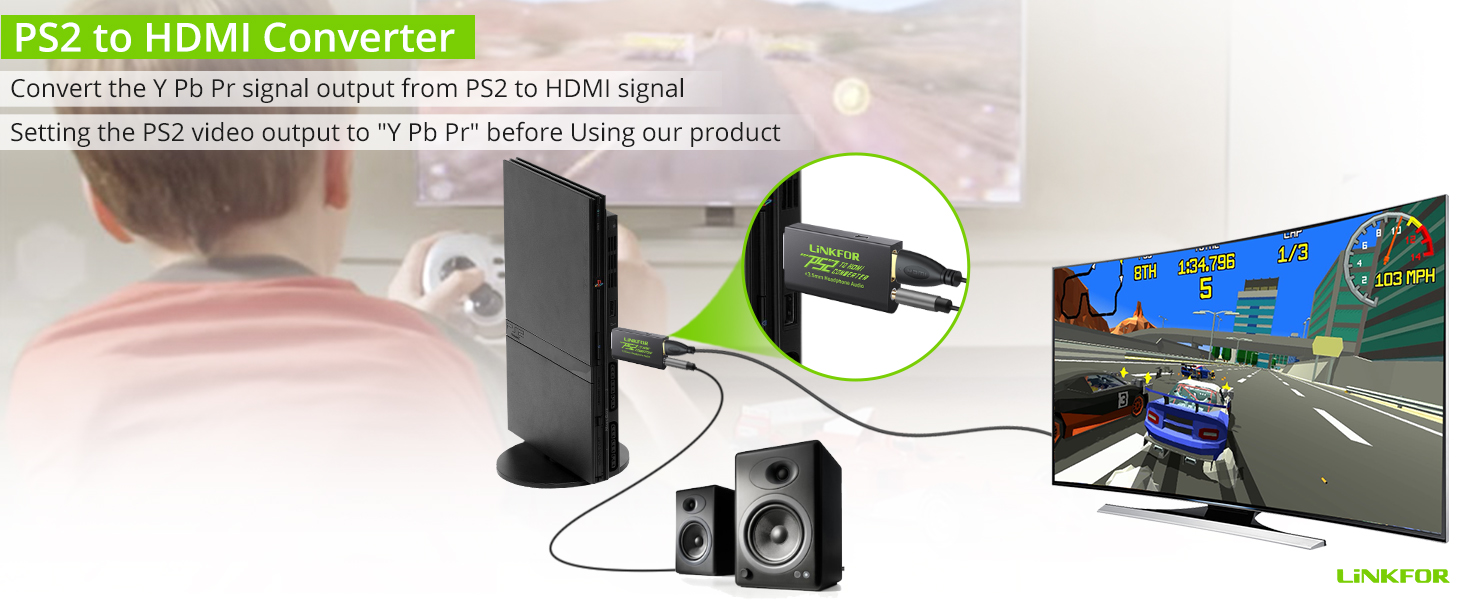
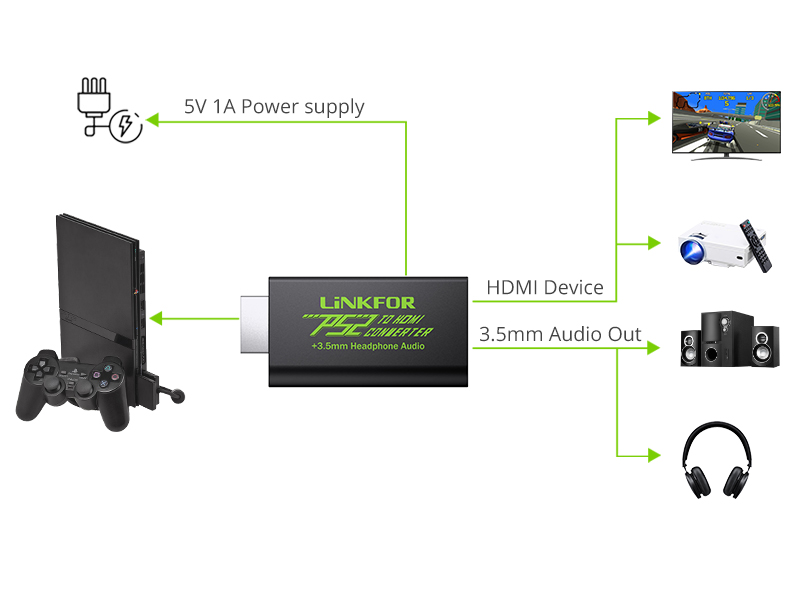
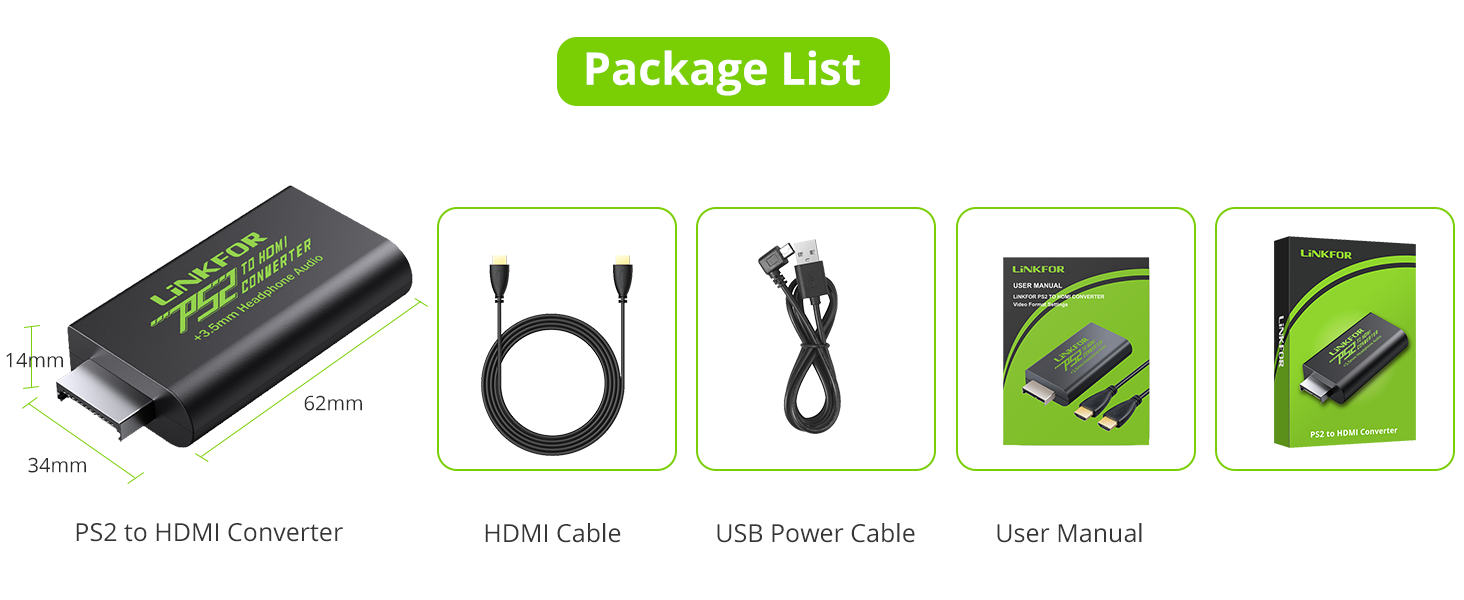
The LiNKFOR PS2 to HDMI Adapter transforms your vintage PlayStation 2 gaming experience by enabling seamless connection to modern HDTVs, monitors, or projectors. Supporting 480i, 576i, and 480p display modes, it preserves authentic visuals while delivering crisp, lag-free video and audio through a gold-plated 3.5mm headphone jack. Powered via USB for true plug-and-play convenience, this compact kit includes a 3ft HDMI cable and USB power cable, making it the ultimate solution for retro gamers eager to elevate their PS2 gameplay on contemporary screens.




| ASIN | B07RJQGBJL |
| Best Sellers Rank | 12,888 in PC & Video Games ( See Top 100 in PC & Video Games ) 86 in PlayStation 2 Accessories |
| Guaranteed software updates until | unknown |
| Item model number | XUNVC215 |
| Manufacturer | LiNKFOR |
| Package Dimensions | 16 x 11.1 x 1.7 cm; 110 g |
A**R
As described
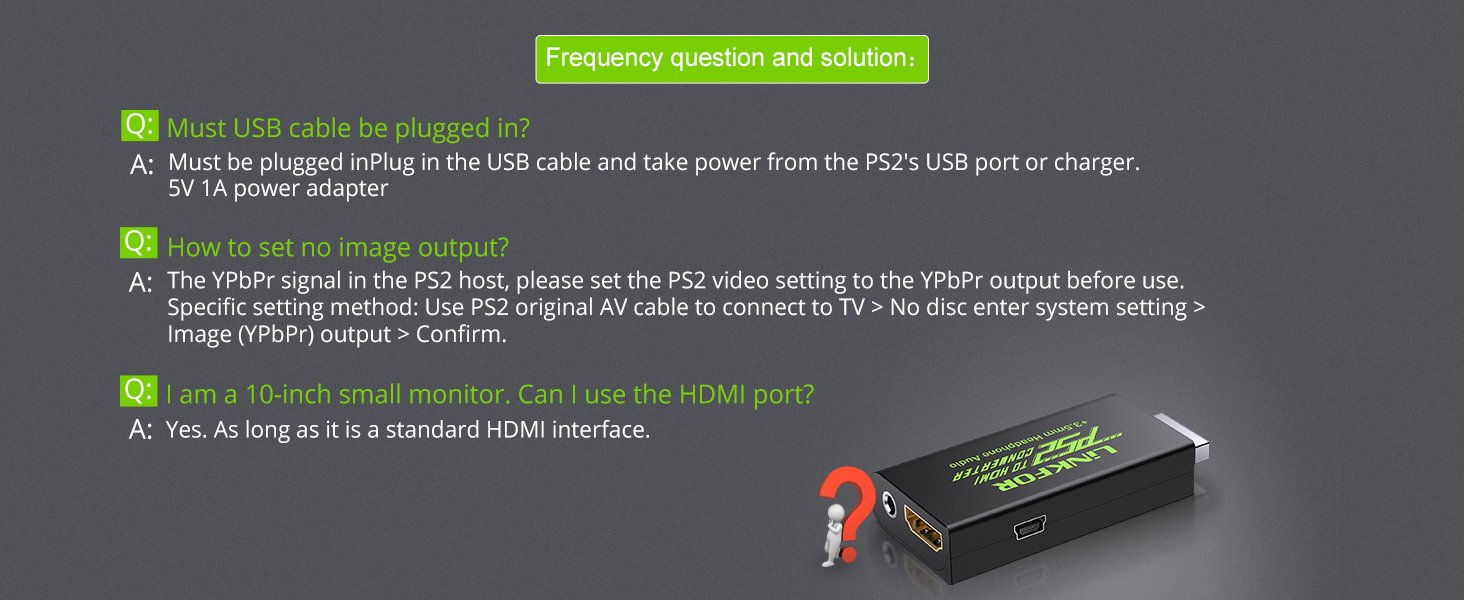
Works as intended. Make sure to read the manual as you need to change the output of the ps2 to YPbPr.
K**E
Ps2
Excellent product for connecting a ps2 to a Computer.
A**N
It does what it promises (but not exactly)
It does exactly what it says, and it does it well enough! I bought it because I wanted to play on my computer monitor, instead of using a TV, and it works fantastically well. Edit: I had to take off one star, because not all games work with it. For ICO, PAL edition, I found that it fails to render anything after the PS2 logo. Another bad aspect, is that the contrast seems to be quite high through this converter. If the game doesn't have a brightness setting, you're in trouble when it comes to dark scenes, which are way too dark for my liking. Decreasing the contrast and increasing brightness on the monitor doesn't do anything to improve the visibility. Another weird thing, is that the USB cable doesn't seem to do anything. I plugged it in both USB ports on the PS2, didn't do anything. I've attached it directly to my PC, nothing. I've used my phone's charger to plug the USB in it, again, doesn't seem to have any effect. I can run the converter by just plugging it in my PS2, and attaching the HDMI cable. Also, PS1 titles don't work at all. They show the PS logo, after which the monitor goes in standby. Maybe you need a dedicated PS1 converter, who knows. Because it's marketed specifically as PS2, and I only made the assumption that it should work with PS1 games on PS2, I won't take one star off because of this. But I know that there are other converter which do work with PS1 games over PS2.
A**R
The real deal.
Genuinely one of the best things I’ve bought online. I was using a PS2 to hdmi converter but it was more of a resolution increase without increasing the quality so every game looked blurry on my TV. WITH THIS product, it is exactly how you remember the PS2 would look on your old tv and it really does the job.
P**E
Does not last
Initially worked well and does bring PS2 games to life on HD TV’s with brighter colours and definition but then suddenly stopped by parking for no reason. Hadn’t used it in about 2 weeks and when I tried it didn’t connect. Tried reaching to the product support page but got no response hence the 1 star
J**N
Perfect
Perfect
S**E
Works perfectly
It's a shame that people are leaving bad reviews because basically everything they're complaining about wouldn't be a problem if they'd done the most basic research. It says in the description here and IN the box that you need to switch the settings to Y/Pb/Pr to be able to view it. It also supplies a USB cable that you can loop around to the front of the console to supply the power, so you don't need an adaptor. This cable works great, I was put off for a bit due to the bad reviews but turns out they're just being stupid! It looks fantastic, completely clear and much better colours than the composite cables that come with the PS2, and the sound is much better too. There's no longer an annoying cable buzzing sound, and also as an added bonus you can plug in headphones into the adapter. I'm very happy with the purchase!
H**Y
Its perfect
It worked instantly. Just make sure you do not set your playstation to RGB mode and everything will work just fine. It doesn't lag. It looks great. And it's good value. It does require external power but I found plugging the USB into the PlayStation works just fine.
B**O
Easy to set up and use. The image quality is clear, and my PS2 now connects smoothly to modern TVs. Exactly what I needed.
T**Y
Ottimo, collegato e impostato come da istruzioni e funziona alla perfezione. L'ho alimentato tranquillamente con le usb della play2 (una fat). I colori e la fluidità di immagine sono ottimi, la qualità c'è e si vede. Chiaramente non ci si può aspettare miglioramenti significativi in quanto l'uscita component convertita in hdmi è pur sempre quella di una ps2, quindi la qualità è la stessa che usare la component su un lcd (come molte vecchie consolle la ps2 nasce per il tubo catodico), ma giocando con le impostazioni della tv, qualche miglioria la si ottiene. Un ottimo prodotto direi. Validissimo anche il cavo HDMI in dotazione.
R**H
Nachdem ich meinen Männerhort fertig gestellt habe und meine alte PS2 gefunden habe, kam der Wunsch hoch mal wieder zu zocken auf dem nostalgischen Gerät. Also den HDMI-Konverter bestellt und gehofft. Lieferung war AMAZON typisch verspätet und kam nach 5 Tagen irgendwann dann an. Alten TV im Müll gesucht, PS2 dran gestöbselt und in den Optionen die PS2 auf YPbPr und Widescreen gestellt, alles abgebaut und ab in den Männerhort. PS2 an den wunderschönen Sony-TV gestöpselt eingeschaltet und ein traumhafes erwachen der PS2 an einem LEDT-TV. Bilder sehen insgesamt weicher und schöner aus, obwohl der Konverter kein Upscaling betreibt. Fazit: Zum Nostalgischen Zocken mit einer PS2 an einem modernen TV ist dieser Adapter jeden Cent wert!
P**U
Excellent produit qui fait le travail. Tout d'abord, vous devez connecter votre Ps2 à une tv avec Péritel pour aller changer le format audio dans les paramètres de la console. Sans ça, le boitier ne fonctionnera pas et le signal de la Ps2 ne passera pas le le câble Hdmi. Ensuite, vous pourrez brancher la console avec le boitier Linkfor et relier le câble Hdmi à la Tv. N'oubliez pas de brancher le petit câble Usb du boîtier Linkfor jusqu'à une source d'alimentation, faute de quoi, cela ne fonctionnera pas. Le boitier Linkfor doit être auto-alimenté. Tout est expliqué dans la notice, mais comme ce n'est pas très clair, je préfère vous détailler tout ça. Amusez-vous bien.
N**E
Werkt perfect
Trustpilot
2 weeks ago
1 day ago