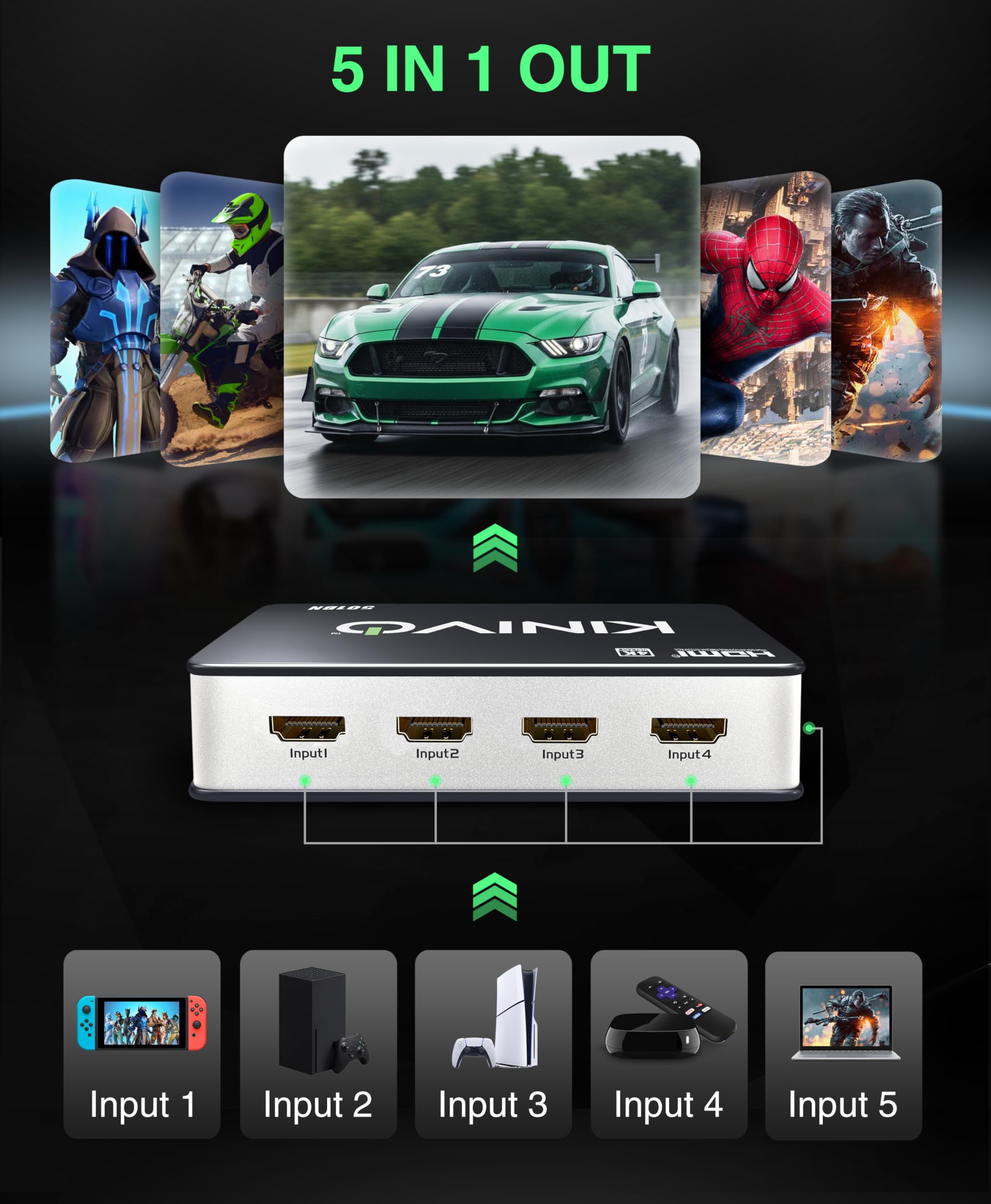
🎯 Level up your media setup with Kinivo’s 5-in-1 HDMI switch — never miss a moment!
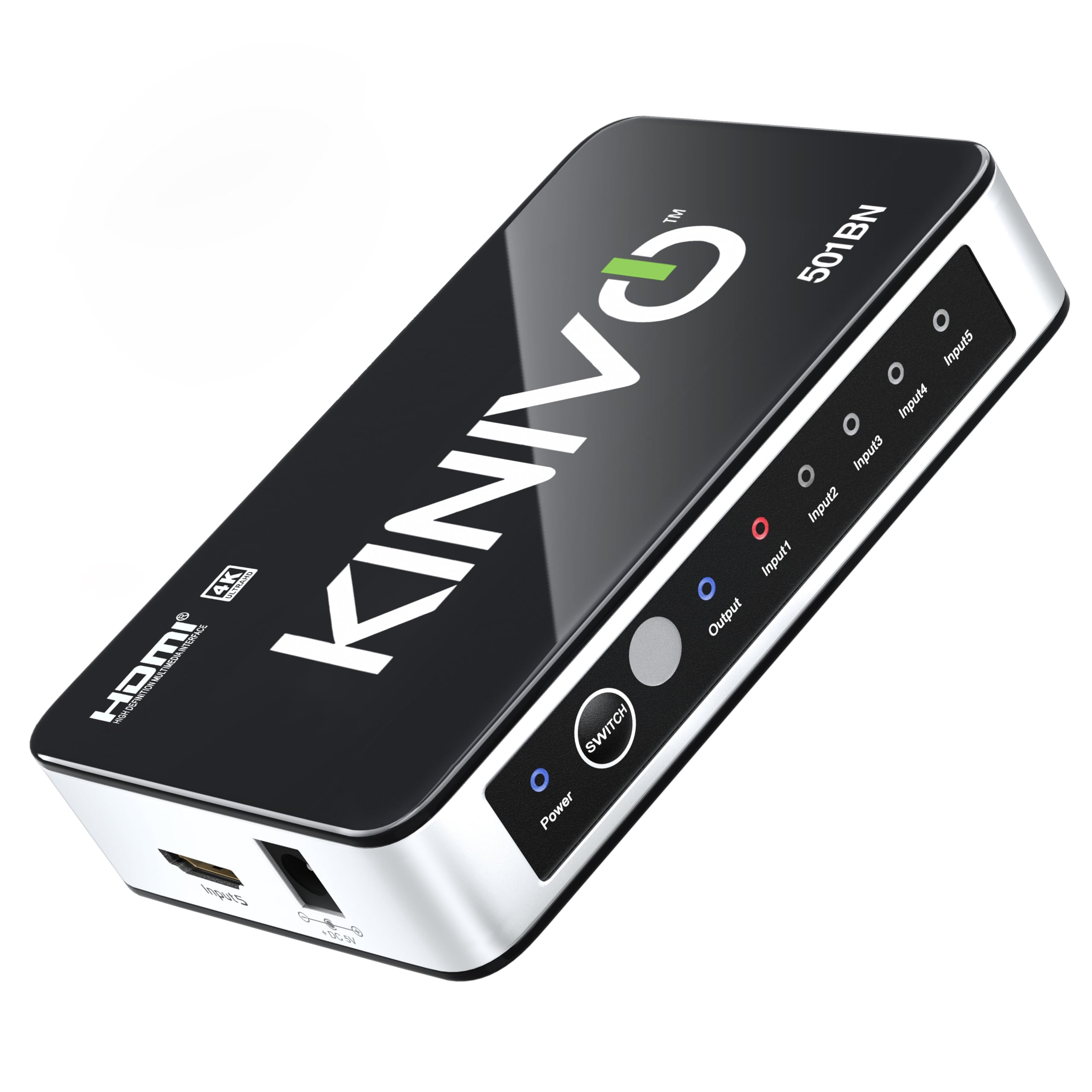
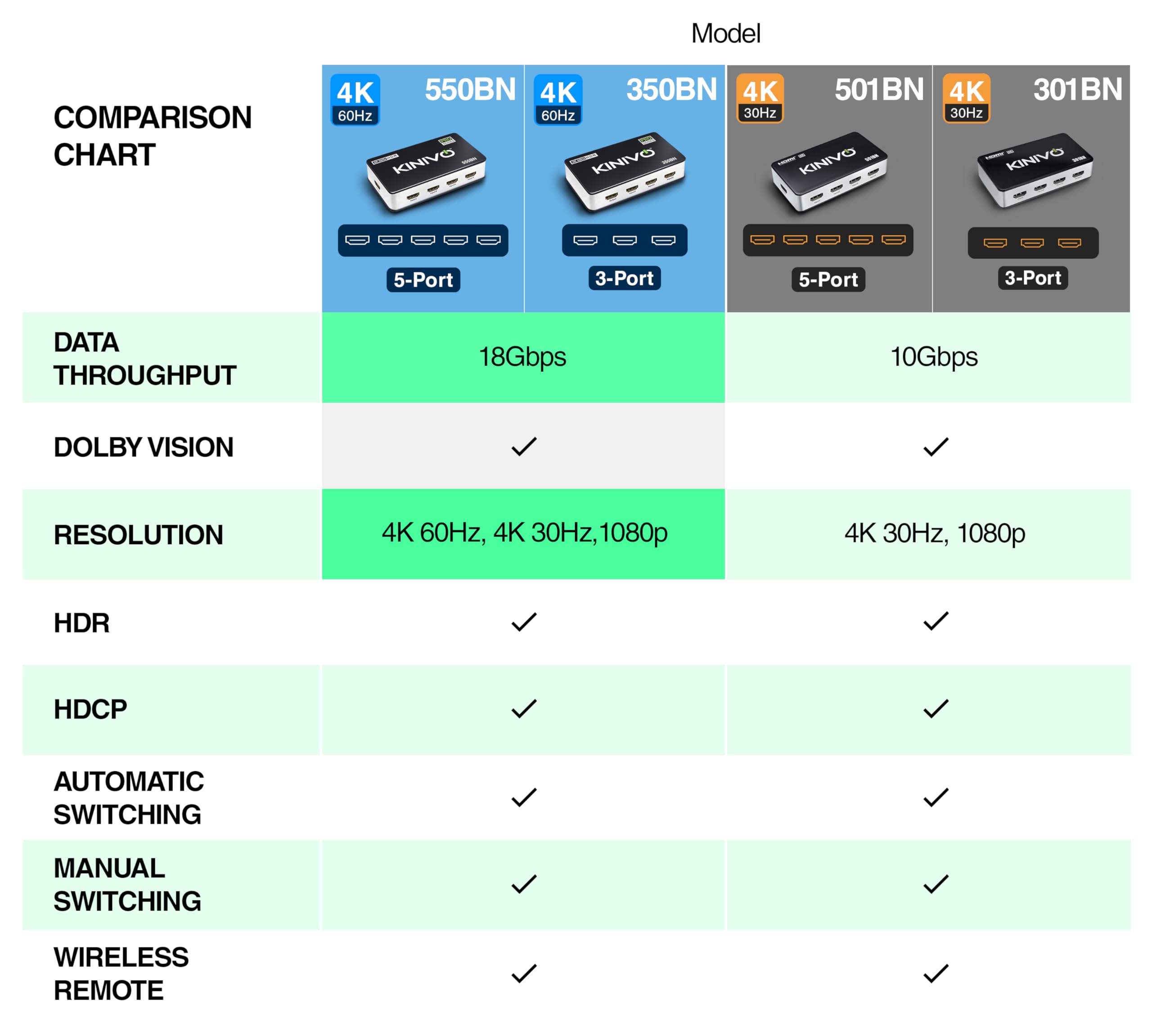
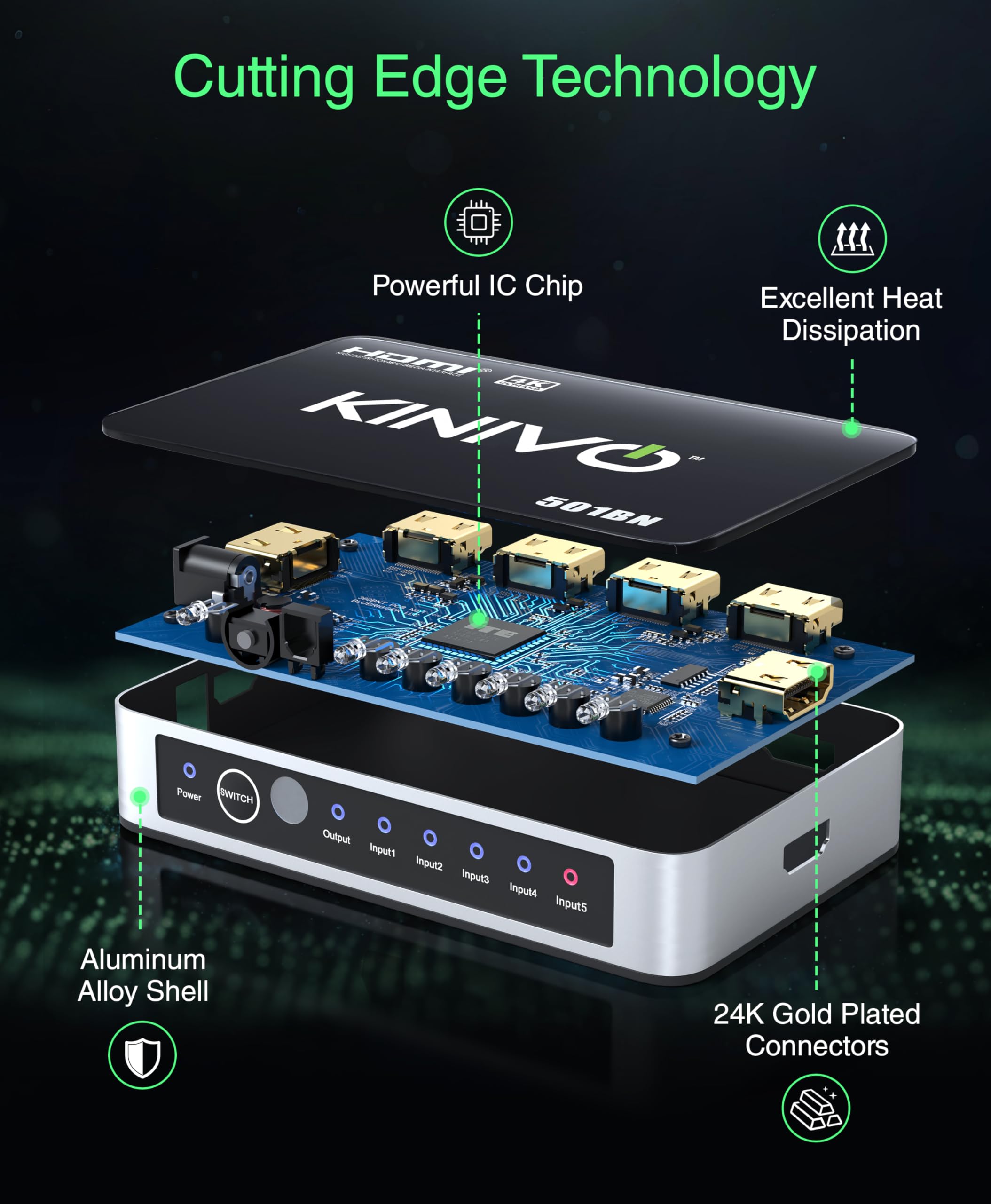
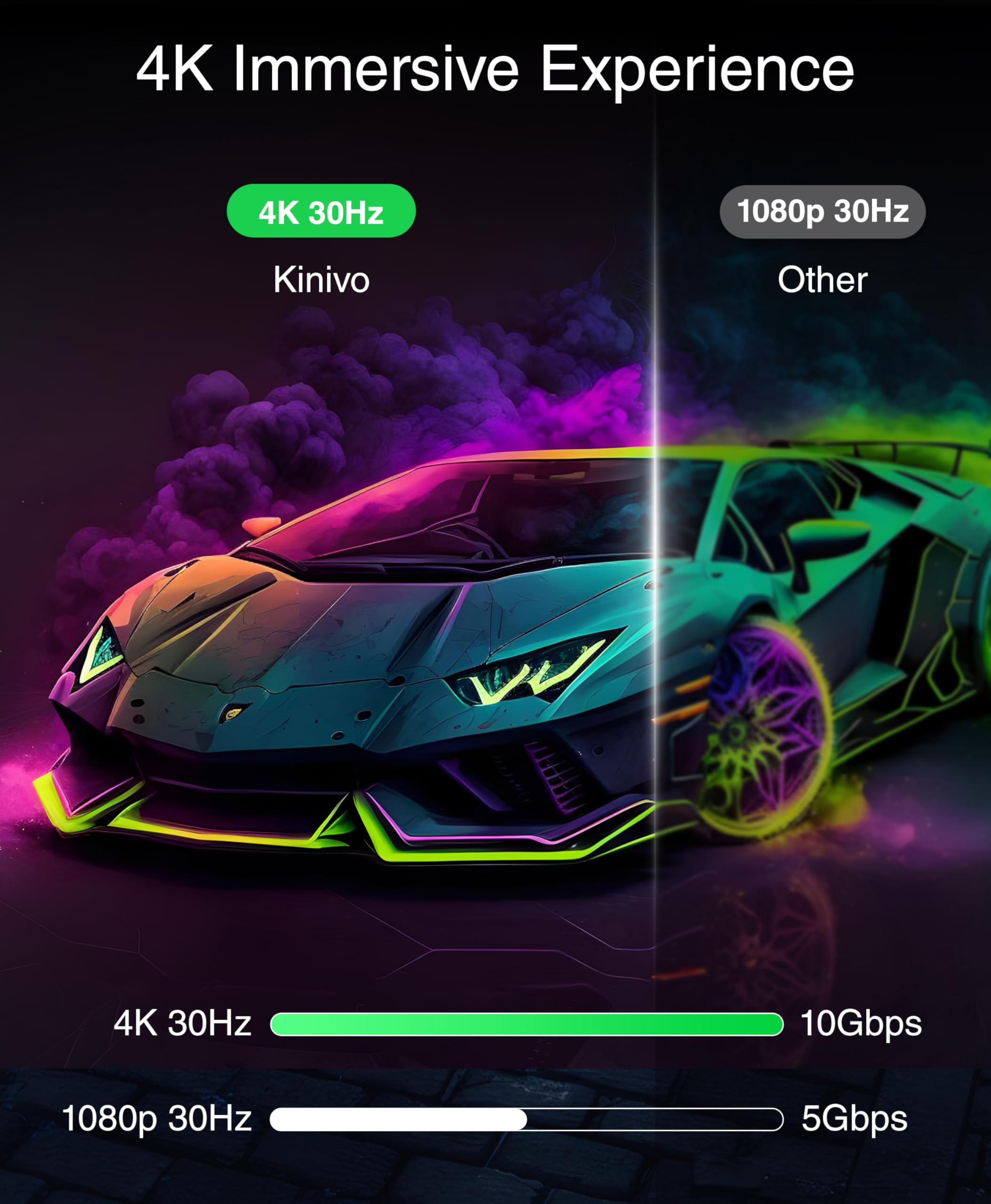
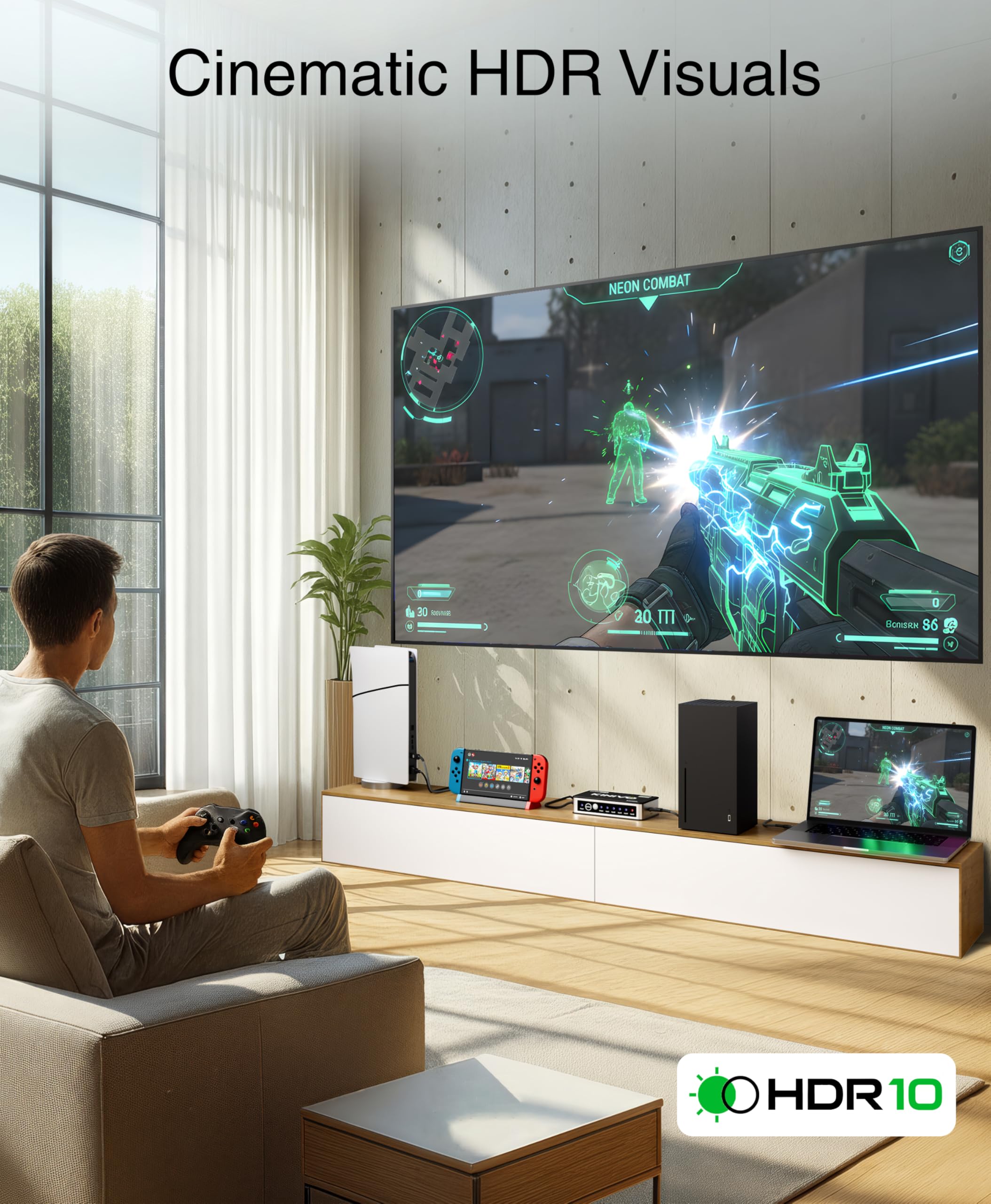
The Kinivo HDMI Switch 4K HDR 501BN is a premium 5-port HDMI switcher designed for professionals and media enthusiasts. Supporting 4K HDR at 30Hz and HDMI 2.0 with 18Gbps bandwidth, it seamlessly connects multiple devices like PS5, Xbox, Roku, and Apple TV to a single display. Featuring smart auto-switching, a handy IR remote, and a sleek aluminum body for heat management, it offers a clutter-free, high-performance solution backed by a two-year warranty and lifetime US-based support.


| ASIN | B0049SCB2Y |
| Best Sellers Rank | #374 in Audio & Video Selector Boxes |
| Brand | Kinivo |
| Built-In Media | HDMI Swith, Power Adapter, Manual |
| Cable Type | HDMI |
| Color | Black |
| Compatible Devices | Projector, Laptop, TV, Monitor, PC, DVD Player, XBOX X/S/One, PS5, PS4, PS3, Wii, TV Stick, Apple TV, Set Top Box, Blu-ray Player, Chromecast, Streaming Device, Raspberry Pi, Nintendo Switch & more Compatible Devices Projector, Laptop, TV, Monitor, PC, DVD Player, XBOX X/S/One, PS5, PS4, PS3, Wii, TV Stick, Apple TV, Set Top Box, Blu-ray Player, Chromecast, Streaming Device, Raspberry Pi, Nintendo Switch & more See more |
| Connector Type | HDMI |
| Connector Type Used on Cable | HDMI |
| Customer Reviews | 4.3 out of 5 stars 17,016 Reviews |
| Global Trade Identification Number | 00609465955346, 00887527685244 |
| Item Height | 1 inches |
| Item Type Name | Kinivo 501BN Premium 5 port High speed HDMI switch with IR wireless remote and AC Power adapter - supports 3D, 1080p |
| Item Weight | 0.5 Pounds |
| Manufacturer | Kinivo |
| Number of Ports | 5 |
| UPC | 887527685244 609465955346 887467164786 |
| Warranty Description | Two-year warranty with lifetime US based customer support |
B**T
Auto-switch can be an unnecessary feature sometimes; Great product otherwise
NOTE: This product is currently unavailable as of the time I'm writing this review. This is odd because I literally just bought and received this on Friday 8/21/2015 and it showed no signs of running out of stock anytime soon. Now, I'm writing this review the very next day (8/22/2015) and it is currently unavailable. Weird...anyways onto the review. ~Added two pictures: One of the device itself, another of the device next to my gamecube controller so you can see how small the Kinivo actually is~ This product does exactly what I wanted to do, and at a great $39.99 price as of the time I paid for it. There are a total of 5 HDMI input ports that you can hook into it, + one HDMI output port that you would most likely be connecting to your HDTV. Personally, I'm only using 4 of the 5 as of now because I only have 4 devices that need HDMI: my Wii U, PS3, PS4, and AT&T U-Verse TV box. All of them work great with no glitches, quirkiness, reduced quality, or any of that. Each of the 5 inputs are labeled 'Input 1', 'Input 2', 'Input 3', and so on up to 5. There's a button on the device itself called "Switch" that you can press to sequentially switch through all of your available connected devices. However, this product also comes with a very cool and small remote that lets you control the switches from it via Infrared signals. The remote has up/down arrow buttons that respectively increment and decrement the current HDMI input device you're on. However, it gets a little bit better as there are also 5 other buttons on the remote (numbered 1-5) which map to your 5 HDMI input devices. This lets you freely control which HDMI device you want to display without having to use the linear up/down arrows or the 'Switch' button itself on the device. There's also 1 more button on the remote called "Memory". When you press the Memory button, Kinivo remembers the current HDMI device that is being displayed, such that whenever you turn your HDTV on, Kinivo will automatically switch to the remembered HDMI device. I haven't tried this feature yet so I can't comment on how good it works but it sounds promising. Last thing I want to touch on is what I mentioned in my review title. This device has two interesting auto-switch features that can be either handy or annoying depending on the context of your usage. Firstly, when you turn on a device that is connected to your Kinivo, Kinivo will recognize this and automatically switch the currently displayed HDMI device to the new one that was just turned on. i.e. You're currently watching TV, and you turn on your game system that's connected to your Kinivo. Kinivo will automatically switch to displaying the game system. As I said above, depending on the context of your usage, this feature can either be very useful or very annoying because maybe you didn't want to play your game system at that point in time. Maybe you were just turning it on now in order to play it later. Secondly, if you turn off the device that is currently being displayed on your HDTV, Kinivo will recognize this and automatically switch to the next available sequential HDMI input. Using the above example, let's say your TV box was Input 2, and your game system was Input 3. If you're currently watching TV, and you decide to turn your TV box off, Kinivo will automatically switch to the next available sequential HDMI input, which in this case would be Input 3, the game system. Again, it largely depends on the context of your usage, but this can also be either very useful or annoying. All in all, I'm still giving this 5 stars because the auto-switch features aren't that big of a deal. Even if Kinivo auto switches to an HDMI device that you do not want displayed, you can always just whip out your remote and change it back. All of which takes a few seconds.
U**Y
Great Product for a GREAT Price!!!
The Kinivo HDMI switch is an awesome product! I recently bought a couple of items that required a HDMI input for optimal use. I have never heard of any type of switch before so I started to research them. I first looked on Amazon and this one seemed like the best "bang for the buck". After looking on Amazon, I went to my local Best Buy store to see what they had. An employee told me that they only had 1 item and it was over 100 dollars!!! I thought this was outrageous for a fairly simple product. So needless to say I walked out of Best Buy and got right back on Amazon. This Kinivo switch is as good if not better than the switch that Best Buy offered. It seems well built and does the job without any flaws. The only decision I had to make was to buy the 3 port or spend an extra 7 bucks and buy the 5 port. Since my TV only has 3 HDMI ports I thought this one would be sufficient. I kinda regret not spending the extra money just incase I get more electronics that need HDMI. However, after setting it up I think I might be able to use 5 HDMI ports after all. First off set up was a breeze! I took it out of the box and within 5 minutes it was ready to go. 1st Step: Take a HDMI cord and put one end in your TV and take the other and plug it into the OUTPUT port on the Kinivo. 2nd Step: Take another HDMI cord and put one end into your game console and the other into the INPUT 1 port on the Kinivo. 3rd Step: Take a HDMI cord and put one end into your DVD/Blueray player and the other into the INPUT 2 port and so on. (You don't necessarily have to use this order when plugging your appliance into the INPUT ports. That is the the directions say) 4th Step: Plug the Kinivo into an A/C outlet and you're ready to go! In the description it says that it can be used by the supplied remote or it will automatically detect which input your TV is on and it will switch to it. However, I had a different experience. I followed the directions so I had my XBOX in INPUT 1 and my Roku player in INPUT 2 on the Kinivo. On my TV I had the Kinivo connected to HDMI #1. So my TV doesn't detect that there is anything in HDMI 2 or 3. This is the reason I believe I could connect 2 more HDMI appliances directly to the TV itself ontop of the 3 on the Kinivo. When I turn on my TV and go to HDMI 1 it will go to either the XBOX or the Roku. If both devices are on the XBOX will override the Roku because it is hooked up to INPUT 1 on the Kinivo. To use the Roku all I have to do is turn of the XBOX and the Roku will automatically pop up on my TV. I don't have anything in the INPUT 3 port on the Kinivo but I assume that it would be the 3rd default in this process. PROS: Well built Affordable Works as advertised Set up was a BREEZE Allows me to use a total of 5 HDMI electronics (3 on the Kinivo and 2 on my TV alone) Lightweight and small Looks GREAT with all your other electronics! CONS: Kinda confused on the Kinivo automatically detecting the input Remote is VERY small and could easily get lost
E**S
Reliable HDMI Switcher for Multiple Devices
Reliable HDMI Switcher for Multiple Devices I’ve been using the Kinivo 301BN HDMI switch with my TV setup, and it has made life easier when juggling multiple devices. Between a Roku, Xbox, and cable box, I used to constantly swap cables. This switch eliminates that hassle—just plug in up to three HDMI sources, and it outputs cleanly to the TV. Setup was straightforward: HDMI in from each device, one HDMI out to the TV, and it worked instantly. The picture quality holds up well at 4K resolution, and I haven’t noticed any signal drop or lag. The included remote is handy for switching inputs from the couch, though there’s also an auto-switching feature that detects when a device powers on. That worked most of the time, but occasionally it would stay on the last input until I manually changed it. One thing to keep in mind is that while it supports 4K, it’s limited to 30Hz. If you’re gaming on a PS5 or Xbox and expect 4K at 60Hz, this isn’t the right fit. For streaming and casual viewing though, it performs well. The compact size also means it tucks neatly behind the TV without adding clutter. Bottom line: A reliable, easy-to-use HDMI switch for everyday setups with multiple devices, as long as you don’t need 4K at 60Hz.
I**O
This Is The Droid You Seek.
Let me start with the simple review, and then I'll go into more specific detail about my set-up. This unit works perfectly, and that's apparently not an easy task for an HDMI switch. Being as HDMI connections require electronic "handshakes" to work, and adding a switch between the source device and the target device really complicates the handshaking, a quick handshake turnaround is required. Instead of a Blu-Ray player shaking hands directly with a home theater receiver, this switch adds another set of handshakes in-between them. I'll get back to that, but this switch accomplishes the handshaking with no apparent problems between all of my devices. Prior to this switch, I have three others that couldn't "hold" their handshakes. Back at the simple level, some of my other switches had "aircraft landing light" bright LED indicator lights that had to be taped over. This unit's lights are a bit brighter than needed, but not blinding like the other switches I tried. It gets a plus for the more discrete LED indicator lights. This switch also gets a plus for the "auto switching" function. Some of my other switches don't handle that well. Many of you will never have to use the remote control, but I do, since some of my devices are "always on". I don't like the side ports. Input 5, HDMI Output, and power on the sides are a bit of a problem. I much prefer all of the connections to be in the rear, which makes for a wider case, but so what? If you have five HDMI devices to plug into this, you have a component rack. Making this device one or two inches more narrow - why? You'll still have HDMI cables sticking out the sides, and they will take up more lateral space than an extra two or three inches of switch box width. I also don't like the tiny remote control, but other switches are also going this way. I prefer enough room on the switches to add legible labels to the remote control. The tinier the remotes get, the tougher it is to label what each button controls. "BD", "Xbox", "Roku", "SPS" - with today's devices, many are now 'ON' full time, and we really need room to label what devices buttons number one through five represent. So I'll finish the simple review with the statement that this switch is the first of the four I have to work 100% of the time. My other three cannot hold the handshaking connection, and the video, audio, or both, randomly drop out. Now, for a bit of unassociated reasons why I needed THIS switch. This may help some of you get the basics of what's happening to your sound. In 2007, I spent $1,800 for a powerful Home Theater receiver. It had all of the bells and whistles of the day, and was powerful enough to handle my large, quite power hungry, 7.2 surround , $5,000 speaker system. I "cut the (cable) cord", and went all streaming and OTA (antenna) for my TV back then. For my streaming, I was using Roku for everything. A few years back, my primary streaming source, Netflix, killed my surround sound on the Roku. Netflix decided to only use UNCOMPRESSED surround sound in the Roku. Amazon Prime still uses compressed surround sound in the Roku, so I pretty much quit watching any surround sound content on Netflix, and hoped to find those shows on Amazon Prime. It was time to check out my other streaming devices, and nowadays, almost all devices are streaming devices. I found that almost all of the other streaming devices provide Netflix with compressed surround sound, so I needed my HDMI switch to be working to watch surround sound content from Netflix. This may be why you are looking at this switch - it was for me. "Compressed" surround sound? Here's a thumbnail of my situation. In 2007, virtually no Home Theater receivers supported uncompressed surround sound. Surround sound is essentially provided by just two companies - Dolby and DTS. Initially, they both provided surround sound in a compressed format, and that was carried on optical (TOSLINK) cables, coax digital cables, and HDMI cables. They had names like Dolby Digital and DTS NEO. In 2008, high end receivers began to support uncompressed surround sound. The uncompressed surround sound codecs (formats) carried too much audio information to be handled by either optical or coax digital cables. Only the latest HDMI cables could handle the bandwidth needed for the new uncompressed audio. Those codecs began with names like Dolby Digital Plus and DTS Master Audio. As Dolby and DTS continue to develop more advanced codecs, the names keep changing, but I doubt that less than .0002% of us can tell the difference. The old, compressed, Dolby Digital is enough sonic surround to blow any of us away when played through good equipment. Low or medium end equipment? You'll never be able to hear any improvement from the later codecs. Plain old compressed Dolby Digital has way more fidelity and dynamic range than you'll ever be able to appreciate. Well, as far as this HDMI switch is concerned, after a full week of testing, it has the moxie to flawlessly maintain the HDMI handshaking, and I'm so pleased that my other streaming devices, such as XBox and a mid-level Sony Blu-Ray player still stream Netflix with the compressed Dolby Digital surround sound. Good timing for me, since Netflix quit working on my Roku III about two weeks ago. I'm retired now, and can't imagine ever paying another $2,000+ to upgrade my perfectly wonderful Yamaha home theater receiver to a later equivalent model that supports the uncompressed surround sound codecs - especially since they change so often. I'm just hoping that Netflix decides to offer the uncompressed surround audio on the Roku, and that they don't decide to "upgrade" all of the other streaming devices to uncompressed audio.
A**.
Great product and amazing customer service
I don't often leave reviews because I want to be as thorough as possible and that usually takes time; however, I made a point to write a review for this product specifically because of my experience with the manufacturer. I ordered this product because I was making some changes to my entertainment system and needed an HDMI switch that would allow me to plug in 4+ devices and run them all to one HDMI port. My current setup is as follows: the Kinivo switch has 4 devices plugged in--a Gen4 Apple TV, a PS4, a Nintendo Switch, and a FireStick. The HDMI out from the switch plugs into my Samsung soundbar which then runs to my Samsung TV. The best thing about this setup is that I can have the soundbar stay on 1 input--the HDMI input as opposed to the D IN or other inputs--and not have to worry about changing inputs for different devices. What really makes this setup nice is that I can use my Siri remote (the one that comes with a gen4 Apple TV) to control everything I need. This is all thanks to the HDMI CEC feature which Samsung calls Anynet+. How this relates to the device you ask? Well, I'll explain. Many of the reviews and questions mentioned problems people were having with the device's automatic input switching and the Apple TV. This device senses when a connected device turns on or off and automatically switches input so you don't have to. The problem is that the Apple TV (and some other devices) don't fully power down but rather go into a sleep state. There is potential for this to cause problems with the automatic switching the Kinivo switch performs. It has worked flawlessly for me and has played well with Anynet+ too!!! The device itself is compact and sleek. Make sure you have a power outlet with some room because the device has a power adapter that is slightly large (it needs to be plugged in for power). The device even comes with a little remote that allows you to manually switch inputs without having to press the button on the actual device. What really sealed the deal and made me give this product a five star rating was the excellent customer service I received from Kinivo. In the chaos of remodeling our house, the box for the device was thrown away before the remote was taken out of it. Unfortunately I realized too late and couldn't recover the remote. I searched Amazon and found they only offered the individual remote for sale for the step down model (Kinivo 301bn). I called Kinivo customer service hoping I'd be able to purchase another directly from them and they offered to send me a replacement at no cost! They verified my order number through Amazon and, less than a week after I called them, I received the replacement remote! It works just fine. I still haven't had to use it but I wanted to have it in case any problems do come up. Thanks for your excellent product and customer service Kinivo!!
M**I
Good, but Not Perfect
This past November, I found myself in a situation that I think I shared with a whole bunch of core gamers. I had all of my game systems hooked up to my Onkyo receiver, and I was about to get two new game systems. I was going to have to either make some changes to my home theater setup, or I was going to have to give up on having all of my "current" game systems hooked up in one place. I actually considered going down the path of getting a new receiver, with more HDMI inputs. But, honestly, the price point that I had to get to before the number of HDMI inputs would go up was pretty prohibitive. So, I started looking at HDMI switchers. Based on general review ratings, I bought the Kinivo 501BN. My first approach was to keep the Kinivo facing forward in my home theater, and program my Harmony remote to manually configure the input based on activity. That worked, and the Kinivo was in Logitech's Harmony peripheral database, but it wasn't ideal. One of my biggest complaints about the 501BN is the brightness of the front facing LEDs. The Blue LED is a tiny, piercing point of light that I would illuminate my basement gameroom from all the way upstairs. I considered covering the light with some semi-transparent film to dim it down a bit, but I took another approach. I gave up on the manual configuration of each input, and instead relied on the auto-switching priorities based on the numerical position of the HDMI inputs. The lower number inputs will take priority over the higher numbers, so as long as I wasn't trying to force some configuration where I needed a higher number to display without turning off a lower number, I would be good. That approach worked pretty well. I ended up covering the blue LED with electrical tape, and I repositioned the 501BN behind my entertainment center, completely out of sight. I removed all controls for the 501BN from the Harmony, and rely entirely on auto-switching. So, if this works so great, why did I only give it a 3 star review? Well, I have 3 devices going through the 501BN. An Xbox 360, a Playstation 3, and an Ouya. (Don't laugh at the Ouya!) That wasn't my original configuration. I had trouble with two devices syncing with my Onkyo receiver after passing through the 501BN. First, my 25' HDMI cable for my PC (Big Picture for the win!) wouldn't sync properly, ever. I moved that to my last direct Onkyo input. Second, my Xbox 360 syncs...most of the time. I'd say about one time in 5, I'll get a partial sync with corrupted display output, and missing audio. Sometimes it will recover when the system changes resolution. Sometimes not. I replaced all of the HDMI cables in use with the Xbox 360, and it seems like the problem is slightly less frequent, but it still happens. I plan on trying to insert some power on delays through the activity program for my Harmony remote, but I'm not sure if that will do anything. I have had no problems with the Playstation 3. So, yeah, this is pretty good so far, but not perfect.
N**R
A functional and inexpensive fix for the millions of TVs out there with a single HDMI input port!
It seems like no electronic device that requires an HDMI cable ever ships with one, anymore. I purchased two devices this past Christmas season (an Xbox and a Blue-Ray player) that required cables, and (of course!) neither one came with one. I did purchase one cable along with them at the time of my original purchase at the big box store, but upon attempting to hook everything up, realized that my HDTV (and most HDTVs older than a year or two) only have a single HDMI port. Oh brother! The fix? Buying this HDMI switch and a pack of HDMI inexpensive cables ( AmazonBasics 2-Pack, High-Speed HDMI Cables 6.5 feet -- Supports Ethernet, 3D, and Audio Return [Newest Standard ]) so that both devices can be plugged into the switcher box and feed into the single port. So far, no problems from either the switching box or the cables. I've had friends tell me that there is a noticeable difference between a $10 HDMI cable and a $30 HDMI cable. Really? I'm not convinced. Is one perceptibly better? How would you even test this unless you had two identical TV set-ups side by side? I guess I will never know and will just be content saving the extra money. The same is true with the HDMI switch. There are switch boxes that can cost upwards of $100. I, for one, see no status in over-paying. I had this switch and cables out of the box and set up in about five minutes - no muss, no fuss. Everything worked exactly as expected and made life a little simpler and a little more enjoyable. Definitely worth the investment! I would recommend this HDMI switch (and the pack of cables) to anyone who needs an inexpensive and functional option for their TV. It has been working just fine for me. This model DOES come with a remote for manual switching, but I have had no need to use it and do not forse ever using it. It IS INCLUDED, though, in case you should want it. This model has three input ports, which is basically what most bedroom or family room TV set-ups are going to need. That way you can hook up your 1)digital cable box or dish line, 2)game system (PS3 or Xbox or Wii), and 3)your Blu-Ray player. If you have some elaborate TV set-up with multiple game systems or other inputs, you'll need to purchase a switch box with more than three input ports. There are several options for such switch boxes available on amazon, including this other model by Kinivo: Kinivo 501BN Premium 5 port High speed HDMI switch with IR wireless remote and AC Power adapter - supports 3D, 1080p . *** Another important thing that you need to know about the switch is that you will need one more HDMI cable to connect it to your TV. It (naturally) doesn't come with one, so you once you plug your components into this switch box, you will need a separate HDMI cable to run from the box to the TV.
K**Y
I Had My Doubts, I Was SO Wrong, IT. IS. AMAZING!!
This device is absolutely flawless!! I have an older Onkyo with 3 HDMI ports, and just some of the devices I am running through it (HDMI/Composite/digital audio): Xbox 360 (component) PS3 (component) Wii (HDMI adapter) Security cams (composite)) Roku (HDMI) OSMC on a Raspberry Pi 2 (HDMI) Everything is controlled by a Logitech Harmony One. (Amazing controller, btw, LOVE mine), but still going to have to sort that all out too making any changes to my setup. So, my Onkyo is at full capacity, no more HDMI inputs, and making due with 360 and PS3 on component. I pre-ordered a 1TB Xbox One Forza 6, and realized what a mess my current setup is when thinking about the above, what had to go, etc. Then I had a fleeting thought about HDMI switches and how long it had been since I looked into them, so off to Amazon I went. I looked at many, but the Kinovo 501BN looked like the best bang for the buck, the reviews were solid, and I noted actual Kinovo reps were answering questions. 5 New HDMI ports for the price of one on my Onkyo? Could this thing possibly deliver the goods?? YES!!! It is BRILLIANT!!!! I took the HDMI port I was using for my Wii, and in went the Kinovo 501BN, hooked up the Wii to port one on the Kinovo. VOILA!! Perfect!!! Hit "memory" on the Kinovo remote, box flashed 3 times, remembered. So NOW I took my PS3, removed the component/digital audio, and hooked up a HDMI and into port 2 on the Kinovo. Manually selected appropriate TV and Receiver inputs, VOILA!!! PS3 says HDMI detected, I say yes, and hit "memory" on the Kinovo remote, PS3 remembered for slot 2 on Kinovo. Went into Harmony One software and made changes to the inputs for PS3, and it works perfect!! Even though the Kinovo 501BN is actually in the Harmony One as a device, it doesn't need it as the 501BN switches automatically!! Did the same steps for my 360, and I now have ALL my devices on HDMI, working flawlessly switching g between all connected devices, and I have 2 more HDMI ports ready to go, one of them will be used for the Xbox One!!! This is truly a beautiful device if you need to add HDMI ports to your home theatre with absolutely ZERO problems. The price is fantastic, the product is a Godsend, and I want to say a HUGE THANK YOU to the folks at Kinovo for such a well-engineered, perfectly-functioning HDMI solution!!! If any of you are on the fence with this device, jump down and BUY IT!!! It is a PERFECT solution!! Soooooo happy!!!!
Trustpilot
1 day ago
2 days ago



