
🚀 Power Meets Precision: The Mini-ITX Ryzen Beast You Can't Afford to Miss!
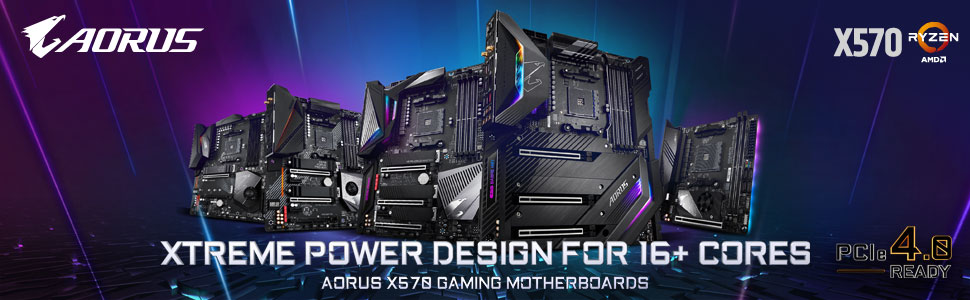
The GIGABYTE X570 I AORUS Pro Wi-Fi is a premium Mini-ITX motherboard designed for AMD Ryzen 3000 series processors, featuring dual ultra-fast PCIe 4.0 M.2 slots, robust 8-phase power delivery with advanced cooling, and cutting-edge Intel Wi-Fi 6 and Bluetooth 5 connectivity. Its compact design and customizable RGB lighting make it ideal for professionals and gamers seeking high performance in a sleek, space-saving package.



| ASIN | B07T9PC9ZZ |
| Best Sellers Rank | #845 in Computer Motherboards |
| Brand | GIGABYTE |
| Computer Memory Type | DDR4 SDRAM |
| Customer Reviews | 4.4 4.4 out of 5 stars (972) |
| Date First Available | July 7, 2019 |
| Is Discontinued By Manufacturer | No |
| Item Dimensions LxWxH | 10.43 x 9.25 x 3.14 inches |
| Item Weight | 2.2 pounds |
| Item model number | 889523018040 |
| Manufacturer | GIGABYTE |
| Memory Speed | 4400 MHz |
| Number of USB 2.0 Ports | 4 |
| Processor | 2666 MHz ryzen_3 |
| Product Dimensions | 10.43 x 9.25 x 3.14 inches |
| RAM | DDR4 |
| Series | X570 I AORUS PRO WIFI |
| Voltage | 12 Volts |
| Wireless Type | Bluetooth |
T**.
Great Mother Board
System Gigabyte X570 I Aorus Pro Itx form factor, with AMD Ryzen 5600g and 32gb G-Skill RipJaws 2400 DDR4. First off, the memory would not run at the advertised 2400Mhz, downgraded automatically to 2133Mhz. I went into the Bios and implemented PMX 1st profile which was the advertised 2400Mhz rate and over clocked the cpu to 4gb. Woha, heat problems galore. Went back in Bios and downgraded back to 2133Mhz and 3.9 on the cpu. Still heat problems galore. I am using the Noctua NH-L9a-AM4 low profile cpu heat sink and fan. This may be my heating problem? I will change out for the stock cpu fan and see if my heat problem goes away. The problem is, the case, fan will not fit with cover, but can still see if it cures the heat problem. If not, I will be return this MoBo and the Noctua NH-L9a-AM4 low profile cpu heat sink and fan. And replacing with the Asus X570 ITX Mobo. Any way I look at it is either the fan, Mobo or case. I used a A09 case with the Asus X570, T force 3600 ram and stock fan and have no problems running at 4Ghz and 3600 on the ram, no overheating problems. I will update as the information comes available. Update: Problem was the Noctua NH-L9a-AM4 low profile cpu heat sink and fan. Just sitting there at an idle the heat would rise above 51c. And under a work load it would overheat. Took the Noctua NH-L9a-AM4 low profile cpu heat sink and fan out and replaced with the stock AMD Ryzen fan and whala, no more heat problems and the MoBo board runs cooler as well. 45/46c cpu and 41c system temp. Problem is, I cannot put the cover on the case due to the stock fan too high by 9mm. Well new case, which I had already ordered but takes 22 days to get here from Hong Kong and does not look as nice. Anybody know of a mini ITX case in the states that is deep enough to accommodate a stock fan? I sure cannot find one and have ordered many and have sent back. Update: I modified the case cover just a little by removing the tabbed in steel mesh and cutting away some of the steel to accommodate the AMD label out cropping on the fan's plastic cover. Hacksaw, pliers and file were all it took. made sure it fit by filing the metal and gave it about 2mm room on all sides. I had to modify the mesh screen a little by bending it up. Put the mesh screen back on and it fit perfectly and almost looks stock. From arm's length you cannot tell It has been modified. still runs a little hotter than my Asus X570 rig but does not overheat like it did with the low-profile heat sink and fan mentioned above.
E**Z
Best Motherboard I've had
I have had this thing for a while now and I got to say that it has done a great job. I have always had a good experience with Gigabyte Motherboards and this one didn't disappoint. I usually stuck to their lower end products until I bought this thing to prepare for the Zen 3 release a while ago. I really like the Wi-Fi antenna too since it isn't in the way of the other USB ports compared to other motherboards I've used. For $300 I say it was money well spent.
D**.
Great board if you can work within its limitations
Gigabyte makes great boards and this is no exception. It ticked all the boxes at the time of purchase: - Newest processor(s) - Mini-ITX (for the case) - Sufficient ports for all the "stuff" I needed to plug in via USB - Sufficient PCI slots That said, I really wish this board had 4 memory slots. I get it's a tiny little thing, but there are other mini-ITX boards that support 4 DIMMS and that's my only real complaint. Other than that, it's a fantastic motherboard.
B**Y
This board is awesome for content creation!
Have no idea what all the negative reviews are all about but this little board is an absolute beast. I have the itx and atx versions and couldn’t be happier. Have been running these computers daily for close to a year now and am a content creator. They are made really well and with nvme gen4 on all m.2 slots and x16 slots it runs crazy fast with two Sabrent rocket nvme gen 4 ssds. And any new 3000 series or amd graphics cards that support pcie gen 4. I actually love the gigabyte bios and especially the @bios app to easily update bios and the other gigabyte apps like easy tune, siv, etc. 100% would recommend to anyone building a high performance Ryzen build. Runs the Adobe suite like a champ!
K**E
(UPDATE: CAUGHT FIRE) Great motherboard - defective Bluetooth/USB
UPDATE 2022: Today, while I was watching Netflix, my computer shut off. Thoughtlessly, I pressed the power button to turn it back on. Immediately, I was met with sparks and a literal flame coming out of the top vent of my computer case, then the smell of burnt electronics. After taking the whole thing apart and checking individual pieces, I found out the motherboard was what had caught fire, and now did so every time I tried to turn it on. Literally nothing had changed - this computer had been sitting on the same shelf, unmoved, for months. I have no idea what happened. ORIGINAL REVIEW: This motherboard has been great for me so far! I could talk about all the nice features, but the product page does a pretty good job of that. Only problem was that something appears to be wrong with my USB and Bluetooth connections. Windows sporadically ceases to recognize the Bluetooth module and temporarily disconnects all of the devices, and the same for my mouse and keyboard that plug in via USB. Something must be defective in the motherboard, since I've upgraded all the drivers and OS as much as possible (instructions on manufacturer's website). Because of this small problem, I'm returning mine for a replacement, which hopefully is super easy with Amazon as always. UPDATE: I thought it was just a defective unit, so I actually tore my computer completely down, returned the motherboard, and installed a new one -- just to find the exact same issues again. I've tried several versions of Windows (including reinstalling Windows from scratch), every Bluetooth driver I could possibly find, and a variety of other things to no avail. It turns out this problem is not uncommon - you can find many mentions of it on this motherboard and other Gigabyte boards across the internet, if you look. I'm very, very dissatisfied that a company as well-known as Gigabyte would let this happen for so long, across multiple products.
ユ**ネ
A solid board all around, the vrm is insane for an itx board.
L**W
DIY builder of many mitx sets for decade and first time encounter this X570I that can't fit properly in any mitx case because of the metal backplate. Suspect the bios of this model resets itself EVERY time during boot as I encountered bootup hang at POST screen after installing win 10. Reboot and load optimized default and a few times later will boot to desktop. Subsequent restart again hang at bootup. The nightmare continues when one morning it just won't even load BIOS unless I clear the CMOS. Tried with several different approved RAMS, HDD and NVME and no solution. Finally had to return this
D**Y
Of course Asus X570 ITX board is still the best performance but this board is just greater value overall, and better availability. Everything just works, the M.2 fan keeps it cool and the BIOS is easy to use.
A**E
I like the dark theme of the motherboard. It fits any color i put on my RGB Fans and RAM. The Wi-Fi Antenna is fitted with magnet and feels sturdier than what ASUS have. You can just fit and slap that thing in the side of your case or onto any surface with metal on it. The overall build quality feels sturdy and well machined. The LED position is better than other board that put them under the PCIe slot (where you can't see them when you use an RGB GPU like me). But sadly, i got a faulty unit. My windows 10 won't detect the bluetooth, front USB ports, and SATA. It won't even let me go past BIOS screen with SATA port plugged in. I spent my weekend trying to figure out what is wrong. Tried formatting my NVME and installed a fresh windows 10, updated driver and BIOS. Tried all of the hardware on my older B550M motherboard and it all works okay. Decided to return the board.
あ**ん
下記環境にM.2SSD2枚で使用中ですが問題なく稼働しています、よくを言えばケースFAN端子がもう一個あれば ★5つでした。 ケース: NZXT H210 M/B: X570 I AORUS PRO WIFI Mini-ITX CPU: AMD Ryzen 7 3700X CPUクーラー: Deepcool Gammaxx GT BK GPU: SAPPHIRE PULSE RADEON RX 5700
Trustpilot
4 days ago
3 days ago



