We remain fully operational. Our teams are working around the clock to ensure your deliveries continue safely.

DOWNLOAD THE APP


Customer Services
Copyright © 2025 Desertcart Holdings Limited
DOWNLOAD THE APP

🖨️ Print smart, live sharp — your all-in-one wireless office essential!
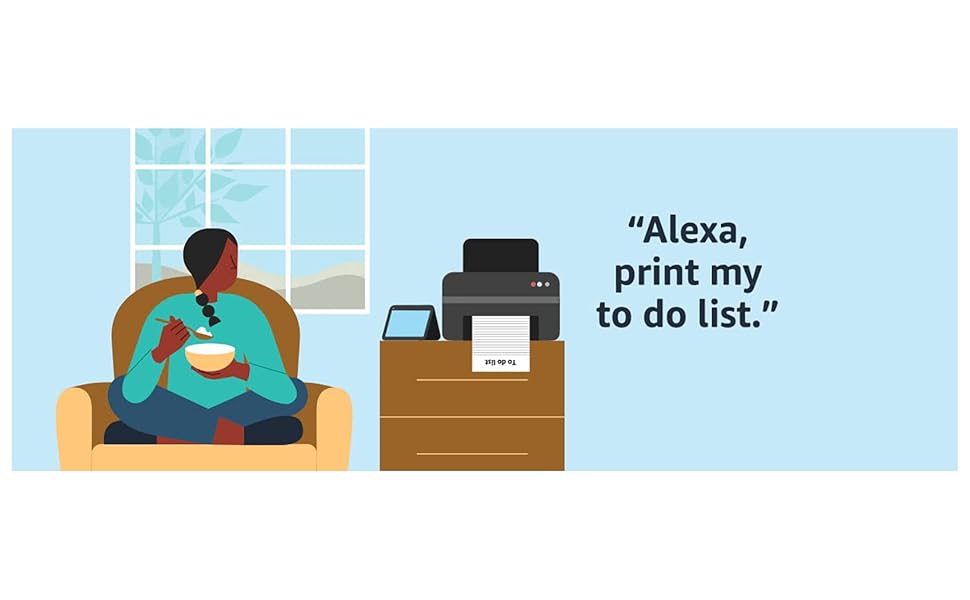
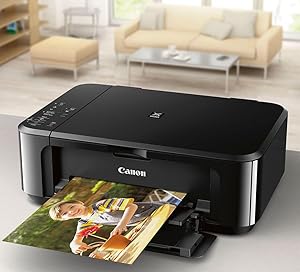
The Canon Pixma MG3620 is a compact, wireless all-in-one inkjet printer designed for professionals who demand high-quality color prints, copies, and scans. Featuring a fast 9.9 ppm print speed, 100-sheet capacity with automatic duplex printing, and seamless mobile device compatibility, it integrates smart Alexa-enabled ink management to keep you productive without interruptions. ENERGY STAR certified and compatible with multiple OS platforms, it’s the perfect blend of efficiency, convenience, and vibrant output for the modern workspace.




| ASIN | B010A7TZ76 |
| Additional Printer functions | Copy, Scan |
| Best Sellers Rank | #5,992 in Office Products ( See Top 100 in Office Products ) #18 in Ink Tank Printers |
| Color Depth | 48-bit Input / 24-bit Output Bits |
| Compatible Cartridge | PG-245, CL-246 |
| Compatible Devices | Smartphones |
| Control Method | App |
| Controller Type | Android |
| Customer Reviews | 3.9 3.9 out of 5 stars (27,672) |
| Date First Available | July 1, 2015 |
| Dual-sided printing | Yes |
| Duplex | Automatic |
| Global Trade Identification Number | 00013803256192 |
| Hardware Interface | USB 2.0 |
| Included Components | Pixma Mg3620 Photo Printer (black) |
| Ink Color | Tri-Color; Black |
| Is Discontinued By Manufacturer | No |
| Item Weight | 11.9 pounds |
| Item model number | 0515C002 |
| Manufacturer | Canon USA Inc. |
| Max Copy Speed (Black & White) | 9.9 ppm |
| Max Input Sheet Capacity | 100 |
| Max copy resolution black-white | 4800 x 1200 dpi |
| Max copy resolution color | 4800 x 1200 dpi |
| Maximum Black and White Print Resolution | 600 x 600 Dots Per Inch |
| Maximum Color Print Resolution | 4800 x 1200 Dots Per Inch |
| Maximum Media Size | 8.5 x 14 inch |
| Memory Storage Capacity | 64 MB |
| Model Series | PIXMA MG3620 |
| Number of Trays | 1 |
| Number of USB 2 Ports | 1 |
| Output sheet capacity | 100 |
| Power Consumption | 16 Watts |
| Print media | Envelopes, Paper (plain) |
| Printer Ink Type | Dye-Based Ink, Pigment-Based Ink |
| Processor Count | 1 |
| Product Dimensions | 12"D x 17.7"W x 6"H |
| Scanner Type | Flatbed |
| Series Number | 515 |
| Sheet Size | 4 x 6, 5 x 7, 8 x 10 Inches |
| Specific Uses For Product | Home |
| Supported Media Sizes | 4 x 6 inches, 5 x 7 inches |
| Total USB Ports | 1 |
| UPC | 013803256192 |
| Warranty Type | 1 Year Warranty |
D**K
It prints really good 8x10 photos.
I am giving this printer five starts but that does not include the the wifi connection capabilities of this printer because I don't use the wifi. I use a USB connection and it and the wifi cannot both be used at the same time. This is not the case with some other printers, those made by both Brother and Epson. In all other aspects this is a very good printer which I purchased on Amazon for 39 dollars new. Previously I had a new Canon TS 3722 which I did not keep long due to it not printing 8x10 borderless photos. The MG3620 does a bang up job of printing anything in color especially photos which can be 8x10 borderless on many kinds of paper. It prints them brilliantly and fast too. The replacement ink is expensive, but not as trouble prone as a tank printer. I prefer a front loading printer with no tray to mess with and this fits that as well. I set this printer up for print sharing on my network which doesn't allow printing from mobile devices but that is not important to me as it might be for other users. I am very pleased with this printer so far.
S**L
Great budget printer with Linux support
Been pleased so far. Setup was a little tricky since we are in a Linux environment at our home. The printer has no direct interface for connecting to WiFi, instead relying on the installation software on a WiFi connected computer. Canon provides a handy Bash script and drivers on their website for installation on Linux, but it can't connect the printer to WiFi. Fortunately, the Canon Android app was able to connect it, so it wasn't an issue. It now sits on a corner table with only a power cable attached, happily waiting for a command. Scans and prints great to both Ubuntu and Android. Haven't printed any photos or color images yet, but the print quality on documents seems good. I'm always happy to see printers that support Linux, so I would definitely recommend this.
J**Y
Astoundingly unreliable over wifi! (UPDATE: And other problems.)
****UPDATE: We resolved the reliability problem by never using wireless printing for more than one or two pages (after confirming with our service provider and testing on multiple routers that it is *not* a problem with our wifi), but we've discovered further issues as we've used this printer over the past year that make me regret this purchase. (1) Double-sided printing is also unreliable and only works with certain mobile devices despite the settings being exactly the same (we've never succeeded in getting it to work with a computer, only phones). (2) Borderless printing results in a drastic decrease in the quality of the image even when all other settings are the same. Apparently this has been a known issue among users with many different Canon printers since at least 2014 (!!!) but Canon has refused to acknowledge the problem, let alone attempt to fix it. Some reviewers on the help forums recommend switching to an HP printer if you plan to do a lot of borderless printing. (3) As usual, ink runs out quickly. But on top of that, the printer will switch to printing out lower quality/washed out images even before ink is used up. Presumably this is to prolong the ink that is left, but the result is that you start getting washed out prints after using less than half of an ink cartridge. The first time this happened, I made the mistake of replacing the ink in order to get full-color print-outs again -- what a waste of money! A work-around for this problem is to delete the printer and reinstall it on your computer; this will prevent the computer from automatically sensing remaining ink levels and lowering the quality to compensate, unfortunately you have to do this every time you start a new print job. What a waste of time. Overall, I would NOT buy this printer again and would definitely NOT recommend it to others. It's not worth the money unless you need a super cheap way to scan in and make copies of your standard text documents. It's too much hassle and money to use for photos and images -- save yourself the headache and buy yourself a nicer home printer (and just get prints made somewhere where at least they're accountable for the quality). **** Original Review Below: Astoundingly unreliable! I would say that it drops print jobs upwards of 70% of the time, which means wasted ink and sheets of half-printed pages and (if you're trying to handle a double-sided print job) sometimes even more if the remaining pages then get printed out of order. If you're printing anything longer than a few pages, you have to sit and monitor it while it prints to make sure this doesn't happen. I'm thinking we'll probably have to buy a cord to connect the printer to the computer directly in order to ensure no more dropped jobs, so it was a waste of money to get a wireless printer. I know for sure this is not a problem with our wifi connection, as no other wireless device in our home has this kind of trouble and the printer sits in the same room as our router. Also, when we first set up the printer (several months ago now) it was an incredible hassle and took three hours of trouble-shooting. The set up *would not work* with our computer. I had to download the app and use my smart phone to set it up b/c there was no way to use a computer to input our wifi password -- this functionality is only available if you use the mobile app. WTF WHY?! This is absolutely idiotic and frustrating, since the majority of printing is done from a computer, not your phone. Also, there was no indication in any of the trouble-shooting FAQs provided by Canon that this very simple step was not available via computer, only on the mobile app (even just pointing that out in the manual would have saved me hours of wasted time trying all sorts of work-arounds). The printing itself is... fine.** [See update. It's not fine.] No complaints. Haven't tried the photo printer yet. The scanner is not super great quality for images but will work fine for copying printed documents. But if you want a wireless printer/scanner, I can't recommend this -- it's a nightmare of counter-intuitive steps to set up and once it's set up, it's a coin toss whether or not the printer will drop its connection and cancel your print job without finishing.
J**A
Ótima, recomendo a comprarem.
C**️
Mi novia me pidió que le ayude a buscar una impresora multifuncional y terminé comprando esta. Imprime con facilidad documentos que tenga en su iPhone de manera inalámbrica así cmo archivos que tenga en su laptop. Configurarla no fue nada difícil ya que el software con el que viene se encarga de todo. Funciona con iPads y iPhones sin necesidad de hacerle ajustes extras pero con tabletas y celulares Android si será necesario descargar el app de Mopria Print pero no es algo complicado. Para uso doméstico funciona a la perfección y es muy práctica. En la cuestión de los cartuchos adquirí un kit de recarga y quedaron a la perfección. El único detalle que para recargar los cartuchos se tienen que seguir las indicaciones de recarga al pie de la letra para que te queden bien los cartuchos. Siendo que ya tengo algo de experiencia recargando mis propios cartuchos este proceso me toma 10 minutos y no he tenido problemas. Obvio esa es una alternativa a comprar cartuchos nuevos cada vez que se acabe la tinta de los cartuchos que estés utilizando. Dada la facilidad de uso de esta impresora, la calidad de impresión y su precio la recomiendo ampliamente.
J**Y
The product is incompatible with the UK, the plug is not useable and the voltage is American, I asked for a return which you agreed . The problem with the return is that I have to pay the costs and the return postage ( to the USA) is over £80.00. So I am stuck with a useless printer which cost me £104 and I have now no idea how to contact Amazon for a simpler way to return this useless printer.
A**N
This is a replacement purchase. I like the printer and the quality of the printing. Of course the cartridges are really the expensive part. I had difficulty with the bluetoothj setting so I use a cord.
J**O
genial la impresora, la compre en una oferta que me envió amazon, una muy buena compra.
Trustpilot
2 weeks ago
2 weeks ago