🎮 Level up your game visuals—because your console deserves the upgrade!
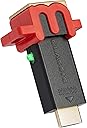
The Marseille mClassic OG is a cutting-edge gaming resolution upscaler and image enhancer designed to boost the visual quality of Nintendo Switch and a wide range of retro consoles. Supporting up to 1440p at 60Hz, it delivers crisp, smooth graphics with a simple plug-and-play setup, making it the ultimate accessory for gamers seeking to future-proof and elevate their gaming experience.


| ASIN | B07X6KDQ98 |
| Best Sellers Rank | #2,570 in Video Games ( See Top 100 in Video Games ) #31 in Nintendo Switch Cables & Adapters |
| Customer Reviews | 4.1 4.1 out of 5 stars (4,074) |
| Date First Available | October 7, 2019 |
| Item Weight | 0.8 ounces |
| Item model number | MC9007-A |
| Manufacturer | Marseille |
| Product Dimensions | 6 x 4.5 x 2 inches; 0.8 ounces |
| Release date | June 11, 2021 |
| Type of item | Accessory |
R**T
A solid graphical upgrade.
I recently bought a PS3 slim to play some older and exclusive games that simply aren't available on other consoles. However after playing for a few minutes I was disgusted at how truly awful the graphics are. I read about the MClassic and watched some YouTube videos so decided to give it a try and I have to say I’m quite Impressed. While playing GTA IV, a roughly 640p native game I noticed an immediate improvement to AA (Anti-Aliasing) and also an overall improvement in the picture detail as the MClassic upscales games from 720p or lower to 1080p. It can upscale to 1440p but my TV isn’t compatible. I seen a slight improvement to draw distance and sharpness but definitely not as much as my Sony TV’s “Reality creation” feature. When both the MClassic and the Sony TV’s super sampling work together you get a truly amazing picture. I recommend if you can run both the MClassic and some of your TV’s picture quality features then you absolutely should, but only if you can run this while in game mode. If your TV doesn’t have any options while in game mode then the MClassic on its own will still do a lot of the heavy lifting and will improve contrast, AA and upscaling, which is ideal. Remember to set your console to match that specific games resolution, so for example if your game runs at 720p, which almost all PS3 games do, then go into the PlayStation display settings and untick the 1080p and 1080i. This is so the PlayStation doesn’t use its own awful upscaling and instead it lets the MClassic do all the work. People online also said to change the option of RGB to limited, but I found no real difference between limited or full however you may see something different on your display. In terms of price it is an expensive product but if you are planning on playing an older console for a considerable amount of time then I would say it’s worth it and also your eyes will really thank you. If you’re simply dipping your toe in with the older consoles and only want to play a single game for a brief time, then maybe this isn’t for you as the enhancements can vary from game to game and you wouldn’t truly get the full benefit from the MClassic. One thing that’s slightly disappointing is the fact you have to power up the device instead of just running it via the HDMI port. This is of course necessary but it does leave a red wire sticking out the front of your console, at least for the PS3 Slim, which only has 2 USB’s on the front. As someone who hates wires sticking out this just isn’t ideal, but for me a worth while trade off for the picture quality it provides. You can put the usb into a compatible plug however I didn’t test this as I don’t have spare slot available. I did however try to put the usb into another console to power it that way and hide the wire but it simply wouldn’t work. The TV displayed a no signal, but when I put the USB back into the PS3 it instantly displayed on screen. Overall a solid improvement that excels in AA and upscaling to make your picture much more detailed and nicer on the eye. The draw distance and sharpness aren’t as impressive as an expensive TV’s super sampling tech, but if you can combine both then you will get a truly beautiful, clear and graphically enhanced image that makes its a joy to go back to older consoles and experience games at their absolute best.
R**B
Great little device
The Mclassic is a very clever device. It honestly does make devices look better on my 2k monitor when they themselves are at 1080p. I’m mainly using it for my Nintendo switch. It removes allot of the jagged edges and makes games look closer to a 2k image. The only down side I have noticed is when the switch is undocked and then docked the graphics can have white dots where some shiny/reflective textures should be, however a few docking attempts tend to solve it, this could even be my dock, lead or monitor not playing nicely, Which is why I’m sticking with 5 stars. Yes it’s not 100% crisp like native 2k but expecting it to be is unrealistic, it is upscaling and a lot of games use variable resolution to maintain frame rates. I haven’t noticed any lag and (for me) keeping it docked has had no issues other than great visuals.
M**S
A Smart Upgrade for Older Consoles on Modern Displays (With Realistic Expectations)
If you're playing older consoles on a higher-resolution monitor or TV, the Marseille mClassic Pixel Enhancer can genuinely make a significant difference. I've personally used it with my Nintendo Switch, PS3, Xbox 360, and even my Wii (in conjunction with an OSSC or other HDMI adapter, as the Wii lacks native HDMI out). It's important to set realistic expectations: I won't claim it delivers a monumental, immediate improvement to every single game you play. The results are quite variable. In some games, the enhancement is massively noticeable, making a real impact on visual clarity. In others, you might genuinely wonder if it's doing anything at all. Where the mClassic truly shines is with games that lack strong Anti-Aliasing (AA). As primarily a PC gamer, the jarring "jaggies" in some older PS3 and Xbox 360 titles can make them genuinely difficult to look at on a modern screen. The mClassic does an impressive job of smoothing out these jagged edges, making for a much more palatable and immersive visual experience. For more modern games that already incorporate good AA and have less cluttered graphics, the difference might be less pronounced, though it can still subtly enhance colors and add definition to distant objects. If you're considering purchasing this device, my strongest recommendation is to watch some comparison videos online, ideally for the specific console and games you intend to use it with. This will give you the best idea of the potential impact. Additionally, if you primarily play on a TV, it's worth checking if your television already includes similar upsampling technologies. Many modern TVs have excellent built-in upscalers, and in such cases, adding the mClassic might not yield as dramatic benefits as it would on a monitor or a TV that lacks such advanced upscaling features. Overall, I use the mClassic any time I'm playing a 1080p or lower-resolution console on my 1440p monitor (which has no in-built post-processing) to achieve nicer visuals. A standout feature is the physical rocker switch on the mClassic itself, allowing you to conveniently toggle between modes (including disabling the post-processing entirely). This makes it incredibly easy to compare the effect it has on a given game or console on the fly, letting you quickly decide whether you want to use it in a specific scenario without having to physically remove cables. It's not a magical "silver bullet" that will transform every game into a modern masterpiece, but when used in the right context and with the right expectations, the Marseille mClassic can certainly make a huge and worthwhile difference to your retro and last-gen gaming experience.
B**N
Oustanding - More than just an Upscaler
I used this on a PS3 (Original/ Phat) With Gran Turismo 6. Firstly, When I saw this item available, I thought it was just a simple upscaler, first things first, I just have to get off my chest that Im unsure weather this is a 4K Device or a QHD(2K) Device. As when I read the advertisement it touted itself as a 1440 device which is Quad HD, however when I got the Box it refers to itself as 4K Device. Having actually used the item, I found it oustanding, It really does improve the quality of your console, I did originally find £85 a bit steep, but, having used it, for what it does, I actually find it acceptable, it really is like purchasing an additional graphics card for your console. I was a little dissapointed by the fact that it needs its own power supply, driven by USB plug (Included) to be plugged in. There are only 2 ports for USB on my PS3 and this takes up one of them. Conversely, the content of the box has been well thought about, as I say, you receive a USB Power cable as well as a USB extender and manual Apart from what I said earlier, its clear that this device has been well thought about. Primarily, I like the way the device has a processing switch as an oppose to a push button, because of the difference it makes to your graphics, you dont want to be reaching round the back of your console every time you switch it on. This device is much more than a simple upscaler, it does something, I dont know what, but it actually makes the graphics cleaner, and brighter, it in itself, has options for Anti Antialising, which is a a 3D techinque used to make the graphics better, as I said earlier its like an additional graphics card, it really is.
J**N
Minimal difference on a 1440p monitor
I’d say this product suffers from overselling and under delivering. From my testing on the Nintendo Switch, it does make a difference in some games: In Tears Of The Kingdom the only improvement I noticed was that objects close to the camera, such as blades of grass and Swords, did look less jagged on their edges, but on the whole everything else looked the same as with this switched off. Animal Crossing New Horizons had no noticeable difference. Xenoblade Chronicles 2 & 3 had substantially improved anti-aliasing on character hair and distant objects, and the image looked much clearer on the whole. Textures also looked more detailed. Pokémon Arceus had me stumped though, as turning this on made distant objects in motion look worse than with this off, but nearer objects did look a little bit better (not immediately noticeable though). Overall, for Nintendo Switch usage, it does make varying levels of visual improvements, but it’s not worth the £82 I paid for it, especially when only a couple of games looked noticeably better with this turned on. The suggested usage on lowering the Switch resolution to 720p and letting it upscale looks, to me, worse than the native 1080p with no MClassic attached.
M**T
Great for GameCube, some improvement on Switch
I bought this device primarily to improve the experience of playing my Nintendo Gamecube on my 43" 4K TV. I paired it with a Kaico HDMI adapter and the results are pretty impressive. The mClassic upscales the 576p signal out of the Kaico to 1080p. Edges are clearly defined and the image almost appears to "glow". I was really surprised how much cleaner the image looked. I also tried the mClassic out with my Switch also running at 1080p. As you would expect the results here were not as dramatic, but there was still a noticeable improvement in the 2 games I tried. Cleaner edges and a sharper picture. Shopping from Amazon US was super quick at 4 days from ordering to having it in my hand. Cannot complain!
A**Y
Don't expect miracles
I'd read about the mClassic in several online reviews and had hoped that this device would be able to upscale the Switch's 1080p output to 2K. Unfortunately, despite having the correct hardware and 2k/4k cables, this wasn't the case and the device made a negligble improvement to the visuals for me. That said, it does work under the right conditions: for example if I change the Switch's native output to 720p and turn on the mClassic it does indeed bump up the output to 1080p on the TV, with a noticeble difference to picture quality thanks to the added anti-aliasing and sharpness. It's also super easy to install, although if the device was a more slender shape it could have sat comfortably inside the Switch's dock - instead you have to use a HDMI extender, which thankfully is included, along with the USB power cable. This means the mClassic hangs rather awkwardly out the back of the Switch's dock, but this does at least give you access to the selector control on the device. The greatest benefits from the mClassic are likely to be gained from running it with 2nd Gen, 3D consoles such as the PS2, Gamecube, or Dreamcast - it has a retro setting for this purpose to handle their 4:3 output signal. So if that's what you're after, the bump in resolution and added post-processing should make for a much sweeter image overall. If you're considering this, my advice is to temper your expectations. Yes it does work, but this depends on how you intend to use it. At present I don't think it really justifies the £100 asking price if, like me, you're using this solely to improve the Switch's output to a higher resolution TV.
A**R
Doesn't even come with everything in order to run it properly at all?!!
Exactly how can one ever open up this expensive item and be expected to use it right of the bat? When it lacks the "Wall Plug Charge Adaptor" necessary to even operate it. Also lacking an HDMI cable as well. No product this expensive to buy, should hinder you once you've purchased it. I shouldn't have to read an instruction manual to find out that i also have more money to obtain other essentials which should've come with the item i've already spend lots of money on. Like the bloody USB Wall Plug Adaptor (rolls eyes) Wow rip me off before i can even get the damn thing to work yet. Don't suppose the company; 'Marseille' would metaphorically; advertise a nice 'sport car' for sale, i buy it only to find out later, when its delivered, i'd also have to spend money on 4 new car tires in order to finally drive it around however, right?! - See what i did there?, EXACTLY!!! So i hope folks pay caution to the fact you need to have a USB Wall Plug Adaptor purchased ahead of time. As this product doesn't tell you beforehand, inwhich you'd need in order to get the device to eventually work. And also an additional; HMDI cable is missing from the package itself. Sorry but 1 star i.e. "Awful", this was a terrible buy, if i'm told i may require additional 'bits & ends' of materials before i can actually have the damn item working at all. The device itself may turn out to be great, but how would folks even come to know this, if you buy a product and it tells you inside to buy more parts to have it eventually work? (again, look at my "sports car" metaphor!) etc. Hope whomever finds this useful, as now i'll have to get hold of the other additional parts, before any true review of the; "mClassic" can be made by me once again. So disappointing American products do this sort of thing and don't even inform customers ahead of time on the item itself with any; "disclaimers" whatsoever, nor on the websites via a cautionary warning and so on.
Trustpilot
2 months ago
4 days ago