
DOWNLOAD THE APP


Customer Services
Copyright © 2025 Desertcart Holdings Limited
DOWNLOAD THE APP

🖥️ Elevate your workspace with style and precision — don’t just work, impress.
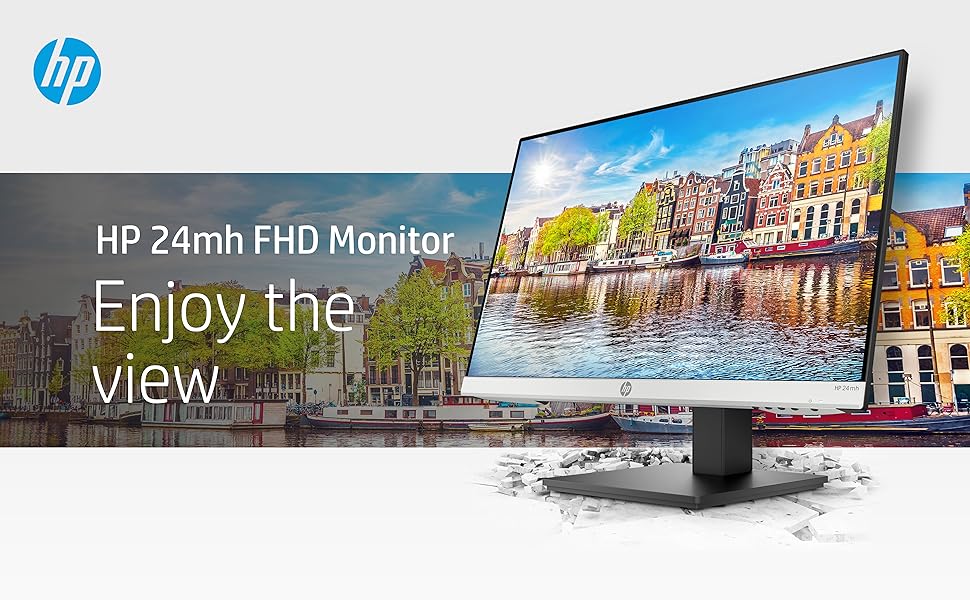
The HP 24mh FHD Monitor features a 23.8-inch IPS display with 1920x1080 resolution and 75Hz refresh rate, offering wide 178° viewing angles and vibrant color accuracy. Its ultra-slim micro-edge design saves desk space and supports seamless multi-monitor setups. Ergonomic height and tilt adjustments ensure personalized comfort, while versatile connectivity options (HDMI, DisplayPort, VGA) provide easy plug-and-play functionality. Built-in 2W speakers enhance multimedia experiences, making this monitor a stylish, efficient, and affordable choice for professionals seeking both performance and aesthetic appeal.



| ASIN | B08BF4CZSV |
| Best Sellers Rank | #1,385 in Electronics ( See Top 100 in Electronics ) #53 in Computer Monitors |
| Brand | HP |
| Color | Jet Black |
| Customer Reviews | 4.6 4.6 out of 5 stars (25,451) |
| Date First Available | September 6, 2020 |
| Hard Drive | 2 |
| Item Dimensions LxWxH | 8.33 x 23.54 x 18.28 inches |
| Item Weight | 9.94 pounds |
| Item model number | 1D0J9AA#ABA |
| Manufacturer | hp |
| Max Screen Resolution | 1920 x 1080 |
| Number of Processors | 1 |
| Product Dimensions | 8.33 x 23.54 x 18.28 inches |
| Screen Resolution | 1920x1080 |
| Series | 24mh |
| Standing screen display size | 23.8 Inches |
| Voltage | 240 Volts (AC) |
B**F
Remarkable monitor value
I bought this monitor to replace an older HP monitor that was finally getting a little flaky. Electronically, the image quality has improved compared to the 2020 vintage monitor. I was satisfied before, but this is notably brighter with better whites and contrast. What really amazed me is the more robust construction of the stand, including both height and angle adjustments. And it was a lot less money than the last similar monitor I bought in 2020. I don't use the internal speakers, but that's a plus as well. They're adequate for voice, but good external speakers are still a big plus. All in all, this represents a very nice quality product at a great price.
I**E
Pretty good useful and useful for an office
Pretty good monitor to use it has a high-quality picture
J**A
Best monitor I have worked with
As a longtime Apple user, I'm spoiled by top-tier displays. That said, this screen blows me away, great image and quality, all for a fraction of the premium price. If you're chasing value without compromise, this is your upgrade.
A**R
Great computer, and YES, it has 75Hz and Great Audio.
As someone who just started working from home, it was imperative that I get two good working monitors. I had never really bought myself a monitor before, and studied a lot about the different specs for a monitor, like refresh rate, resolution, panel type, etc. I also needed something affordable that would fit my budget. This was THE BEST find! I love it so much and it has exceeded my expectations, and I only bought them for $109.99 each! I never had an HP computer before, so I am definitely pleased. It was super easy to set up, the screen is like matte and not glossy. You can see everything clearly and it is super wide, just how I like it. You can also turn the monitor’s screen so it is vertical! So helpful when I am looking at excel sheets. You don’t even need to take the screen off of it’s base to rotate the screen vertically! They give you an HDMI cord and power cord for each monitor, so I was able to just follow the guide they provided and set it up in only 20-30 minutes. People have complained about the audio and the refresh rate not being 75 Hz...so I was hesitant to buy it. But I saw some other reviews and was able to toggle the menu and adjust the audio for both monitors, so I am able to get really good sound! Also, if you want to change the refresh rate, literally all you have to do is download Graphics Command Center on the Microsoft Store, go to Display settings and literally adjust the monitors refresh rate from there. BAM! 75 Hz The only reason why I am giving it four stars is because I wish there were more USB ports on the monitors. I realize now I may actually never use the VGA port...also, I am not certain the warranty on these devices, especially from Amazon, will totally help me if anything were to happen to these monitors. But so far, I AM VERY PLEASED WITH MY PURCHASE. :)
K**S
A Very Satisfied Customer
I am writing this review specifically for one major reason. Tech reviewers on YouTube and elsewhere are wont to tell you that a 27" 1440p monitor is now the "sweet spot" and should now be the standard monitor size for work and gaming. A few will tell you they can't use anything less than a 32" monitor. Well, I have a 32" monitor and I've tried a 27" monitor too. Actually I recently bought two 27" monitors, but I quickly returned them. My 32" monitor is in one of my bedrooms, and I use it every now and then. Is a 24" monitor big enough for work and play? YES. Plenty! Some folks use a 13" laptop for all their computer tasks. The biggest laptop in the world at this moment is the Acer Predator 21X, which has a curved 21" screen. So, everyone who uses a laptop for their computer tasks (and there a many, very many people who work this way), do so on computer screens less then a 24" monitor. As far as I know, there are no monitors at my place of work bigger than 24". In one Gadget Review article, Lawrence Bonk wrote, "Professional gamers nearly always use 24-inch monitors instead of larger monitors." Before I go further, let me quickly say that a 24" 1080p monitor may very well be the perfect size for any type of task you perform on a computer. It has plenty of screen real estate, and it is not overwhelming. Monitors of this size are cheaper too. A 24" monitor doesn't have much of the wasted spaces I found on my 27" 1440p monitors. This 24" HP monitor has two built-in speakers (thank you, HP!). Yes, I often connect my PC via Bluetooth to my JBL Partybox 310, but I love that I have an option of using the speakers in my monitor. I did not like how texts appeared on my 27" 1440p monitors. Because of the higher pixel density, the texts were smaller than they appeared on this HP monitor, forcing me to scale up text and picture sizes on the 27" monitors. Without even tweaking the settings on this 24" monitor, pictures and texts were just right. I also played some videos on both the 27" 1440p monitor and this 24" 1080p monitor. And frankly, the quality was either practically the same on both or even better on this 24" 1080p monitor. I don't game. I use my computer for everyday, ordinary tasks (emails, study, paying bills, shopping, VoIP calls, video calls, video conferencing, work-related tasks, web surfing, playing music, and watching videos and movies). I can report confidently that not only is this 24" monitor adequate for these tasks, I also prefer this monitor to the 27" 1440p monitor (which I have already returned). Presently, I use two of this 24" monitors in an "Extend these displays," dual monitor setup. I love it, but just one monitor would have been adequate for my needs. Some bloggers are adamant that having three monitors is the best for productivity, but I found that to be counterproductive. Not only does a three-monitor setup require more desk space, it also becomes a distraction. I kept asking myself, "What should I display on the third monitor?" The third monitor was totally dispensable.
L**O
Lo uso para el trabajo y muestra muy bien los elementos, videos y colores. Particularmente lo uso en modo lectura debido a que las otras opciones son demasiado para el trabajo normal (no diseño).
N**S
Excellent
F**Y
Quality monitor. Had an LG that was no where close to being this good.
O**R
BUENO
T**O
Bought for input auto switching capability. Works as expected. Decent quality as well. Used for work.
Trustpilot
3 days ago
2 weeks ago