
DOWNLOAD THE APP


Customer Services
Copyright © 2025 Desertcart Holdings Limited
DOWNLOAD THE APP
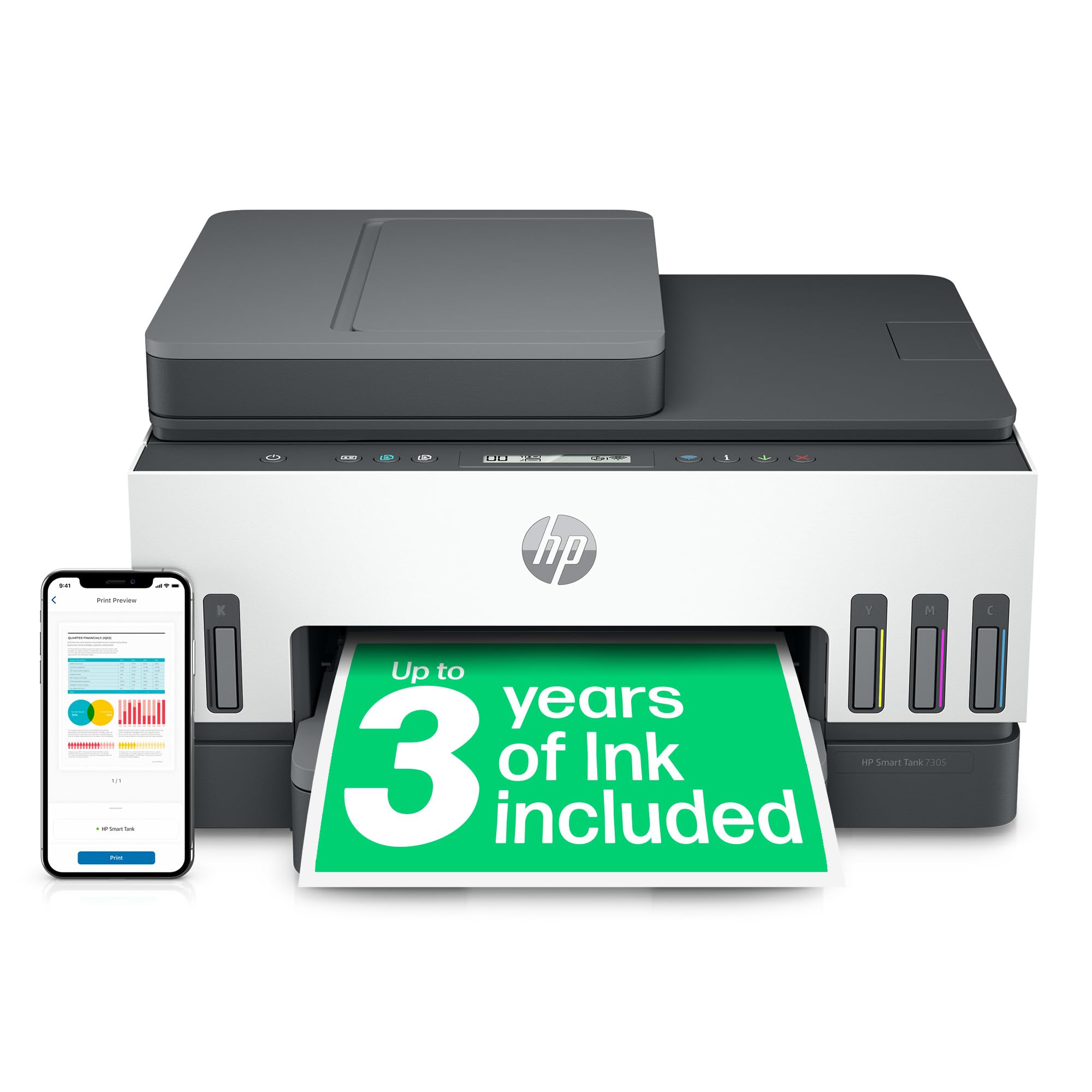
🖨️ Print smart, live smart—upgrade your home office game with HP Smart Tank 7305!
The HP Smart Tank 7305 is a versatile all-in-one printer designed for home use, offering wireless printing, scanning, and copying with a 35-sheet automatic document feeder. It delivers sharp prints at up to 15 ppm (black) and supports high-resolution color output. Featuring a spill-free refill ink system and duplex printing, it combines convenience, quality, and eco-conscious efficiency for the modern professional.


| ASIN | B09CL9DV5N |
| Batteries | AA batteries required. |
| Best Sellers Rank | 2,170 in Computers & Accessories ( See Top 100 in Computers & Accessories ) 7 in Ink Tank Printers 2,324 in Climate Pledge Friendly: Shop All |
| Colour depth | 24 bpp |
| Compatible devices | Smartphones |
| Controller type | Android, iOS |
| Customer Reviews | 4.0 4.0 out of 5 stars (1,529) |
| Date First Available | 13 Aug. 2021 |
| Dual-sided printing | Yes |
| EU Spare Part Availability Duration | 2 Years |
| Included components | HP Smart Tank 7305 |
| Ink Colour | Grey |
| Item Weight | 7.7 kg |
| Manufacturer | HP |
| Manufacturer Part Number | 28B75A |
| Material Type | Plastic |
| Max copy speed (black and white) | 13 ppm |
| Max input sheet capacity | 100 |
| Maximum Supported Paper Size | A4 |
| Maximum black and white print resolution | 1200 x 1200 dpi |
| Maximum colour print resolution | 4800 x 1200 dpi |
| Maximum copies per run | 99 |
| Model Number | 28B75A |
| Number of Items | 1 |
| Power consumption | 1.1 Watts |
| Print media | Glossy photo paper |
| Product dimensions | 36.4D x 43W x 24H centimetres |
| Scanner type | Sheetfed |
| Shape | Round |
| Sheet size | A4 |
| Size | One size |
| Warranty type | limited warranty |
| Wattage | 3600 kilowatt hours |
L**T
Early doors but simple to set up and use
Its very early days but.... I have done the initial set up and I followed the instructions in the printed manual, I also use a wired connection rather than Wi-Fi which simplifies things somewhat. Follow the manual to the letter, re-read each step and it will go swimmingly. Filling the tanks is simplicity, inserting heads (appear to be repurposed HP print cartridges, so a case of not re-inventing the wheel) also was simple. Should printing be degraded these can be replaced/manually cleaned so a bonus as my usage is likely to be quite low and clogged heads quite likely, the cause of the death of my Epson. I was concerned about duplexing, as had read some had issues, but my test print was fine, I was using HP Everyday paper (75gsm) that has been stored in a good environment. From experience even small amounts of moisture in paper can cause issues, we have discarded whole many reams of paper at work that would just kept jamming. Draft quality prints are fine, text is crisp and clear. Photocopies come out a little washed out, with light greyscale disappearing, but is serviceable. A photocopy of my driving licence came out perfectly readable with all lines clear and even the fine lines of the crest and photo clearly visible. Print speeds are snappy. Ink levels should be visible, I may have to wait for some to be used up as they are quite dark. Printing from my iPhone just worked, adding the printer in to Windows 11 also just worked, Android didn't want to play but that's Android. All in an upgrade on my Epson SX535WD.
M**T
An excellent printer.
Excellent printer. It installs like a dream and then works using WiFi and prints every thing as well. Works a treat in the printing of both sides of the paper. An absolute super piece of kit.
A**S
Slow to start but works well once going
Not so easy to set up using app-based system but got there eventually. Ink filling was straightforward. Optimistic it will last as long as it claims. Printer works as does scanning and copying but very slow to print following sending print command. Rapidly 'goes to sleep' which means it takes longer to restart/print. No real instruction manual,just enough to set up/run but not much else. Claims to do double sided printing but not yet figured out how to do it. I'll give it time, it prints in good quality. My gripe is about slow connectivity.
R**E
Faulty WiFi connections and over complicated to set up
Setup didn’t work. All too complicated and needed two HP customer care calls to get the WiFi working. And yet still it has disconnected two further times in the past week since I first installed it. Wish I’d read the comments here more closely as my issues reflect others’ too. I cannot believe HP makes such a glitchy product (after all these years of making enters!!) with fartoo many bells and whistles that just don’t work well. I have to say that even with their customer care, I was given a hose for my complaint to help me call in and even then the call became delayed due to poor AI systems asking wrong questions and taking a ridiculous amount of time to connect me. They need to take a leaf out of Amazon’s customer care service which connects you in a couple of clicks.
P**G
HP Printer Smart tank 7305 review
Setting up HP Smart tank 7305 was easy. Just plug in to the mains (wire supplied), output wire for linking the computer is not supplied with the printer. Wi-fi wire also not supplied. The instructions are very easy to follow, and ink refilling is straight forward this is also written in instructions booklet. Paper feeding tray is fairly straightforward to refill, you can scan/print from top of the printer. The printer looks elegant and modern, the noise level is fairly quiet and the printing quality is very sharp and quick. The product is very good in quality and should last few years. This is only for home-office use.
G**O
Finally broke up with ink subscriptions — and I’m not looking back!
After months (years?!) of feeling trapped in a monthly ink subscription cycle — just to keep up with homework printouts, and the occasional return label — I finally made the switch to an eco tank printer. Enter the HP Smart Tank 7305. I’ll admit, it felt like a bit of a splurge upfront, but it’s already paying off after some decent discounts. The ink tanks are generous — and I love knowing I can print what we need without worrying if I’m about to run out of cyan mid-maths worksheet or hit my monthly page limit. Set-up was genuinely easy (not always a given with printers). It connected to our WiFi straight away, and the HP Smart app walks you through everything — even topping up the ink is clean and simple. The automatic double-sided printing is one of those underrated features you don’t know you need until you have it. No flipping pages, no wasted paper, no guessing which way is up. For a family household with regular printing needs (and a desire to escape subscription fatigue), this has been a total win. Quiet, reliable, and feels like it’ll last. Highly recommend.
L**U
HP Smart app is awful
Quite a step-up in printer investment for us as we'd previously paid sub £100 for printers but got fed up with the cost of cartridges. Everything came out of the box fine and set-up was ok. I was also quite pleased with how compact it was for a duplex printer. BUT: You need to set up the HP app on each PC and using it is slow/cumbersome compared to having printer based controls. We only have a small office so its not an issue using PC's to control the printer but it is a step backwards. Then came the deal breaker where we wished we hadn't bought it. There is NO option to duplex scan. Why??? It has a duplex for printing and copying but no duplex scan option. It is possible to get around this but it is time consuming and error prone. Surely this could just be an app update and I'd be very happy to change this review if someone can tell me I'm wrong in the meantime :(
J**O
Es muy buena impresora, rápida y fiable. El alimentador de documentos para escanear funciona muy bien y es muy cómodo. Fácil de configurar con la aplicación. El depósito de cada color se llena justo con la botella que viene incluida. No sobra nada. De negro vienen 2 botellas. De cada color 1 botella con lo cual pienso que tendré tinta para bastante tiempo y que no tendré que estar comprando cartuchos negro y tricolor con el coste que tiene
J**N
Svårt att inte gilla denna skrivare, den är nämligen mycket bra, snygga utskrifter dessutom snabb och ekonomiskt.
N**A
All'inizio era difficile collegarla al WI-FI e ogni volta che la dovevo utilizzare andava in blocco il suo sistema che dopo alcuni aggiornamenti è diventata stabilissima. Quindi un applauso ad HP ! La possibilità di caricare inchiostro mi fa spendere molto meno e stampare molto di più.. La uso moltissimo dal 2021 che era appena uscita E ancora non ho finito l'inchiostro fornito con la stampante !!! Fatevi i vostri conti.. Ho scritto anche una serie di cose oggettive che mi sembra giusto indicare Io la ricomprerei a occhi chiusi L'HP Smart Tank Plus 7305 AiO è una stampante multifunzione a getto d'inchiostro che offre un'ampia gamma di funzionalità a un prezzo competitivo. È ideale per chi cerca una stampante per uso domestico o ufficio che sia in grado di stampare, scansionare, copiare e inviare fax. Qualità di stampa La qualità di stampa dell'HP Smart Tank Plus 7305 AiO è buona, sia per quanto riguarda i documenti che per le immagini. I testi sono nitidi e ben definiti, mentre le immagini sono vivaci e dai colori brillanti. Velocità di stampa La velocità di stampa dell'HP Smart Tank Plus 7305 AiO è abbastanza buona per una stampante multifunzione di questa categoria. È in grado di stampare fino a 10 pagine al minuto in bianco e nero e fino a 7,5 pagine al minuto a colori. Funzionalità L'HP Smart Tank Plus 7305 AiO offre una vasta gamma di funzionalità, tra cui: Stampa fronte/retro automatica Scansione fronte/retro automatica Copia fronte/retro automatica Invio fax Connettività Wi-Fi Connettività USB Serbatoi di inchiostro ad alto volume L'HP Smart Tank Plus 7305 AiO utilizza serbatoi di inchiostro ad alto volume che consentono di stampare fino a 10.000 pagine in bianco e nero e fino a 7.500 pagine a colori. Questo significa che non dovrai preoccuparti di sostituire le cartucce di inchiostro così spesso, risparmiando denaro nel lungo periodo. Installazione e utilizzo L'installazione dell'HP Smart Tank Plus 7305 AiO è semplice e veloce. Il software HP Smart ti guida passo dopo passo nel processo di configurazione. L'utilizzo della stampante è altrettanto semplice e intuitivo. Consumi L'HP Smart Tank Plus 7305 AiO è una stampante efficiente dal punto di vista energetico. È dotata della tecnologia HP Auto-On/Auto-Off che spegne la stampante automaticamente quando non viene utilizzata, risparmiando energia. Conclusioni L'HP Smart Tank Plus 7305 AiO è una stampante multifunzione versatile e conveniente che offre un'ampia gamma di funzionalità a un prezzo competitivo. È ideale per chi cerca una stampante per uso domestico o ufficio che sia in grado di stampare, scansionare, copiare e inviare fax. Pro Qualità di stampa buona Velocità di stampa abbastanza buona Funzionalità complete Serbatoi di inchiostro ad alto volume Installazione e utilizzo semplice Consumi efficienti Contro Dimensioni ingombranti Rumorosità durante la stampa Verdetto L'HP Smart Tank Plus 7305 AiO è una buona scelta per chi cerca una stampante multifunzione versatile e conveniente. Offre un'ampia gamma di funzionalità a un prezzo competitivo, oltre a una buona qualità di stampa e una lunga durata dei serbatoi di inchiostro
G**K
Bonjour. Installée le lendemain de la réception du colis, je n'ai rencontré qu'assez peu de difficultés. La configuration via le wifi est une horreur. Si mon imprimante a bien été détectée par HP Smart, impossible d'associer celle-ci à mon compte HP. Heureusement que j'ai pas mal de câbles Ethernet qui traînent chez moi sinon j'aurais dû en acheter un pour parvenir à enfin finaliser la configuration. Je ne comprends pas cette lubie des fabricants d'imprimantes à faire le forcing pour nous pousser à connecter nos imprimantes à internet et je comprends encore moins pourquoi ils cherchent à nous obliger à le faire en passant par du réseau sans fil qui comme chacun sait est largement moins stable qu'un réseau filaire. C'est d'autant plus incompréhensible qu'à l'arrière de l'imprimante il y a un port USB et un port RJ45 alors qu'il n'y a ni câble Ethernet ni câble USB fournis dans la boîte. C'est littéralement stupide. Sinon, concernant les usages liés à l'imprimante, j'ai tâtonné pendant presque deux heures pour comprendre comment fonctionnait le recto-verso automatique et si je regrette qu'on ne puisse pas imprimer en recto-verso directement depuis des fichiers présents sur le PC (je pensais pouvoir le faire depuis des PDF mais il semble que ce ne soit pas possible, en tout cas je n'ai pas trouvé), le fait est que ça fonctionne plutôt bien et que ce soit l'impression ou le scan de documents, cette imprimante fait tout ce qu'on lui demande et elle le fait plutôt correctement. Concernant HP Smart c'est beaucoup moins glorieux... Une fois la configuration terminée, mon scanneur est considéré comme désactivé, je ne peux rien numériser en passant par l'application et si je tente quand même de le faire, celle-ci me conseille de prendre contact avec la personne qui s'est chargé de la configuration pour régler le problème... prendre contact avec moi-même voilà une idée qu'elle est bonne :/ J'ai restauré l'imprimante aux paramètres d'usine à deux reprises pour tenter de régler le souci mais rien n'y a fait. Et sinon, je ne trouve pas cette application incroyablement ergonomique, on pourrait le penser en voyant l'interface mais je trouve tellement plus simple de passer par le panneau de contrôle de l'imprimante ou même par windows que par l'application qui lui est pourtant dédiée. Sans HP Smart ou avec un soft plus adapté et moins bugué (je parle du scanneur soit-disant désactivé dans l'application qui est clairement un bug), j'aurais mis cinq étoiles à la note générale mais quatre étoiles ça reste correct et l'imprimante pour l'instant (et jusqu'à preuve du contraire) vaut son prix. Rajouts de dernière minute concernant la livraison en elle même. 1) • Mon paquet n'était pas dans un carton Amazon mais livré directement dans l'emballage HP qui avait clairement pris un choc, un des coins du carton était à moitié défoncé et une des protections en polystyrène à l'intérieur de l'emballage était fendue en deux. L'imprimante était fort heureusement intacte mais il s'en est fallu de peu pour qu'elle soit abîmée. 2) • Le livreur ne m'a demandé aucun justificatif d'identité ni même le code envoyé quelques heures plus tôt par sms. J'attendais dehors pour être sûr de ne pas manquer la livraison du colis (il y a des interphones à l'extérieur mais depuis que je commande sur Amazon, aucun livreur n'a jamais songé à les utiliser, même lorsque malencontreusement un de mes voisins avait fermé le portail) et quand le livreur est arrivé, je lui ai simplement dit que ce colis devait être pour moi, il m'a demandé si j'étais bien monsieur "untel", ce à quoi j'ai répondu "oui" et contre signature le paquet m'a été remis... sauf qu'un inconnu aurait pu dire exactement la même chose et aujourd'hui c'est lui qui aurait mon imprimante et moi qui ferait une réclamation auprès d'Amazon qui m'expliquerait sans doute que j'ai bien été livré et que le litige dont je parle n'existe que dans ma tête. J'aurais payé plus de 300€ pour rien. Au moins les services de livraison tiers appellent quelques secondes avant de vous livrer et ils savent donc que la personne qui les attend dehors est la personne qu'ils viennent d'appeler mais La Poste n'appelle pas et ne vérifie pas votre identité. Sans doute qu'en me voyant attendre dehors le livreur a été décontenancé et m'a cru sur parole mais en matière de garantie de recevoir mon colis, c'est le niveau zéro. Encore des rajouts de dernière minute. 1) • Finalement j'étais dans l'erreur, le recto-verso depuis des documents sur le PC ça fonctionne, certes pas en passant par l'application HP Smart mais ça fonctionne tout de même. Je n'ai pas testé avec autre chose que des PDF mais avec les PDF il suffit de cliquer sur l'icône "imprimer", de cliquer sur "plus de paramètres" dans la barre de configuration qui s'ouvre et de sélectionner "Retourner sur le bord long" dans "Impression recto verso" et de sélectionner "Personnalisé" dans "pages" puis dans le champ qui s'ouvre, d'indiquer de quelle page à quelle page on veut imprimer en recto verso. Et donc oui en effet, il y a de la manipulation à faire mais si ça peut ne pas convenir à un pro qui imprime des centaines de pages quotidiennement, pour un usage domestique ça fait largement le taf. 2) • Ensuite, pour mon scanneur qui ne voulait rien numériser via HP Smart en fait c'est faux, il faut juste donner de quoi numériser au scanneur, si on ne place aucun document sur la vitre, le scanneur est considéré comme désactivé et le bouton "Numériser" dans HP Smart ne fonctionne pas mais si un document se trouve sur la vitre (et que le capot est fermé, cela va sans dire) alors le scanneur est reconnu comme activé et la numérisation se lance. Donc finalement, même si la configuration via le wifi (en ce qui me concerne) est une horreur impossible à terminer, une fois connectée en filaire, non seulement la configuration parvient à aller jusqu'au bout mais l'imprimante fonctionne parfaitement quoi qu'on puisse lui demander (je n'ai toujours pas testé l'impression de photos ou d'enveloppes mais si c'est comme pour le reste ça devrait bien se passer). Je passe donc la note générale de 4 à 5 étoiles, elle vaut carrément son prix (même si je trouve HP Smart un peu inutile puisque tout est plus intuitif en passant par Windows et par le panneau de commandes de l'imprimante). Je vais juste mettre un léger bémol , c'est presque rien et ça ne m'impacte pas pour le moment mais d'ici quelques temps je vais déménager, j'ignore quand (ça fait deux ans que j'ai fait une demande pour un nouveau logement et pour l'instant je suis toujours dans celui d'origine donc si ça se trouve j'y serais toujours dans un an) mais le jour où ça se fera, je trouverais probablement dommage qu'il n'y ai aucun système pour isoler totalement les réservoirs d'encre, parce que si je dois racheter une nouvelle imprimante parce que l'encre s'est déversée partout, ça risque de pas mal me saouler et d'accord, HP nous conseille vivement de maintenir l'imprimante à l'horizontal en cas de déplacement de celle-ci mais en voiture, ça risque d'être compliqué, l'encre risque de remuer dans les réservoirs que l'imprimante soit à l'horizontal ou pas...
R**Y
Jag hade en del problem med att sätta upp skrivaren att fungera med wifi och den förlorade också lätt kopplingen och behövde startas om. Firmware var lite dålig från början och det gick t ex inte att göra uppdateringen direkt från skrivaren via nätet, utan jag fick gå via en dator. Efter att ha installerat ny firmware fungerar dock denna funktion och skrivaren verkar annars också fungera bättre.
Trustpilot
2 weeks ago
1 month ago