

Desert Online General Trading LLC
Dubai, United Arab Emirates
Desert Online General Trading LLC
Dubai, United Arab Emirates

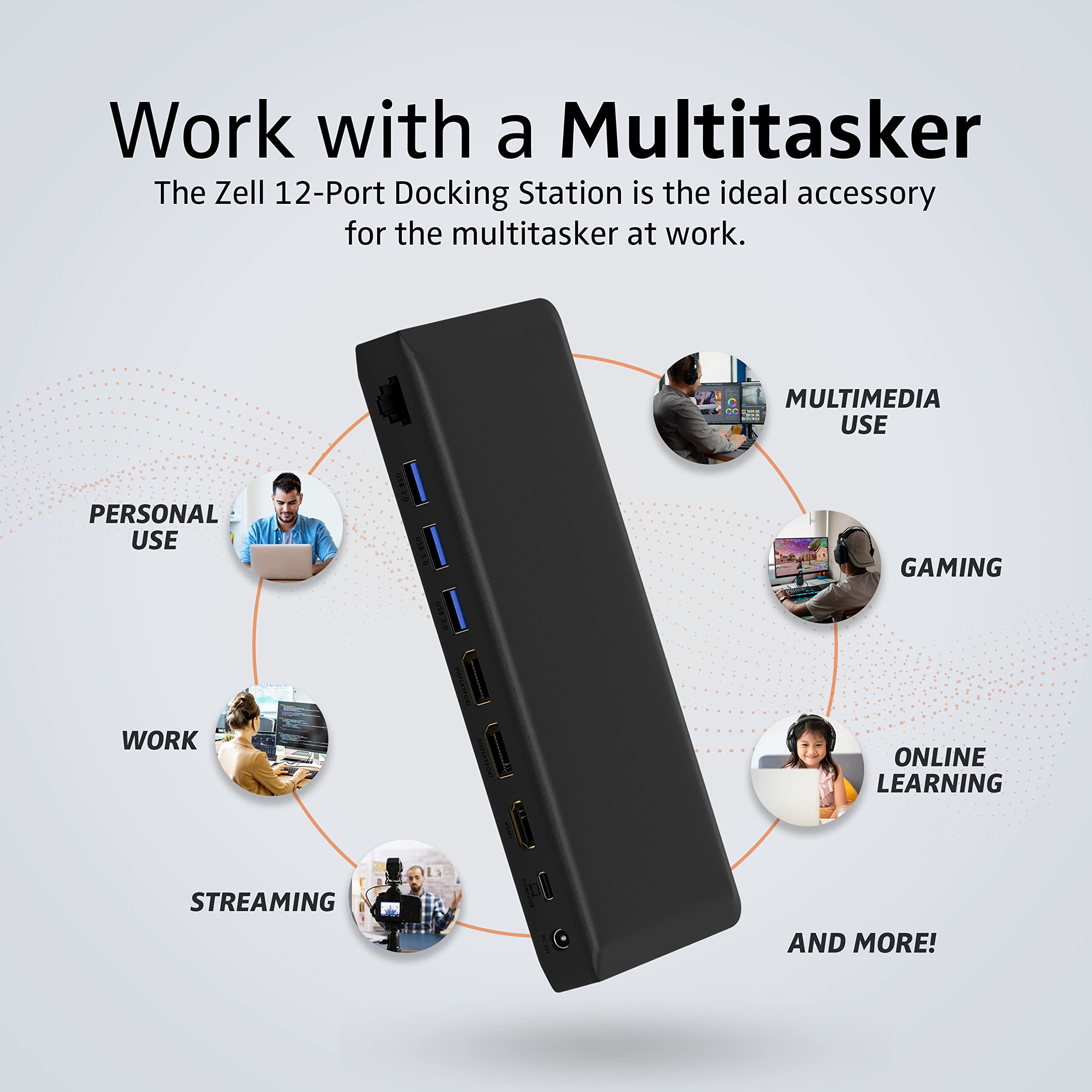


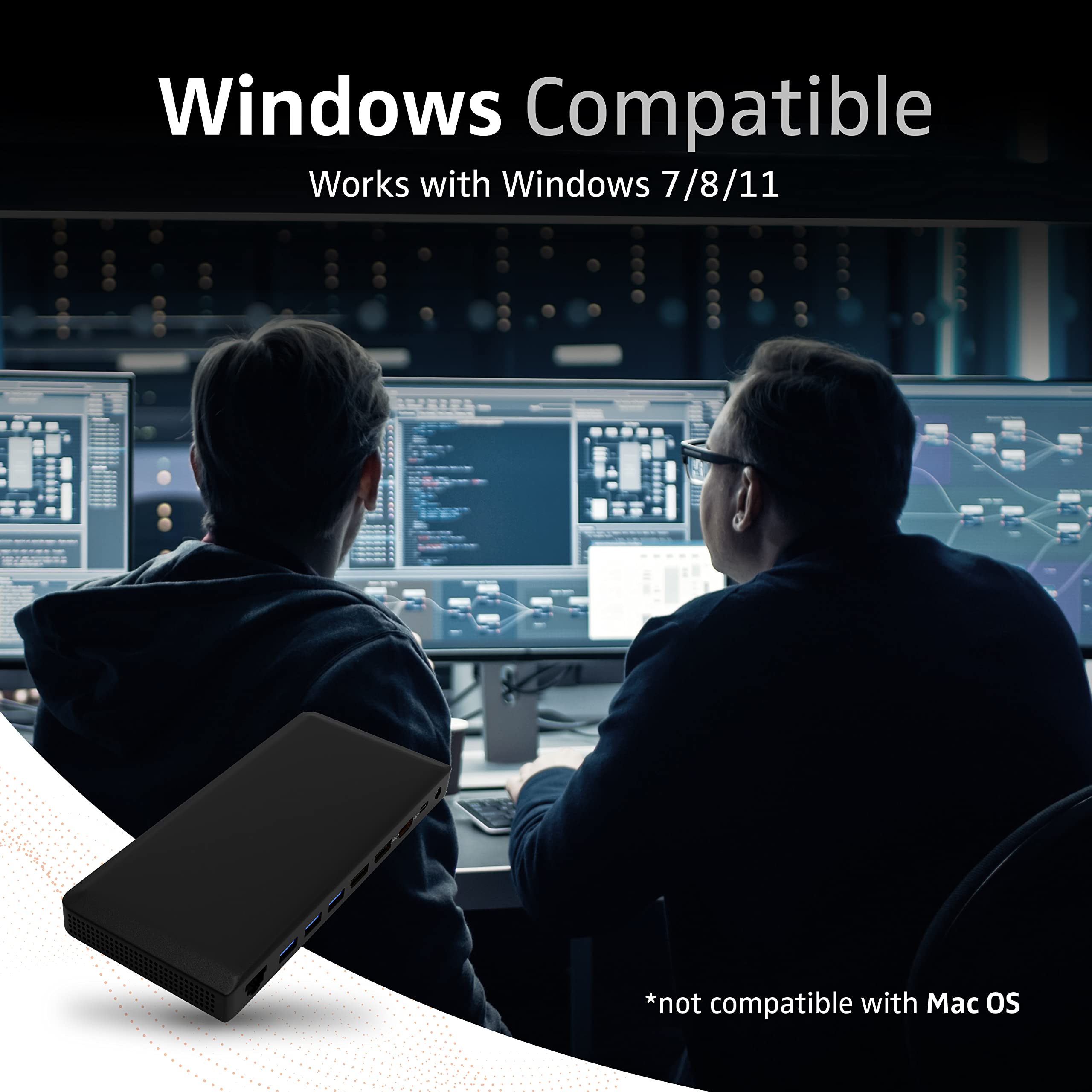

⚡ Power your productivity with the ultimate 10-in-1 Thunderbolt 3 dock!
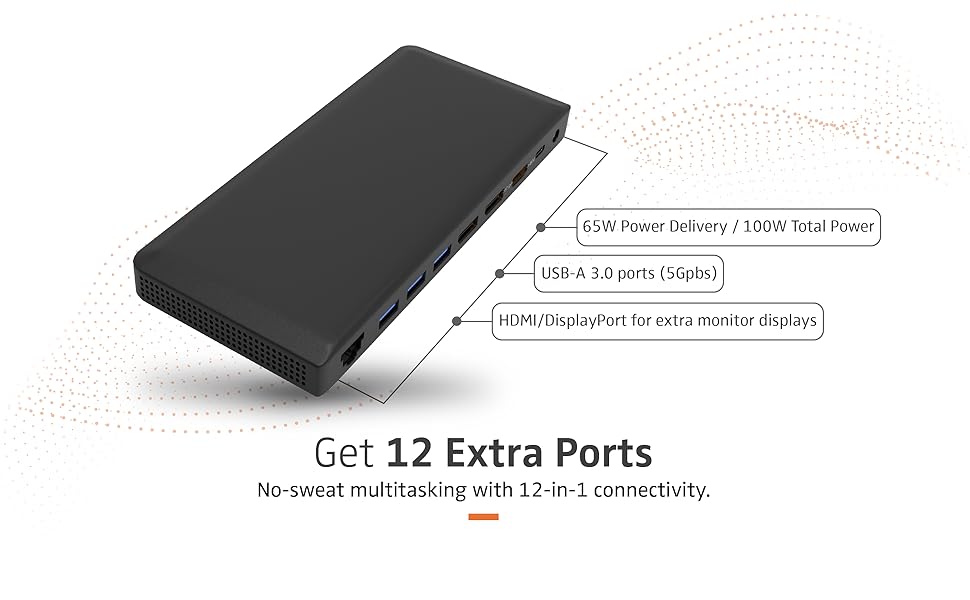
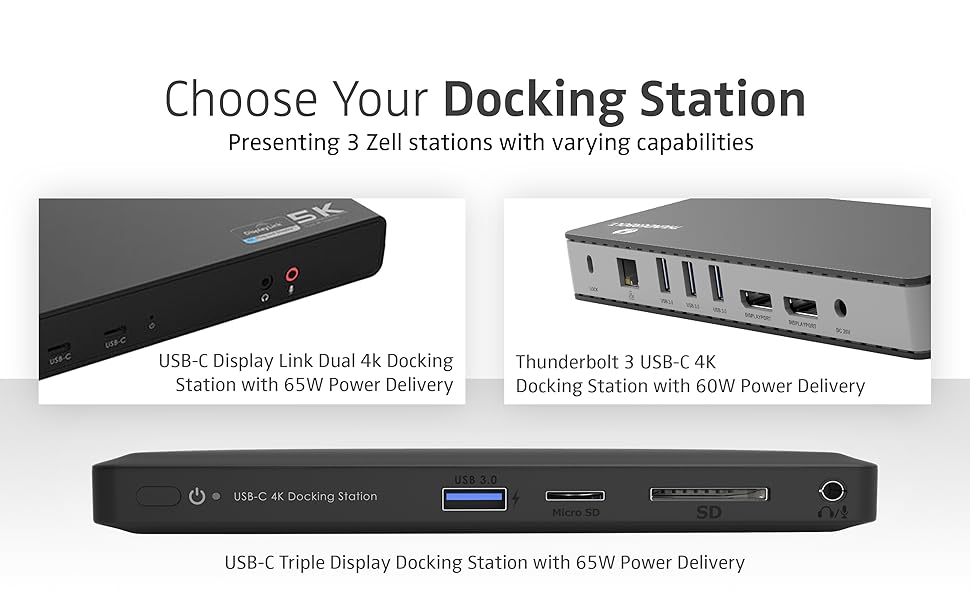
The Thunderbolt 3 USB-C 10 Port Docking Station offers expansive connectivity with 10 ports including dual 4K DisplayPort outputs, gigabit Ethernet, and multiple USB 3.0 ports. It delivers up to 65W power delivery charging for compatible laptops, ensuring fast and reliable power. Designed with a sleek aluminum and plastic chassis, it supports Windows OS and provides smooth 4K 60Hz visuals, making it an essential hub for professionals seeking a streamlined, high-performance workstation.




A**M
Power
The first thing you'll notice is the huge power brick. That's likely because this docking station is capable of supplying power to your laptop via the USB-C connection, but also to all of the devices connected to the USB 3.x ports. If it just had a USB-C data port to connect various external storage drives, it would be perfect. Not having such a port is not a shortcoming, but it's something the company might want to consider to create a truly great product.I work with MacBook Pros, iMacs, and Mac Minis. Therein lies the biggest problem (for me). Only if you connect a single external monitor will you have full functionality on any ONE of the three video ports. Full functionality means being able to mirror or become an extension of the primary screen (iMac and Mac laptops). With MacOS, if you have two or three monitors connected, you can ONLY mirror the primary screen. Microsoft Windows users have full functionality on all three video ports all the time. As this drawback is likely a limitation or feature of MacOS, I deducted only one star. It is a good product in all other respects.The ethernet port is not something I would use often, but having it there puts my mind at ease for the unusual times that I need one.The SD and micro SD card readers are always handy for people like me with multiple cameras.It can supply power through ports that are designed to transfer power. It powers my MacBook Pro but cannot simultaneously charge the battery like the Apple Magsafe charger.It's a good docking station for Windows users. For Mac folks, not so much.
J**E
Good for some scenarios but not mine
I work from home full-time, and my work laptop is a Dell Latitude 5490 with a single USB-C port. It is not Thunderbolt 3 compatible, and it has integrated Intel graphics. The charger that comes with the laptop supplies 65W of power and the BIOS will throw up a flag if the power supply does not provide this level of power. My personal laptop is a Surface Book 3 which also has a single USB-C port and does not support Thunderbolt 3 but does have dedicated graphics. I believe its power supply offers 102W of power as I have the 13" model. It has a separate USB port on it supplying 7W, so power to the laptop bottoms out at around 95W.I previously used a small Lasuney USB-C dock that worked flawlessly with a 65W USB C charger plugged into it. I upgraded from that to a Vava 12-in-1 dock because I wanted more ports. However, very recently I started having problems with my monitor flickering. It didn't seem to be the port on the laptop, the HDMI cable (same problem with DisplayPort), or the monitor (works fine with other docks and other devices). It seemed to be a power problem of some sort. I am not an electrical engineer nor am I an electrician, but I tried a number of things, and nothing seemed to work. So I wanted to try out this dock to see if it might just be the dock itself.I will start with the good things. First of all, I greatly appreciate that most of the ports are on the back side as this makes it easier for me to have a neat appearance at my desk. My Lasuney hub has ports on both sides and it means cables are either all over the place or need to be bent/angled to not be in the way. I don't really like having to bend cables; it just leads to eventual failure. I also really like the way this dock looks; it is reasonably sleek and blends in nicely with my black desk. I like that it does have a USB port on the front and I use that port for my Logitech mouse/keyboard adapter, which is low-profile and looks fine placed there. I also like that it has plenty of USB ports for all of my peripherals as well as multiple monitor ports and an ethernet jack, which I do use daily.I really want this dock to work but so far I haven't been able to figure out my monitor flicker issues, which persists both with the Dell and Microsoft laptops. It seems to be a power issue and as I'm typing, I consider that plugging in the power cables for each laptop might help. But that isn't really how I want to use my dock and y available power strip outlets. I will also admit that the problem seemed to start after I upgraded my Creative X3 to an Elgato Wave XLR (to use better microphones for Zoom and Teams calls) and perhaps the extra power draw from the XLR box is part of the problem - but even when I disconnect it, I still experience flickering. So I'm done troubleshooting and I'm going to try a dock that uses two separate power connections; one for the dock and one for powering the laptop to see if that helps.It is also possible that this dock as well as my Vava dock would work better for true Thunderbolt 3 laptops, but that is not what I have right now. If this dock works well for T3 devices, I'd consider it a reasonably good buy as good docks with lots of ports are very expensive, especially once you get into Thunderbolt 3 or 4. But if all you need is a USB C dock that supports DisplayPort over USB C to support your non-Thunderbolt laptop that requires 65W or more of power, you may want to look elsewhere. This probably works best for laptops with lower power requirements or adheres very strictly to the PD charging standard as my best guess right now is that my problem is with the included power bricks with both this dock and the Vava dock (they are very similar big brick 100W chargers with barrel ports) is probably the problem since I don't have any flickering issues for either laptop when plugging in a simple 65W USB charger into my Lasuney hub with all of the same peripherals and ethernet plugged into it.
R**D
Slim, Universal, Wonderfully Capable!
I have been using a docking station for a while now to aid in my work at home setup. I didn't think it was a culprit of my crash issues as the logs never gave me an indication. However, as soon as I replaced it with this device, I was relieved that Simulink and LabView no longer crashed my system.The above is merely a praise for having a working device. Now, for the details.This docking station is extremely thin, very sleek, and works perfectly! I can't take advantage of the 100W charging port because I need more than that for my laptop designed for engineering applications. However, my wife's computer is just a basic internet and Cricut machine and it worked perfectly to charge via thunderbolt. The SD and miniSD card readers work really well for me as I flash a ton of these cards for various microcomputer systems i.e., raspberry Pi. Having these onboard without needing a USB adapter is absolutely wonderful. I am running 2 LG 4K 27" Monitors @ 60Hz, and I have no response issues or overheating of the docking station. I haven't used the audio port yet because I have a high-fidelity port on the laptop, so it really is an additional port I may not fully need. Having an additional LAN port is helpful for my network DAQ and SDR devices and it works perfectly. I was able to transfer the 4000point double data of a 5Msps signal without issues via the LAN port, and that is also having two 4K monitors, and an external 10TB HDD, plus an external 2TB M.2 drive as well. So, the throughput on this is everything USB-10 and Thunderbolt is capable of delivering.The cost may be steep for this docking station, but it does deliver awesome performance.Consideration: DO HAVE A DISCRETE GPU! Trying to utilize this device with a multiple monitor setup and embedded graphics may cause some significant resource issues and degrade system performance. I am running 3 4K monitors all 27", my main is connected directly to the DP port on the laptop and two additional to the docking station and I am not getting overheating issues, but I do have a Quadro A5000.
Trustpilot
2 months ago
3 weeks ago