

Desert Online General Trading LLC
Dubai, United Arab Emirates
Desert Online General Trading LLC
Dubai, United Arab Emirates


🖱️ Elevate your workspace with comfort and style!
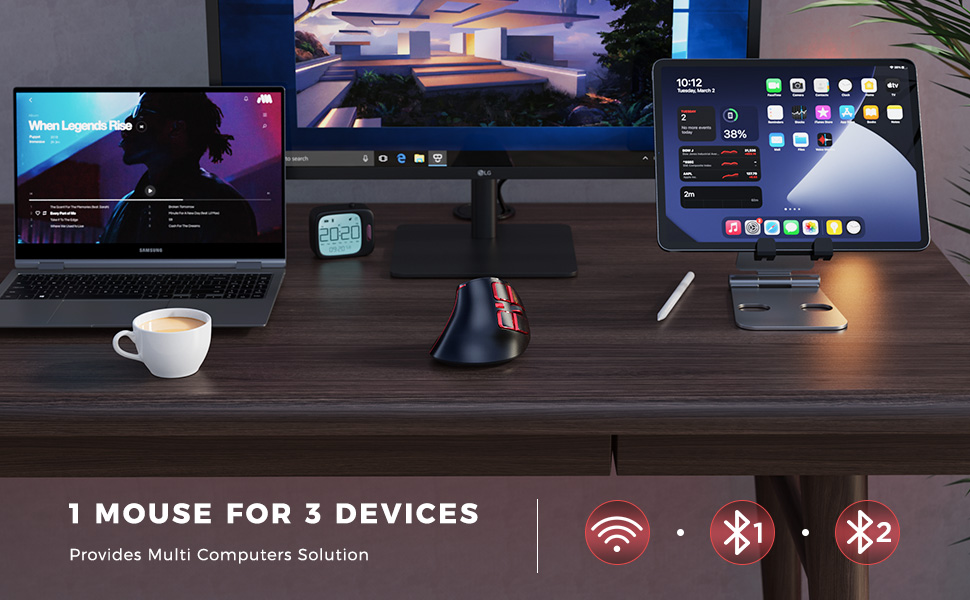
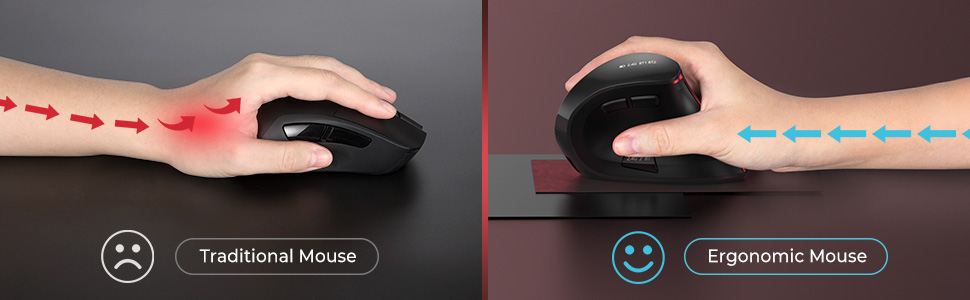
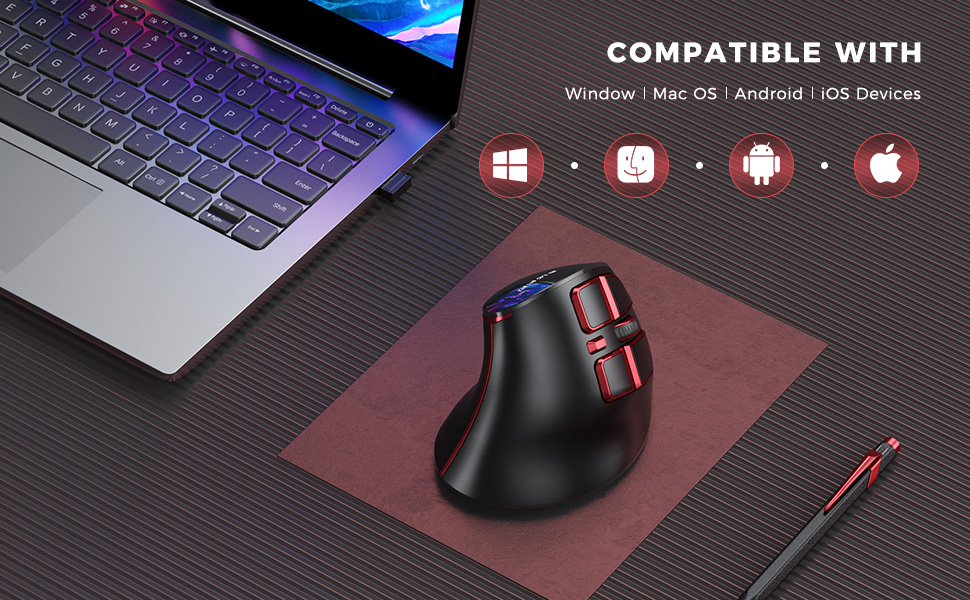
The Seenda Ergonomic Wireless Mouse combines cutting-edge technology with a user-friendly design, featuring a rechargeable 500mAh battery, multiple connectivity options (Bluetooth 3.0, 5.0, and USB), and a precision DPI setting up to 2400. Its ergonomic shape promotes wrist health, making it ideal for long hours of use across various devices.


P**M
One of the best Ergo mouses I've owned
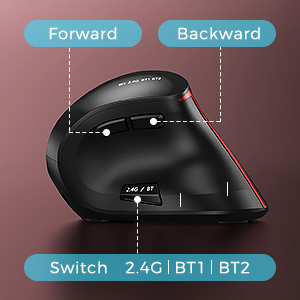
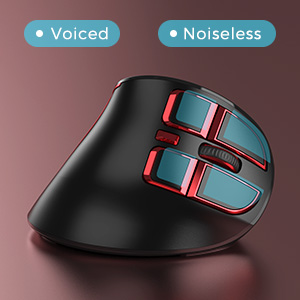
Pros:- Came fully charged- Came with a decent metre-long USB-C braided cable (most send a crappy 20cm cable)- Connectivity via 3 modes (2.4GHz, BT3.0, BT5.0) at a very reasonable/affordable price- Modes change quickly/easily- Silent left/right buttons area a boon when working in a quiet environment or when your partner is sleeping next to you- Robust mouse and has stood a decent amount of abuse so far- Rechargeable. So no more hunting for batteries when the mouse battery suddenly runs out of juice.Cons:- None really.If I'm super picky, then, the mouse comes in 1 size only. I've got medium/small hands and the mouse felt a tad big in my hands. Still, once I got used to it, it wasn't noticeable.Without a shadow of a doubt, one of the best ergonomic mice I've ever owned/used. I'm a regular user, so, it didn't take long to get used to it. That said, I know my daughter didn't like moving from her laptop's trackpad to an ergonomic mouse! Oh, the young are so annoying sometimes!It does help ease the carpel tunnel and wrist pain issues. They won't go away immediately; it'll take about 3-4 days for your hands to start feeling the relaxed position and remove the pain completely. You'll know how useful these are if you ever misplace it and have to use the normal mouse... arrgghhh! It hurts! Trust me, you'll learn to keep an extra ergo mouse in the house should the one anyone in the family is using goes AWOL!
J**S
First Thoughts: A Great Mouse
I've got an upper limb disorder and so I have specific needs when I'm buying computer peripherals, one being that my hands can't go into the pronated position (the way you normally type and use a mouse, it may be the wrong term, but it's the one my physio uses).I've used a trackball mouse for many years, but my latest one has broken, and they're getting harder to find, so I decided to buy an upright mouse, and settled on this one.It worked very easily once I plugged in the dongle. The mouse itself has a good feel and fits my (admittedly, quite small) hand quite well. The buttons are nice and soft, with a good, rubberised feel and don't require too much force to press.It has a button under the thumb that cycles between it's various different connection modes, which I've twice pressed by accident, but I've used it for two whole work days now, so that's not the end of the world, and I'm getting used to it.All in all, if you're looking for a mouse for upper limb issues, this is certainly a mouse worth trying, although I might come back and update this depending on how it lasts over the next couple of months.
M**H
VERY comfortable, if held correctly
This is a strange one, as the mouse is perfect in every way PROVIDING it is held in such a way which allows you to make the most out of it. Let me explain.Before using an ergonomic mouse, I would hold the mouse in a way which allowed me to use my index finger to both actuate the left click and control the scroll wheel. This left my middle finger to actuate the right click only.The problem with this ergonomic mouse is that the button placement has a right-bias, so if I try to control the mouse this way, my pinky finger is too low down and rubs against the mousepad, rendering me unable to move the mouse around. It also stops my index finger from properly controlling the scroll wheel. This sounds extremely petty, but the whole idea of an ergonomic mouse is that you can rest your hand and use minimal effort to control the mouse. In my case, I have to really make an effort to hold my hand in the correct position in order to control the mouse as I would normally.But I've realised that is not how mice are supposed to be held. And this mouse has taught me that. In order to properly and comfortably operate this mouse, you must grip it as you would a tennis ball, place your index finger over the left click, your middle finger over the scroll wheel, and your ring finger over the right click, with your pinky resting comfortably below your ring finger.This has made my whole experience using this mouse extremely comfortable. It took a while to get used to, as I've been controlling an ordinary mouse for over half of my life. Once you start doing this, you will never go back.Now to its drawbacksThe placement of the BT / Wireless button is inconvenient. Sometimes I press it with my thumb accidentally and it will begin controlling my personal laptop when I'm trying to work. A better placement for this button would have been where the forward and backward buttons are, and the forward / backward buttons can be moved to there the BT button is. Your thumb comfortably rests over the BT button, whereas it has to move in order to find the forward / backward buttons. Switching these would make sense.Other than that, great mouse. The silent / clicky right and left click is a bit of a gimmick in my opinion, but I suppose it's great if you're working in bed next to a sleeping partner.The battery life is excellent.
A**X
The best vertical mouse
I have tried a few other vertical mice, but this one is by far the best. Excellent responsiveness via both bluetooth and the USB attachment, comfortable to use, and lasts a long time without a battery change. Product feels good quality.
Trustpilot
2 days ago
1 month ago
1 day ago
2 weeks ago