

Desert Online General Trading LLC
Dubai, United Arab Emirates
Desert Online General Trading LLC
Dubai, United Arab Emirates


❄️ Cool your CPU, light up your build, and silence the noise—because your rig deserves the best.
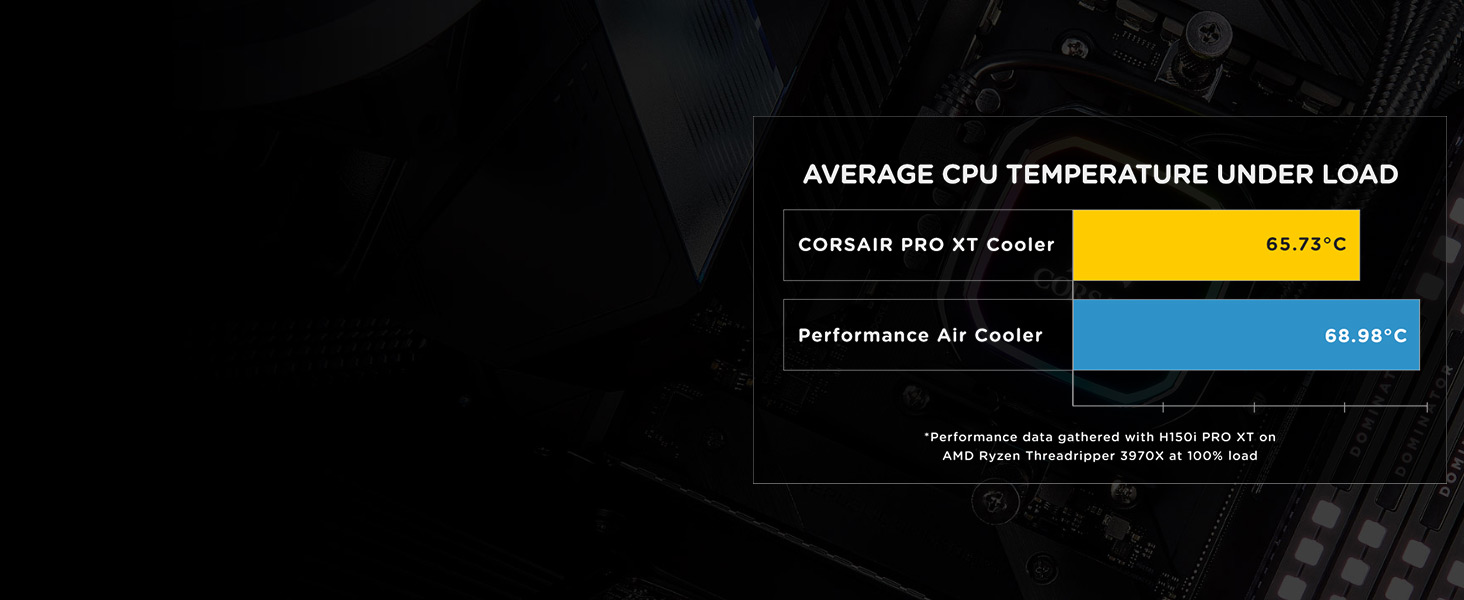
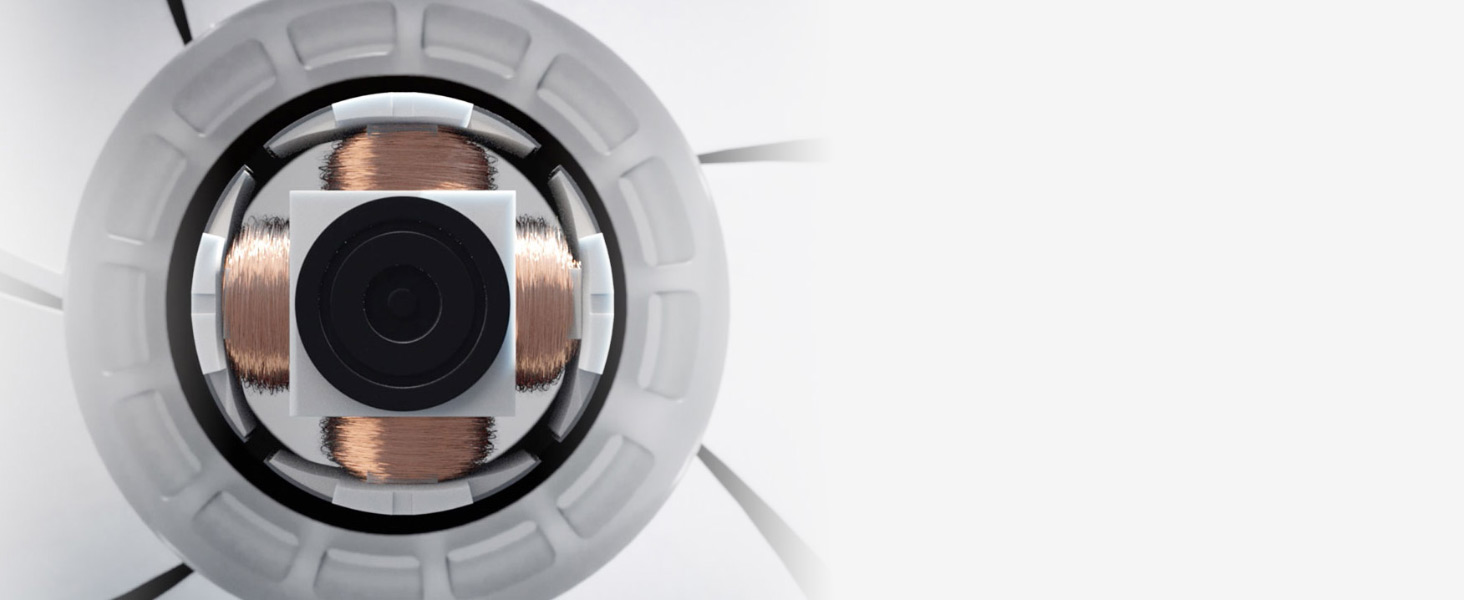
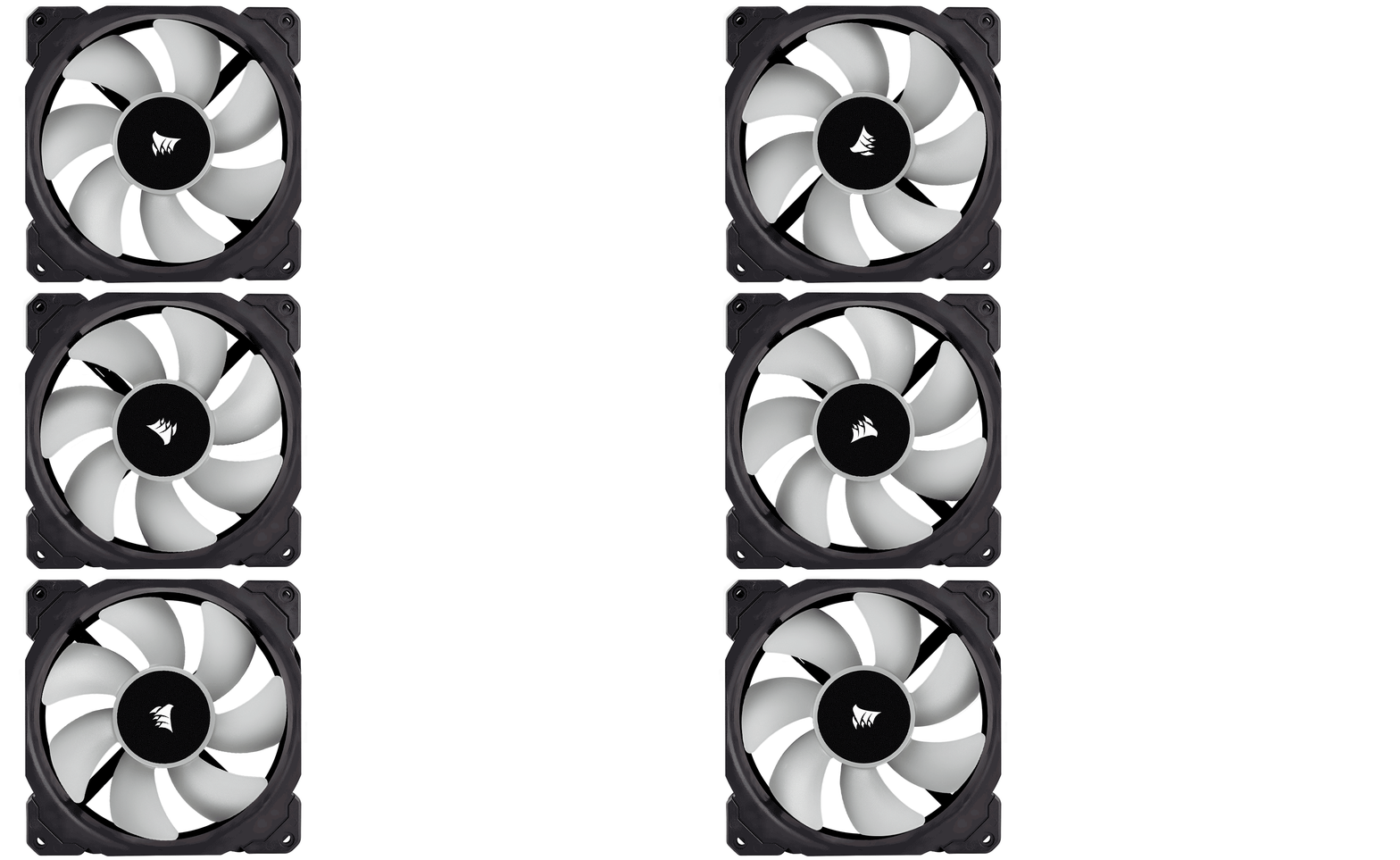
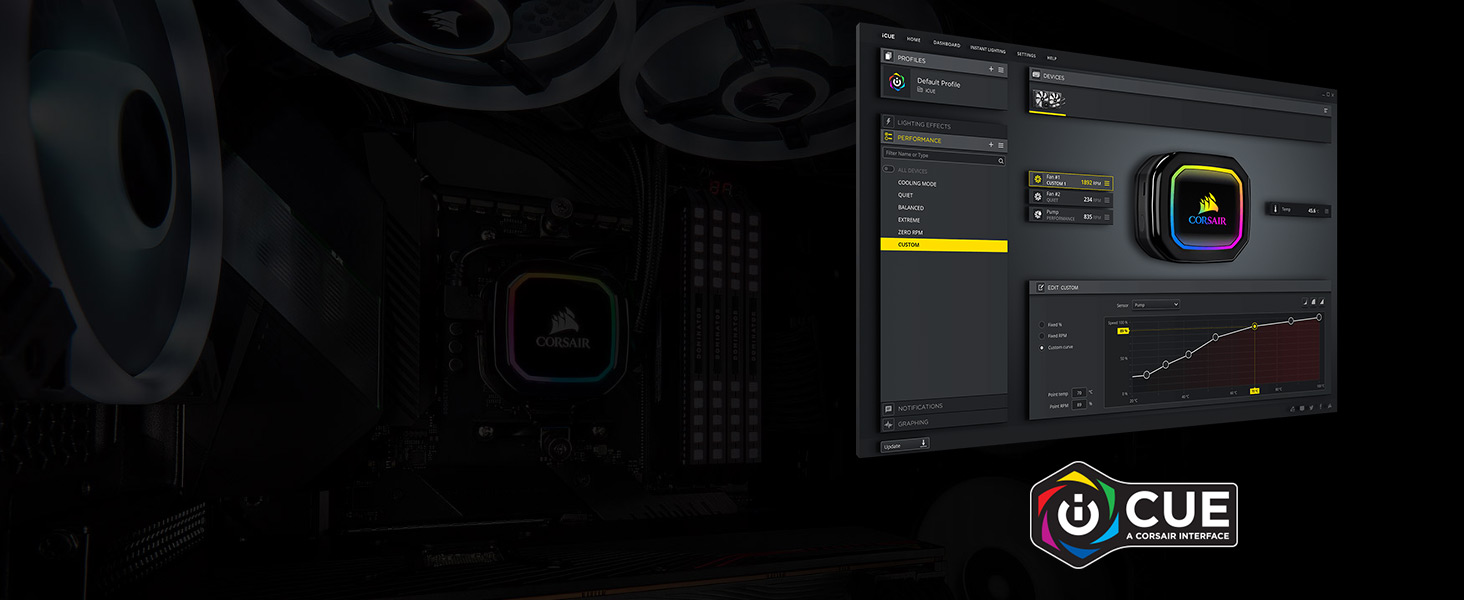
The Corsair iCUE H115i RGB Pro XT is a high-performance liquid CPU cooler featuring a 280mm radiator and dual 140mm magnetic levitation PWM fans. It offers advanced cooling with fan speeds from 400 to 2400 RPM and zero RPM silent modes. Fully customizable RGB lighting with 16 addressable LEDs integrates seamlessly via Corsair iCUE software, which also controls fan and pump speeds. Compatible with a broad range of Intel and AMD sockets, including the latest Intel LGA1700 with an upgrade kit.
M**Z
Decent AIO cooler - but I made a mistake!
I have had this AIO for only 10 days. I normally review products after a lengthy amount of time but a mistake that I made caused me to come online right away and post this review now, with the chance to update later.Anyone with an intel socket 1700 motherboard (12th gen) needs to purchase the LGA 1700 bracket kit prior to mounting. It would have been nice of Corsair to actually include them for free. But they had it on their website for about $8. I purchased it elsewhere for half that price. The AIO does a decent job in performance. Unlike my previous AIO, it was fairly easy to setup. I don't care much for RGB lighting but the cooler/pump seems plain with RGB lighting around the border. It works well with iCUE software, monitoring temps for most areas on my motherboard, gpu, and cpu. But compared to other AIO software, it's lacking in some features. From what I can tell, it does somewhat of a decent job however...So why 3 stars and what was the mistake? The mistake was trusting the brand name of this product. Most coolers come with pre-applied thermal paste. I normally remove the pre-applied thermal paste and use my own. I went against my better judgement and mounted the cooler with the pre-applied paste. I was gaming earlier in the day and noticed a hitch during gameplay. I thought it was odd but kept playing. I have a 2 monitor setup so I have a couple of monitoring software (and the iCUE software) running every time I use my system. In between online games, I noticed my graphics card being very warm than usual (84c). I looked at my other monitoring programs and noticed that my cpu was running at a constant 100c! Shut down my game and the cpu temp dropped to 88c. I passed my hand on the top of my system and felt it was very hot. I proceeded to shutdown my system. I opened my case and removed the cooler/pump to find that the pre-applied thermal paste was completely dried up on both it, and the IHS (cpu). This is absolutely the reason for the high temps. I did notice the pre-applied paste was a super thin layer when I first got the AIO. But I thought, well, this is a Corsair product. I applied my preferred thermal paste, booted up my system, and I now have the normal idle temp range of 29-33c on the cpu. My cpu ran at 75c and gpu ran at 70c on full load when gaming again. My trust in the brand name nearly destroyed my cpu after 10 days of use with the AIO! Never again!Anyone who wish to purchase any products with pre-applied paste, don't ever use it. Don't make the same mistake that I did and use your preferred brand instead. I may give this AIO 1 extra star if the performance holds up like I expect it to. The manufacturer should either add a sufficient amount of pre-applied thermal paste or don't add any at all!
D**K
BIG GAINS! See the screenshots for yourself. (UPDATE 4/19/2022 AT BOTTOM)
First time install using liquid cooler been a PC enthusiast for 23 years. at $89 dollars You get the quality feel of Corsair products that was easy to install for a first time user.It is a closed loop the liquid coolant is provided. It's an AIO so this is more for the beginner or for the person who doesn't want all the extra that come with open loop coolers experts and experienced liquid cooling users tend to use. -74C full load down to 50C ish- Big gains considering I was using an after market cooler from MSIIf you have a high end chip like a 5950X as I do you start to see real performance gains when the chip is properly cooled.Sure 5950X's are expected and designed to run at temps up to 90C "Considered Normal by the AMD Engineers"But you won't be getting 100% performance from the chip as it gradually heats up the curve is designed to gradually to lower clock speeds until you actually hit 90C considered thermal throttle limit for the 5950XSo whether you have high end Intel or AMD CPU, I recommend a top of the line high end cooling solution so you can experience all that hard earned money you sank into that high end chip.----- On a side note. the pump uses a MICRO USB interface that connects to the USB header on the MOBO.Micro USB is inherently flawed by design as in the housing gets loose or worn out easily given connection problerms.This pump continues to reset and freeze I can tell due to the OS making the "USB Disconnect" Sound and I was like what is that???? Then I noticed the RGB on the pump will stop or freeze and then reset the RGB effects on the pumpThis is not an issue with the actual function of the cooling I will attempt to re-seat the USB Micro cable into the pump before reaching out to product support. Besides my minor issue which is most likely unique to me.Go ahead and buy this product. Great price point @ Great Gains---------------------------------------------------------------------UPDATE 4/19/2022---------------------------------------------------------------------UPDATE TO RGB AND DEVICE PRESENCE ISSUES WITH CORSAIR iCUE & RGB LIGHTING FAILS.There is no STANDARD protocol created by IEEE when it comes to RGB lighting, Each manufacturer of RGB protocols write their own proprietary code for this.The issues I and many others have reported with issues about the RGB lighting or the device failing to show up in the iCUE software is a driver issue. Only the RGB seems to be affected (and device presence in the iCUE app) PUMP function is power driven, there is no ON/OFF for the pump so to speak. You plug it in and it pumps.I fixed my RGB / Device Presence issue. From the get go I have experienced issues like this with ALL of Corsair's RGB products. (Some other issues were caused by my MSI board RGB taking over the Corsair Hardware This was fixed with a software switch found in (iCUE Settings > Software & Games)Unfortunately that only fixed my MSI Mystic Sync from taking over RGB on Corsair devices. It didn't fix the pump RGB / presence issues.To fix that I had to go into the BIOS (Switch to Basic View) and turn off RGB completely on the mobo.Now Corsair's RGB software is the only one running on the PC.Issues have been resolved completely.I'll update if issue returns.HOPE THIS HELPS!
R**S
Very impressive little AIO
This is coming from someone who has a massive three radiator (480 and 2x 360 mm) custom water cooled system. I personally have never been a big fan of aios but when someone wants a rig and doesn't plan on doing the maintenance required these fit the bill perfectly..This was cooling a 13th gen i5 and did a miraculous job. These have came a long way!!!
J**N
Todo bien hasta ahora
Todo bien hasta ahora
D**S
Best AIO Maker on the Market
Absolutely worth the extra money for Corsair. Is Cooler master a great product, too? Yes. But the software and the iCue platform is too notch. Plus, Corsair puts a valve on their pumps for adding fluid. I'm never using another product line again!
L**K
Crazy loud fans, good cooler
The fans that come with this are very loud, and that is frustrating given the cost of this cooler. I replaced with Noctua fans and the noise level was half as much (and almost silent).There were also no instructions for the installation, and as this was my first cooler setup I had to rely on several YouTube videos and some online help...very bad Corsair!
A**I
Good product, thank you
Good product, thank you
A**3
Best cooler I’ve ever owned. Be sure to install It correctly.
The cooling power of this aio is amazing. I launched Immortals: Fenyx Rising and had to snap a picture in Ryzen Master of temps in the 20s. I couldn’t believe it!When you install, be sure to connect it to CPU Fan on the MOBO not PUMP. There are tons of videos on YouTube that will walk you through the install but this is one part a lot of them mess up.The iCUE controls are really nice. One setting I found to be really helpful was setting the middle RGBs to change colors based on the core temp of the cpu. Green for low, yellow for mid and red for high. If you keep your pc on your desk, it makes it really easy to monitor temps in game without an overlay or a second monitor.
S**A
Lots of things to take note of; read this before buying!
TL;DR: Fans are not RGB. Cable management sucks, so connect all cables before installation. iCUE software is a required download.I was forced to upgrade from a Noctua NH-D15 to this cooler due to system instability. After I overhauled my system and upgraded everything, I noticed that my temperatures would reach the high 90s at 100% load with my old cooler. The primary culprit: I changed my case to a micro ATX that had very poor airflow.With an overclocked i7-8086k at 5 GHz, I tried a 100% load burn test to see what my temperatures would hit with this cooler. In the iCUE software (which you have to download separately), I set the fans to Balanced and the pump to Extreme. (I couldn't set the fans to Extreme because they were too loud for my liking.) I capped off at the high 80s. I reduced my load temperatures by about 10C with this cooler, which is great.Now, issues. For one thing, although the instructions are simple, the installation process is not. I ended up spending two hours to install this cooler, and I am not new to computers. Why did it take so long? Because of cable management. That alone took up 95% of the entire process. If you want to save yourself time and frustration, connect all of the cables first before you screw anything into the computer, or just don't bother hiding the cables behind the case.Aside from cable management, everything else was a breeze to install. The included instructions work fine, as well as the official Corsair tutorial on YouTube. Unlike what other reviewers have mentioned, I did not experience any issues with the screws. They fit just fine. Chances are, they had bad luck with quality control.This cooler uses its own external power via SATA. This means that you have to dedicate SATA power to this cooler, which might not be easy to accommodate if you have a lot of storage drives using up your SATA cords already. The CPU fan header that connects to the motherboard is merged with this SATA cable, which further frustrates cable management. The pump's RGB and the fan speeds are controlled by the iCUE software, which requires a dedicated USB connection.Strangely, the iCUE software clashes with the ASUS Aura Sync software, which means that iCUE will take precedence over whatever you set Aura Sync to for your motherboard. You can't turn it off. This means that you have to run the ASUS Aura Sync software each time you boot your computer, or else iCUE will take over. This wouldn't have been an issue if iCUE could control the RGB on my GPU as well, which it sadly doesn't.Also, the fans on this cooler are NOT RGB. Only the pump has RGB on it. You need your own 120mm RGB fans if you want to have RGB. With this in mind, I'm not sure if the price of this cooler is justified. You could probably get similar performance with a cheaper cooler that has RGBs (like one of Corsair's older models).Overall, the cooler does what it's advertised to do. It's pretty barebones and doesn't really introduce anything new besides maybe a few degrees off the next best cooler, if you even notice it.
B**R
Great other then the annoying clicking :/
Just got it and fitted it - I’ve been building pcs for a long time so used to fitting aio’sThis one is easy to fit and great quality, RGB looks amazing and the whole process was good.But downside - it’s clicking. Usually there’s a bit of noise on first use for a while if there are air bubbles In The system but after the usual bedding in period and some checks, it seems like the motor is dry or poorly mounted internally.I’ve re-seated, run at different angles to check water flow, and still it clicks. Maybe a manufacturing error but still disappointing from what is usually a great brand.Just my experience - maybe customer service will sort it out
I**N
Corsair Aio. Wish I got one year's ago.
This is my first Aio Corsair cooler.I had limited space in my Corsair carbide case.Always make sure you have room before purchasing. Really important.It's really easy to install.Plenty of instructions.And vids on YouTube.I did notice on first boot up.That the pump and fan's, where at extreme mode.After installing icue software.I had no idea how to turn or change the speed.At first glance.I thought, I had plugged the aio fan wire in the wrong header.You need CPU fan header. Instead of Aio pump fan header.Which is common mastake.This will cause fan error on boot up.Won't load in to windows 10.So don't bother.It's CPU header that you need to use.Once in icue software.Scroll to Corsair aio.Then you will see quiet, balenced, Extreme.What you need to do is click on each one separately to change them,To quite.It's bad design.One click for all would have been perfect.Now your entire system will silent and blissful.I ran furmark and cpuz, heaven . To stress my system.And test there is good contact with CPU. Even pre applied thermal paste is good.Happy to say . My I7 8700k OC 5.0ghz.Idle 30cDuring gaming or heavy load 50c.tops.Super happy.RGB is just right. Looks great.The fans really are silent.Compared to corsair rgb one's.I really recommend this cooler to anyone who is thinking of upgrading from massive air cooler to Aio water cooling.My pc system also looks more spacious inside.Compared to before.Thanks Amazon again.
N**F
AVOID. Software is poor, cooling is poor, loud pump. Broken after 2 weeks.
I had a CoolerMaster ML240 previously and temperatures were around 33C idle.With this cooler I get 44-46C IDLE on my 8700k. I'll admit it's clocked up to 5Ghz turbo - but this is IDLE, when nothing is happening and cpu usage is very low. .Where it improves slightly on the old one is at heavy load. I can run a synthetic load and the max is not as high as it was previously. But not by much. After 10 mins at that load, it's hitting 90C.Gaming is a bit better and realistically it's hitting around 62C, averaging out over a few hours.The software is atrocious. Its not a normal app, runs in a DX/OGL window, so your overlays for e.g. RTSS show up in it, which is how I know it's running at 150FPS. Why is that even needed?I need to go into the software then settings and restart the Corsair service AT LEAST once a day because the LEDs are either jammed on or I head a random device disconnect sound and the LEDs have reset to hardware defaults.It's happened AGAIN while I've written this review, thats about 30 minutes since last time. And caused me to drop it down to a 3 Star.It's not that quiet either. The pump is loud compared to the CoolerMaster too.Overall I'm not that impressed for the money I spent. I'd try looking at a different cooler.EDIT: 2 weeks later and the USB control has packed in completely. No LEDs light up and the fans run to 100% constantly.Support from corsair is pending but I'm not expecting very good service based on the quality of the product.EDIT2: Another 1 week has passed and support are unable to help. I've returned the product through Amazon as requested by support for a refund.
あ**ぺ
正規代理店シール 保証の有無
上位レビューにも同じものがありましたがFN1379 日本正規代理店品 保証5年と書かれていますが正規代理店品を示すシールが貼られていませんでしたシールが付いているものに交換は可能かを問い合わせたところシールが付いているかどうかはこちら側では分かりかねないじゃあ保証は受けれるのかと次にたずねたところ保証に関してはメーカー保証なのでメーカーに直接問い合わせてくれと言われましたFN1379と検索したところ株式会社アスクのコードらしいので一応アスクにも今問い合わせています返信が返ってきしだい追記します11/16本日アスクへの問い合わせが返ってきて弊社製品で間違いなく製品のシリアルナンバー・購入証明(納品書等)で保証が可能と返答が返ってきましたシールが貼られていなくても安心して良いと思われます更に追記します上位レビューのコメントにシリアルナンバーを送った結果アスク社の物では無いという話も出てます商品説明に偽りがあるのは流石にまずいのでは?
Trustpilot
1 week ago
2 days ago