
DOWNLOAD THE APP


Customer Services
Copyright © 2025 Desertcart Holdings Limited
DOWNLOAD THE APP
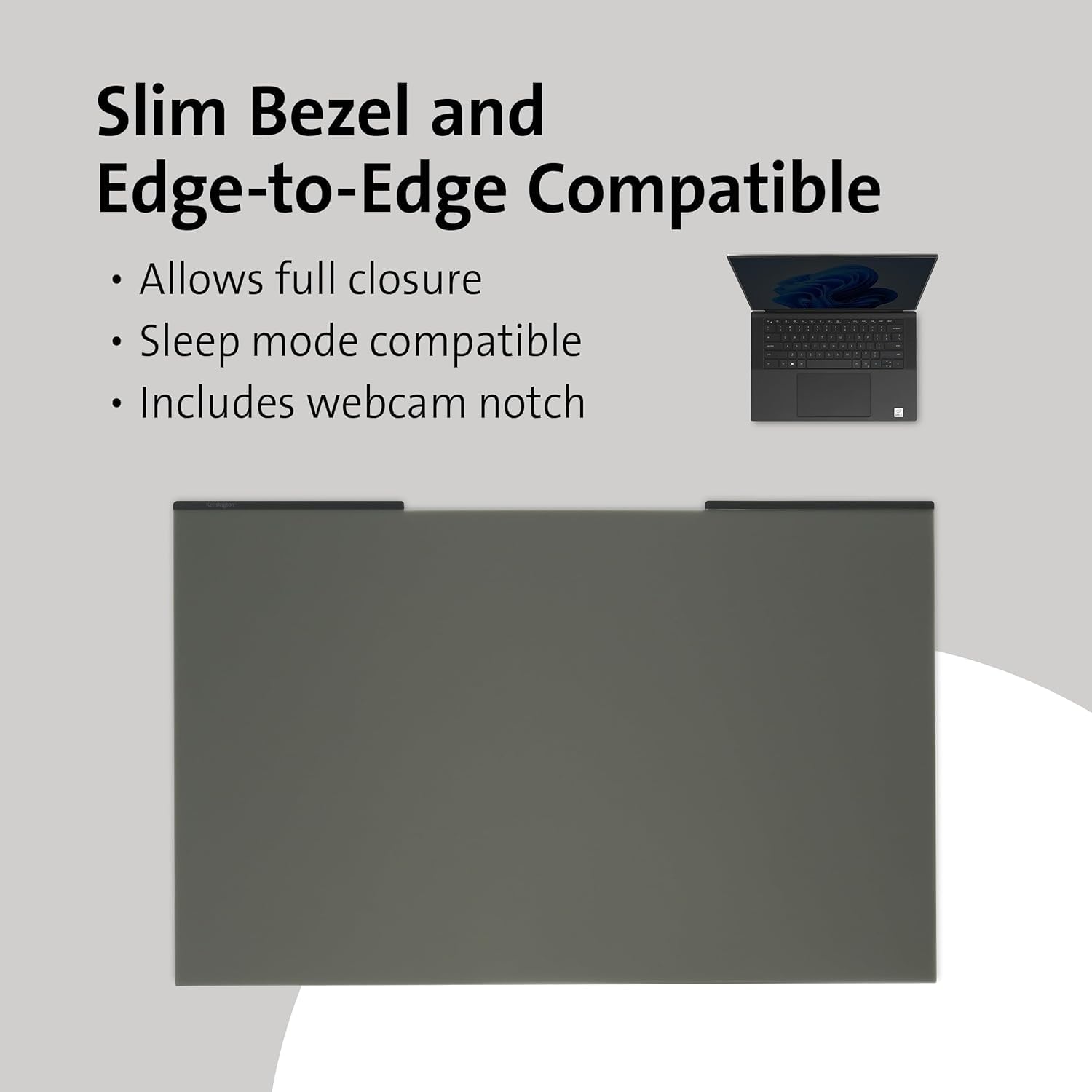

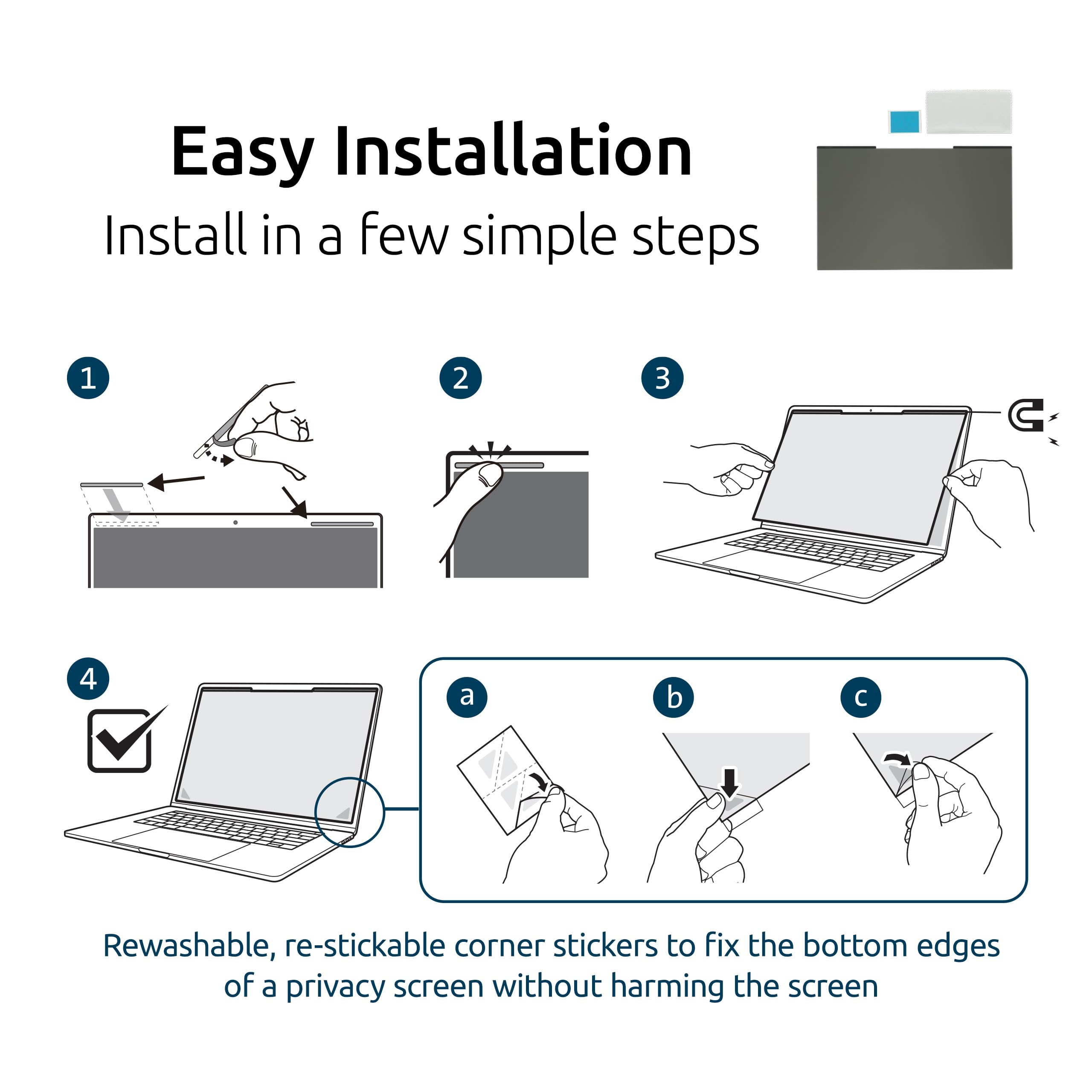

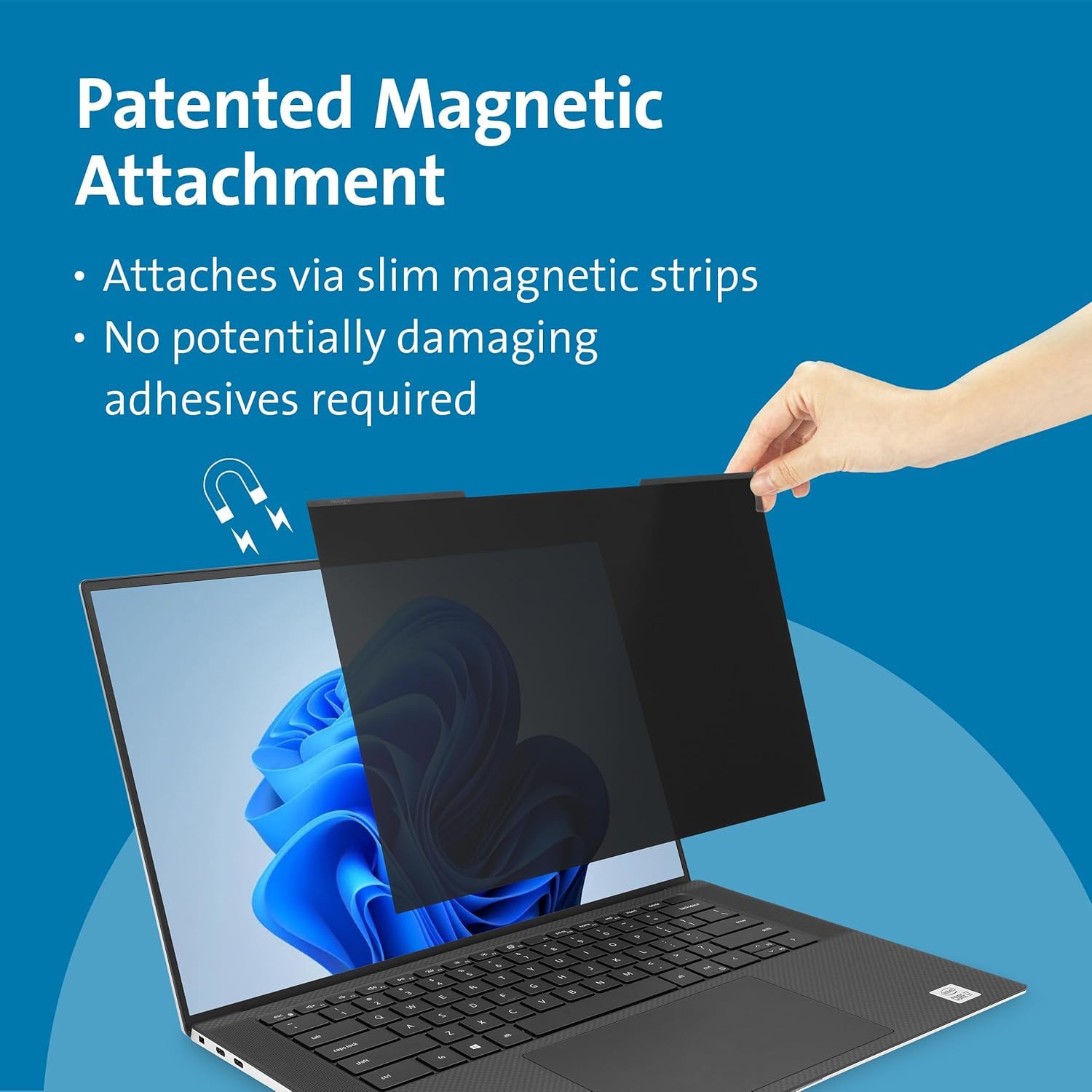
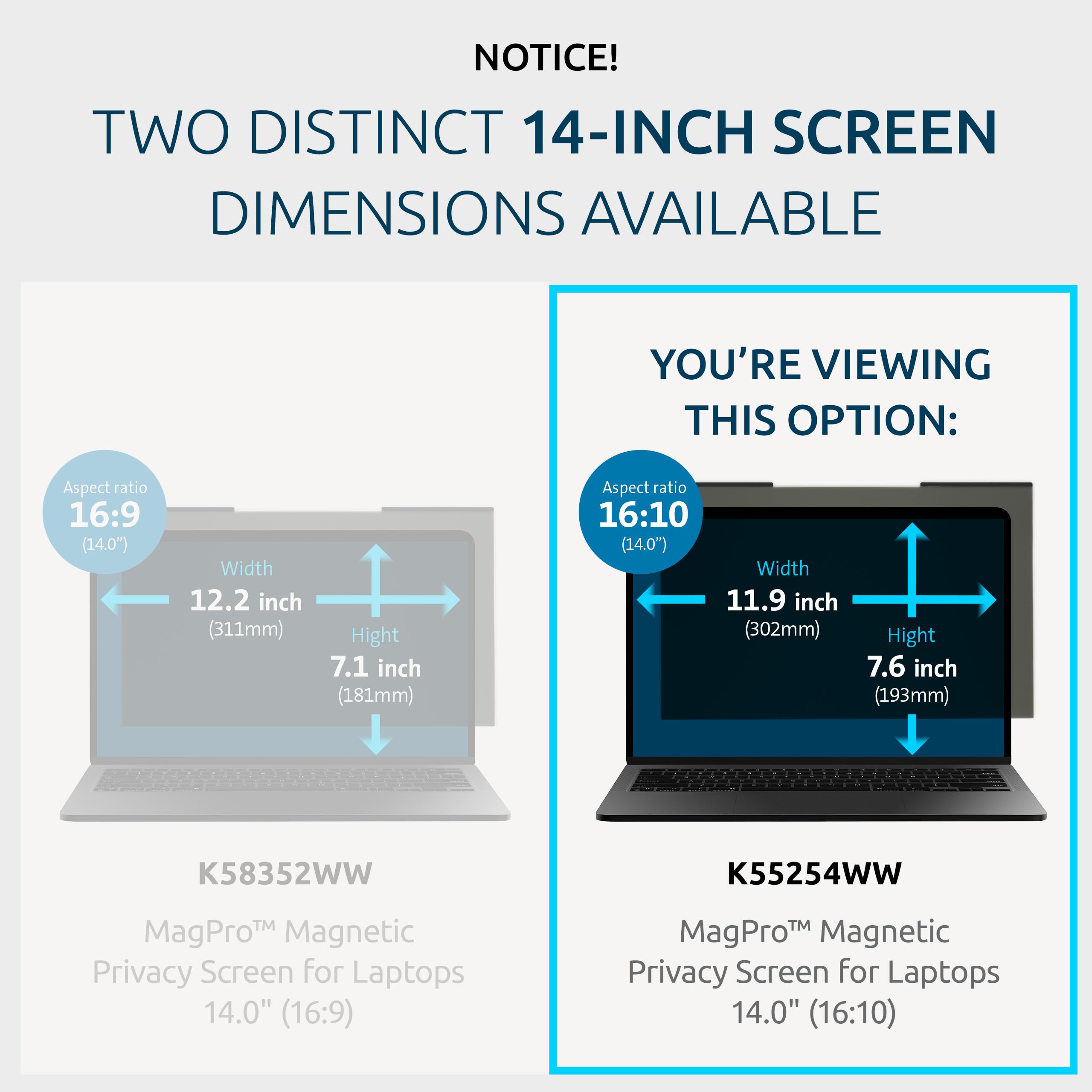


🛡️ Protect your screen, own your space—privacy that moves with you.
The Kensington MagPro™ Magnetic Laptop Privacy Screen (14 inch, 16:10) offers professional-grade privacy with a patented magnetic strip for easy attachment and removal. It narrows your screen’s viewing angle to ±30°, preventing visual data breaches in public or office settings. Dual-sided with matte and glossy finishes, it reduces glare and blue light exposure while fitting ultra-thin laptops with edge-to-edge displays. Ideal for hybrid professionals seeking seamless privacy without compromising style or functionality.


| ASIN | B0C7Q4DNKY |
| Best Sellers Rank | #8 in Monitor Anti-Glare & Privacy Filters |
| Brand | Kensington |
| Color | Blue |
| Computer Memory Type | DIMM |
| Customer Reviews | 4.1 4.1 out of 5 stars (2,139) |
| Date First Available | June 12, 2023 |
| Item Dimensions LxWxH | 0.5 inches |
| Item Weight | 6.4 ounces |
| Item model number | K55254WW |
| Manufacturer | Kensington |
| Standing screen display size | 14 Inches |
E**B
MBP 14" (2021) user, not sure what the complaints are all about
I've been in search for a screen protector for my MBP ever since I received it in January 2022 (I was one of the first people to order one). I gave up on this due to the number of reports of people cracking screens with screen protectors like this, or with keyboard covers. My MBP, like many others, has been plagued with the screen having imprints from the keys that are now permanent marks on the screen. It actually hides these imprints on the screen quite well. I have no idea what the difference is between this privacy screen and the more expensive elite, and this is the only one I've tried. It works great for its intended function as well as protecting the screen while in use. For ~$40 it's feasible to occasionally purchase a new one if the matte side gets dirty, which was one of my initial concerns. To address some common complaints: "The bottom corners fall off and make the bottom of the screen blurry and makes it impossible to use the dock on my MacBook" - I don't know what you're doing. The bottom DOES fall away from the screen if your screen is tilted down toward the keyboard. Where on earth are you using a laptop that requires you to tilt the screen down to use it? It clings on its own down to about a 75 degree angle, then it starts to fall away. I think the average person uses their laptop at more than 90 degrees, maybe closer to 110 degrees, so it doesn't make much sense to complain about this unless you're looking for an issue. For what it's worth, I haven't even opened the adhesive yet. I think this is for if you want to leave the privacy screen attached to the laptop, which I don't plan to. In that case, sure, I can see this being a bit of a nuisance, but I've been able to open and close the screen without issue. "The screen gets darker toward the edges making it hard to see" - I'm not sure where you're using your laptop, but if the brightness is up high enough to see the screen, then you can see the screen very well. Yes it does get a shade darker toward the edges, but that is a natural consequence of a privacy screen with a large surface area. If you don't want someone next to you able to see your screen, then you have to accept that there's a limited viewing angle. If they improved this side effect, it would not sufficiently work as a privacy screen. Why else did you buy this? Be glad it works. Keep in mind the whole point of this technology is to balance it between viewer experience and privacy. It's a very fine line, and the bigger the screen, the more you realize that. Also keep in mind, I'm reviewing based on a 14" screen, NOT a 16", which I can imagine would show this side effect more prominently. "You can still see what's on the screen from the side" - This is true to an extent. It has a lot to do with how bright you have the screen in relationship to how bright it is in your environment. No, it does not need to be so dark that it's hard to see or read. But, the brighter it is, the easier it is for someone next to you to read the screen. Based on my own testing, at a reasonable/comfortable brightness level, I could not read what's on the screen with someone sitting next to me (ie same seating distance as you'd find on a plane). I've only tested this in a medium-light environment, such as a coffee shop in the evening. Flights tend to be lower light, and I haven't tested this yet, but as long as your screen brightness matches your surrounding environment correctly, you should get the desired effect. To elaborate on my findings, when sitting directly next to someone using this privacy screen at a comfortable brightness, you can see less than 1/5 clearly enough to read, though it is difficult to read as it's very dim (this is a good thing). If you step this up to full brightness, you can read about 1/4 to 1/3 of the screen, with the edge nearest you being easy to read and tapering off from there. One thing worth noting on this topic, is that unless you go below a comfortable brightness, it will be easy for people to make out shapes and possibly infer the content on your screen when sitting next to you. For content that you feel requires more privacy, you will want to sit at least a few feet away or lower your brightness below what you may find comfortable. Keep in mind, all of this testing was done with someone sitting literally shoulder to shoulder, and I'm relaying worst case scenario. "This doesn't work in lecture style seating" - This is true, and I agree if I needed it for that purpose, I would also find this to be annoying. This privacy screen only works for people sitting to your left or right. The vertical (up/down) viewing angle is almost completely unaffected, which is actually more ideal for every day use, but not so ideal for concerns about the person sitting behind you. I believe the type you're looking for is called a 4-way privacy screen, and I think those are harder to find because most people do not want to have to look at their screen at a very specific angle for every day use. "This changes colors and makes it difficult to edit photos and videos" - I disagree on any color shifts, I haven't noticed an obvious one, but I also haven't attempted photo or video editing yet. I don't know that I'd have anything modifying my screen when I'm trying to edit anyway. But this will work just fine for editing if you really need to do it in a place where you don't want someone to see your screen.. in other words, you won't find something better for it. I don't often leave reviews but felt this was a well earned review because of the mixed feedback on the product. I almost didn't order it because of the poor reviews I summarized here, so if you're in doubt, try it and don't buy into the poor feedback.
M**L
Great Laptop Privacy
Got this about a week or so ago, and after using it for a few days I've gathered my thoughts on it. It's very nice quality and installed on my 14 inch M3 Macbook Pro with no issues. Since the privacy screen is held on magnetically by built in magnets on the laptop there's no bubbles that appear. Screen looks slightly darker than my normal screen from straight on, but at side angles the privacy mode activates and my screen appears black as if it's off if anyone tries looking over.
R**S
Almost perfect accessory for screen protection and privacy
Perfect for more private laptop use. The magnetic attachment across the top allows the screen to attach to the laptop display with good alignment and easy removal. The field of view from the side of the laptop display is greatly limited as you would expect from a privacy screen. I'd offer that this is a much needed accessory for travel and even in the office (if you work on confidential materials). The only draw back and the reason I didn't give it 5 stars, is the bottom edge. You need to use small stickers to keep it attached the the bottom of the screen. Otherwise the privacy screen will hang loose and cause the text on the screen to be blurry (unless the privacy screen is right up against the laptop screen). The top magnets are amazing, I wish they could have done the same on the bottom edge.
R**S
Fits under bezel on Latitude 7430
I bought this on sale, obviously because of the price. For some reason, these privacy filters are expensive and I was surprised to find a sale during black friday. Anyway, I have a touch screen, and my Latitude 7430 works fine with the touch screen with this on but the chassis is not metal. I was able to pry up the bezel and install the filter underneath and although I got some glue on the camera lens, that was not an issue to clean off after. The filter fits perfectly under the bezel without removing the magnetic strip even and you wouldn't even know the filter was an add-on. I'm very happy now. Thanks Kensington!
X**G
Didn't work well with X1 Carbon Gen 12
This didn't work very well with a Lenovo Thinkpad X1 Carbon Gen 12, which was surprising because it was a perfect fit on a Gen 9 I used last year. When I got the privacy screen it had a slight bend to it so the matte side bowed outward and the glossy side bowed inward, this only made the glossy side usable. What a bummer. If the privacy screen isn't flush with the monitor surface the screen looks blurry so the bowed-out matte side was too blurry to use. The last time I used this there was some kind of clingy transparent film on the privacy screen that adhered very well to the Gen 9 screen. However there doesn't seem to be any and it just hangs loosely over the Gen 12 screen. I had to use the little triangle adhesive stickers to keep the bottom of the privacy screen from swinging out. They do ship the protector in fairly rigid cardboard but I think 3M needs to have a hard plastic insert or something more structurally sound. The package didn't even look very bent but once the privacy screen is bent, you can't un-bend it. That said it looks great and works fine, I just don't like the glossy side and wish I could have used the matte side. And I don't know why it doesn't cling to the laptop screen anymore. So while I think this is generally a good product just know it may not work as intended.
C**N
Frustrating product - protectors do not stay on monitor - constantly falling down
While the privacy and anti-glare work well - this screen protector does not stay on my monitor. Magnets do not work. Could be my specific monitors - but doubtful. And the protectors constantly separate from the monitor screen, my view blurry. It's frustrating. The protectors fall off my screens multiple times a day. I'm looking for alternatives.
M**S
Der Sichtschutz kann sehr einfach an dem Monitor angeheftet werden. Gerade beim Bahnfahren kann problemlos gearbeitet werden - Sitznachbarn und auch dahinter sitzende Fahrgäste können die Bildschirminhalte nicht erkennen. Positiver Nebeneffekt: der Sichtschutz verhindert auch die Verschmutzung des Monitors durch die Tastatur.
A**O
Pros: Kensington MagPro™ es una solución de privacidad magnética para portátiles de 14 pulgadas que protege la pantalla de miradas no deseadas, fácil de instalar y quitar, conserva la calidad de la pantalla, incluye una práctica herramienta de almacenamiento. Contras: Puede ser costoso en comparación con protectores de pantalla convencionales, la necesidad de alinear correctamente la pantalla puede requerir práctica inicial.
G**R
Works as expected
C**N
Seul bémol, un peu cher à l'achat pour "juste" un filtre, mais je l'utile plusieurs fois par semaines pour mes aller-retours en train depuis plus de 6 mois et la qualité est toujours là. Je recommande !
K**N
Excelente entrega, calidad de empaque y el producto que es lo más importante mucho mejor !! Con este no tienes que pegar nada a tu pantalla y que queden burbujas o pelusas y así ! Se agarra super bien con el imán y listo ! Llevo pocos días con el, pero hasta hoy todo super !! Y con la privacidad se lleva un 100 !!
Trustpilot
1 week ago
3 days ago