
DOWNLOAD THE APP


Customer Services
Copyright © 2025 Desertcart Holdings Limited
DOWNLOAD THE APP
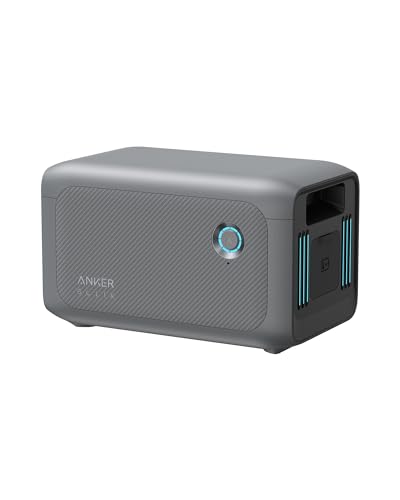


🔋 Power up your lifestyle—double the juice, zero downtime!
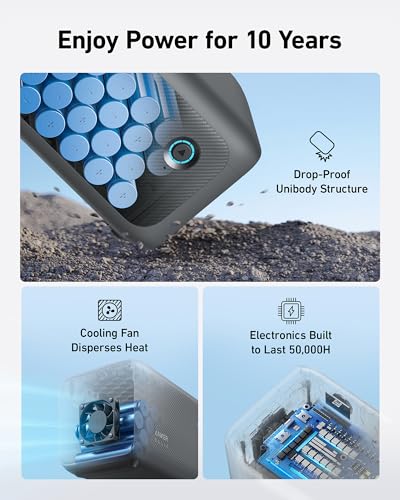
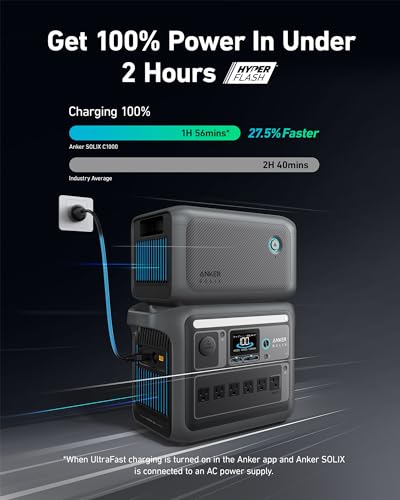
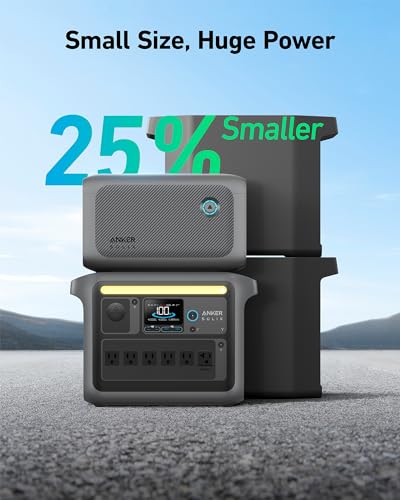
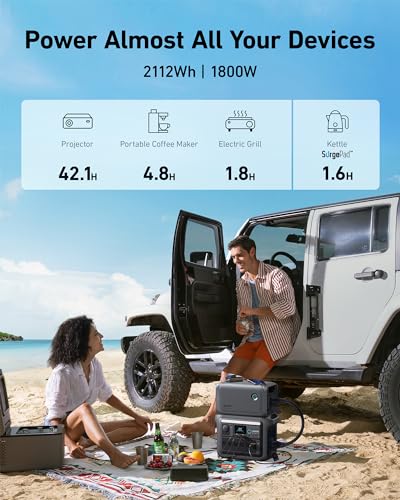
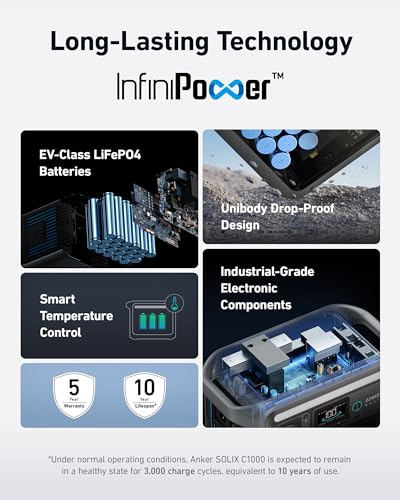
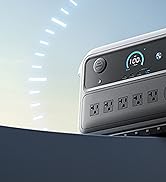
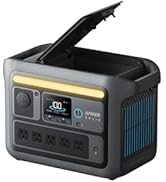
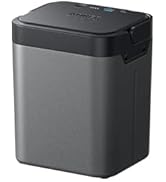
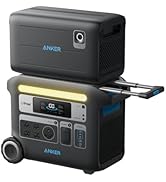
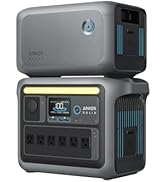
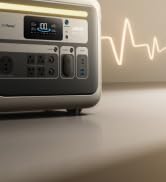
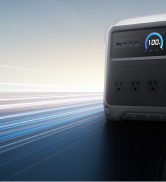
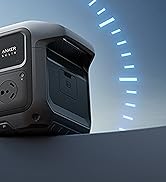
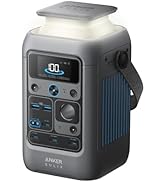
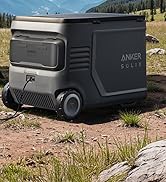
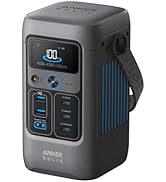
The Anker SOLIX BP1000 Expansion Battery is a high-capacity 1056Wh LiFePO4 battery designed exclusively to double the power of the SOLIX C1000. Featuring Anker’s proprietary InfiniPower technology, it delivers an impressive 10-year lifespan with over 3,000 charge cycles. Compact and 25% smaller than previous models, it supports ultra-fast recharging in under 2 hours via the Anker app. Built with safety in mind, it includes a 3-point secure charging clasp and is ideal for camping, off-grid living, and emergency backup power.

























| ASIN | B0CH83FLW1 |
| Batteries | 1 Lithium Ion batteries required. (included) |
| Best Sellers Rank | #40,720 in Patio, Lawn & Garden ( See Top 100 in Patio, Lawn & Garden ) #210 in Outdoor Generators |
| Brand | Anker |
| Color | Black |
| Customer Reviews | 4.5 4.5 out of 5 stars (195) |
| EU Spare Part Availability Duration | 10 Years |
| Engine Type | Battery |
| Fuel Type | Electric |
| Item Weight | 20 pounds |
| Item model number | A17611A1-85-5,B0CH83FLW1 |
| Manufacturer | Anker |
| Material | Plastic, Metal, Lithium Iron Phosphate (Lifepo4) |
| Model Name | Anker SOLIX BP1000 |
| Power Source | Battery Powered |
| Product Dimensions | 14.8"L x 8.07"W x 11.02"H |
| Recommended Uses For Product | Camping |
| Starting Wattage | 2000 Watts |
| Total Power Outlets | 11 |
| UPC | 194644159177 |
| Wattage | 2000 watts |
D**E
Double the power, Double the fun!
I love my Anker C1000, and this expansion battery makes me love it even more! It doubles the capacity and battery life of the C1000, and I really love how well it performs. With the BP1000 connected to the C1000, the BP1000 battery drains first, which I appreciate. Running a 1300 watt portable A/C load on it wasn't an issue, and the battery stayed quiet. I also like that the BP1000 stacks on top of the C1000, saving space and keeping the same footprint.
L**N
Anker products are the best and this Battery expansion is no exception!
The ability to double the capacity of my Anker power bank (CP1000) is fantastic. I love Anker products across the board and I am never disappointed with them. This battery hooked up with no issues and should really allow me to use my power bank as an emergency backup for several things in the house should the power go out. In the winter time this will help me keep the house warm and the food cold. And in the summer I use this for camping and to power things when I'm away from the grid. Doubling the capacity means even less worrying. And coupled with my solar panels I can keep things going hopefully for a lot longer. The battery is stylish and matches the power back. It fits right on top and both can be lifted together without too much issue (it might be heavy for some but I could handle it no problem). These are solidly built, and super high quality. The ten year life expectancy is also a huge plus. The Black Friday deal put this at under $400 and that was also a huge incentive to buy. I know Anker products are worth the price but a nearly half off deal made this a great value for the price. Highly recommend. Would be great for Van-Life folks, campers, survivalists and off the grid living.
R**T
Nice
Perfect addition to the main power station. Charges fast. Piece of mind knowing it is there if needed
S**E
Quality is great 👍🏻
Really good quality batteries from Anker. Definitely worth the price.
S**2
Works, expands Anker Solix C1000X capacity
Not much to say, does its job and expands the battery capacity of the Anker C1000 series. Comes with the required power cable. This is a sort of ease of use thing, but otherwise its okay. Wish anker would expand its capabilities IE larger capacity, but we wont know unless enough people complain about lack of capacity expansion (of the battery type!) FYI, the battery when connected to the C1000 series when connected to internet via bluetooth or wifi (using the companion app), it will check to see if a update is available. I received my out of the box with the correct firmware (v.1.1.1), but i still went through the anker android application to check the software was up-to-date.
J**K
Avoid Expansion- Buy 2 Main Units
Many reviews state the expansion drains first and then the main station drains and that’s exactly my problem with this setup. The 2 batteries should work in conjunction with each other. Solix at 100%, expansion at 90% and they should both drop around the same % rate 90%/80% and so on until they both need to be charged. They should work as one battery not separate entities Otherwise you’re either 1) draining the expansion to 0% (bad for the expansion battery) and then the Solix kicks in or 2) need to charge the expansion everyday and the Solix never drains at all which means you need to charge everyday and effectively never use the Solix at all or 3) forced to unplug the expansion around 20% and only use the Solix, which defeats the purpose of the expansion itself and you can’t charge the expansion without it being plugged into the Solix So while yes it’s nice to have the extra power and battery storage, you’re almost certainly better off just having 2 Solix and no expansion since the Solix/expansion operates as 2 separate power sources instead of 1 combined battery as it was designed to work. You can’t return the expansion once you buy it!!
C**P
Easy to connect
Added to my C1000, I am glad to have the emergency backup. It is easy to stack with the Anker Solix C 1000. Just as my power company seems to start planned black outs due to wind events. At least I can power my refrigerator and prevent possible food lose.
J**R
What an Upgrade
This is a MUST for Anker Solix. It doubles capacity and supplements the system when needed. The system always drains the extension first, preserving the main unit. I’ve had zero issues. Anker is an amazing company and this product is a great example of their innovation and competitive product line. The only downside is how far the cable extends away from the unit in connecting the top and bottom together.
J**S
I found this item to be an excellent expansion battery station. It is very integral with my C1000 and comes with its very own jumper cable. Sit the unit on top of the main station and plug in the connecting cable, then connect A/C power to the mains and the unit will kick into life. On the main display there is everything u need to know about both units. How much power is in both of them. There is a clear amount of power being displayed at the top of the screen showing what’s in the expansion box. Once the power station charges to full that’s when the power will go to this expansion battery. Please note: only the C1000 has the ability to connect an expansion battery, you can’t connect one to the C1000 Gen 2 Overall it’s a great unit that can come in 2000 and 3000 w/h
C**Y
parfait pour l extension pour anker Solix C1000
T**X
Anker Solix C1000 専用の拡張バッテリーです。 本製品単体では何の役にも立ちません。充電すらできないので、購入の際は十分ご注意ください。 □この製品が向いている人 ・時々、Anker Solix C1000のバッテリー容量を追加したい場面がある。 ・動作中のHDDレコーダやNW機器など、気軽に電源を切れない機器への供給時間を伸ばしたい。 → C1000を2台買うと容量は同等ですが、拡張バッテリよりもランタイムが短くなる可能性も。 ※ もう一台用意したC1000からAC充電すると、AC/DC変換などでロスがあるのでご注意を。 1階/2階に分散設置したい、電子レンジ2台同時利用などであれば、C1000 2台作戦はアリです。 ・ポタ電からの出力(AC出力など)は、本体側のスペックがあればよい。 ・持ち運び時に、20kg超を一度に抱えるのはキツイ。 2000Whクラスの容量を、10kgぐらいに2分割して セパレートで持ち運びたい。 ・拡張バッテリーと本体を接続する「邪魔なゴツイケーブル」があっても構わない。 ・本体と拡張バッテリーは、同時並行で充電/放電 できなくてもよい。 自動で切り替わってくれればOK。 ・本体のディスプレイやアプリから、拡張バッテリーの状態も確認したい。 □良かったこと ・拡張バッテリーを、本体の上にポン置き出来る。 :拡張バッテリーの足が、うまい具合にハマるようになっていました。 → 設置面積(フットプリント)は、ポタ電本体の取っ手を除いたサイズと同等でした。 縦方向は本体よりもコンパクトなのですが、ケーブルが邪魔になるのが 残念な点です。 → ポタ電の上にポン置きすれば、握り棒型の取っ手ではないので 天面はほぼフラットになります。 天面はプラ製で滑りやすいので、物を置きたい場合は滑り止めシートを用意した方がいいです。 ・設置に必要な底面積が、2000Wh級のポタ電にしては コンパクトに収まる。 :2階建て状態になるので、場所を取りません。 とはいえ、接続ケーブルが正面から見て右側に出るので、その分のスペースが必要となります。 → 重ねて設置すると、U字型になるケーブルが「本体側の持ち手先端から約17.5cm分」飛び出します。 ・拡張側の電源長押しで、特に支障なく本体から拡張バッテリーを切り離せる。 :拡張バッテリー側の電源長押しで、自動で本体側のバッテリーが引き継いで給電するようになるので 拡張側が空になる前に(完全放電はバッテリーへの負担が大きい)切り離すことも可能でした。 この間、AC給電が落ちるなどの問題が発生することはありませんでした。 :拡張側の電源を入れれば、本体側が自動認識して再接続してくれます。 ・バッテリーを充電する際の残り充電時間は、拡張側も合わせた予測時間となる。 :アプリもしくは本体ディスプレイに、予測時間が表示されます。 それぞれのバッテリー残量や温度(アプリのみ)も表示されます。 □気になったこと ・日々の使用量が少ない場合は、拡張バッテリー側だけ充放電され劣化が進んでいく。 :拡張バッテリーの容量だけで十分な場合、本体側のバッテリーは使われないままになります。 本体と拡張でバッテリー劣化を平準化するには、時々拡張バッテリーを切離して本体側を使うなどの 工夫が必要と感じました。 ・バッテリー接続ケーブルが太く固い。重ねて設置した場合に、ケーブル全体をヒネる必要があった。 :ケーブルの端子は、差し込む際の向きがある一点に限定されています。 当方では重ねて設置する際に、ケーブルをU字型に曲げたところ 微妙にコネクタの向きが合わず 結構な力を入れて、若干ケーブルをヒネる必要がありました。 ・バッテリーの充放電の順番は決められている。 :本体側と拡張側のバッテリーの充放電には、ルールがありました。 →充電する場合:基本的に本体側の充電が完了した後で、拡張側が充電される。(充電は本体が先) →給電する場合:基本的に、拡張側から先に使われる。(使用は拡張側が先) 拡張側がバッテリー残量1%になると、本体側へ切り替わる。 ※「基本的に」と表現したのは、本体側残量99% / 拡張側残量81%の時に モバイルソーラーパネルから充電したところ、拡張側から充電されたことが1度あったためです。 ・バッテリーの充電完了時間が変動する。本体側の充電完了付近では予測時間がブレる。 :アプリや本体のディスプレイに、充電完了までの残り時間(予測値)が表示されますが、 拡張バッテリーを接続した際は、予測値があてにならないタイミングがありました。 → 終了時間は、その時の入力電力値から計算されますが、本体側のバッテリーが100%に近づくほど 入力電力は低下するので、拡張バッテリーの残量が少ない場合は一時的に予測時間が急増します。 ※本体側が充電完了して拡張側の充電に切り替われば、ブレは戻ります。 ・付属の取扱説明書(ユーザーガイド)冊子がポンコツ :注意事項(子供の手の届く範囲に置くな 等)しか、記載されていません。 接続方法や起動方法など、一切書かれていないので 事前にAnkerのWebサイトから、取扱説明書をダウンロードした方がいいです。 ・連携動作が不安定になるときもあった。 :本体側は現時点での最新ファームウェア(v1.3.2)を適用していますが 拡張バッテリーを接続した際のみ、動作に若干不安定な挙動を示すことがあります。 →拡張バッテリー接続中に、拡張側の電源ボタンを何度長押ししても 「拡張バッテリーが切断されなくなる現象」が発生しました。 ※ この問題の解決には、ポタ電本体のリセットボタン長押しが必要でした。 →本体100%/拡張92%の時にソーラー充電を開始したところ、本体表示パネルが異常表示となり 充電を開始できなくなる現象が発生しました。 ※ この問題の解決には、本体側の電源ボタンを使って電源OFF→ON操作が必要でした。 □操作方法 (取説を読みつつ、当方での試行錯誤の結果です。 自己責任でお願いします。) ・接続と起動方法 ① ケーブルは、Ankerロゴが上部中央になるように合わせて、しっかりと奥まで挿入。 ② ポタ電本体の電源がONの場合、ケーブルで接続したときに 拡張側の電源が自動で入る。 ポタ電側の電源がOFFなら、拡張側の電源ボタンを長押しすれば本体も同時に起動する。 (拡張側の起動は、電源ボタンの周囲にあるLEDの点灯で確認できます) ③ 本体側のディスプレイに、拡張バッテリーの残量が表示されれば、連携はOK。 ・ポタ電本体と拡張バッテリーの、接続(連携)と切断(切離し) ① 拡張側の電源ボタンを長押しすると接続と切断が切り替わる。 (長押しするとピッと音が鳴り、接続状態が切り替わります) ② 本体側のディスプレイに、拡張バッテリーが表示されているか? を確認。 表示されていれば接続中、表示が無ければ切断中。 ③ 切断中なら、ケーブルを抜いても大丈夫な模様。 ・ケーブルを抜いて拡張バッテリー側の電源だけ切りたい。本体側は電源ONのままにしたい。 ① 本体のディスプレイで切断されていることを確認。接続中なら、拡張側の電源ボタン長押しで切断。 ② ケーブルを外す際は、ノブを反時計回りに少し回して引き抜く。 ③ ケーブルを切り離した状態で、拡張バッテリーの電源ボタンを長押しすると電源OFF。 ・ポタ電本体と拡張バッテリーの電源ON / OFF ① ポタ電本体側の電源長押しで、同時にON/OFFできます。 → ケーブルが接続されていれば、本体と拡張側の電源操作は連動します。 ご参考になれば幸いです
笹**一
今が底値だと思って、思いきって購入しました。当たり前ですが!2倍の容量になってゆとりが出ました。
H**O
Perfectly thankyou
Trustpilot
2 days ago
1 month ago