Some deliveries may take a little longer than usual due to regional shipping conditions.

DOWNLOAD THE APP


Customer Services
Copyright © 2025 Desertcart Holdings Limited
DOWNLOAD THE APP


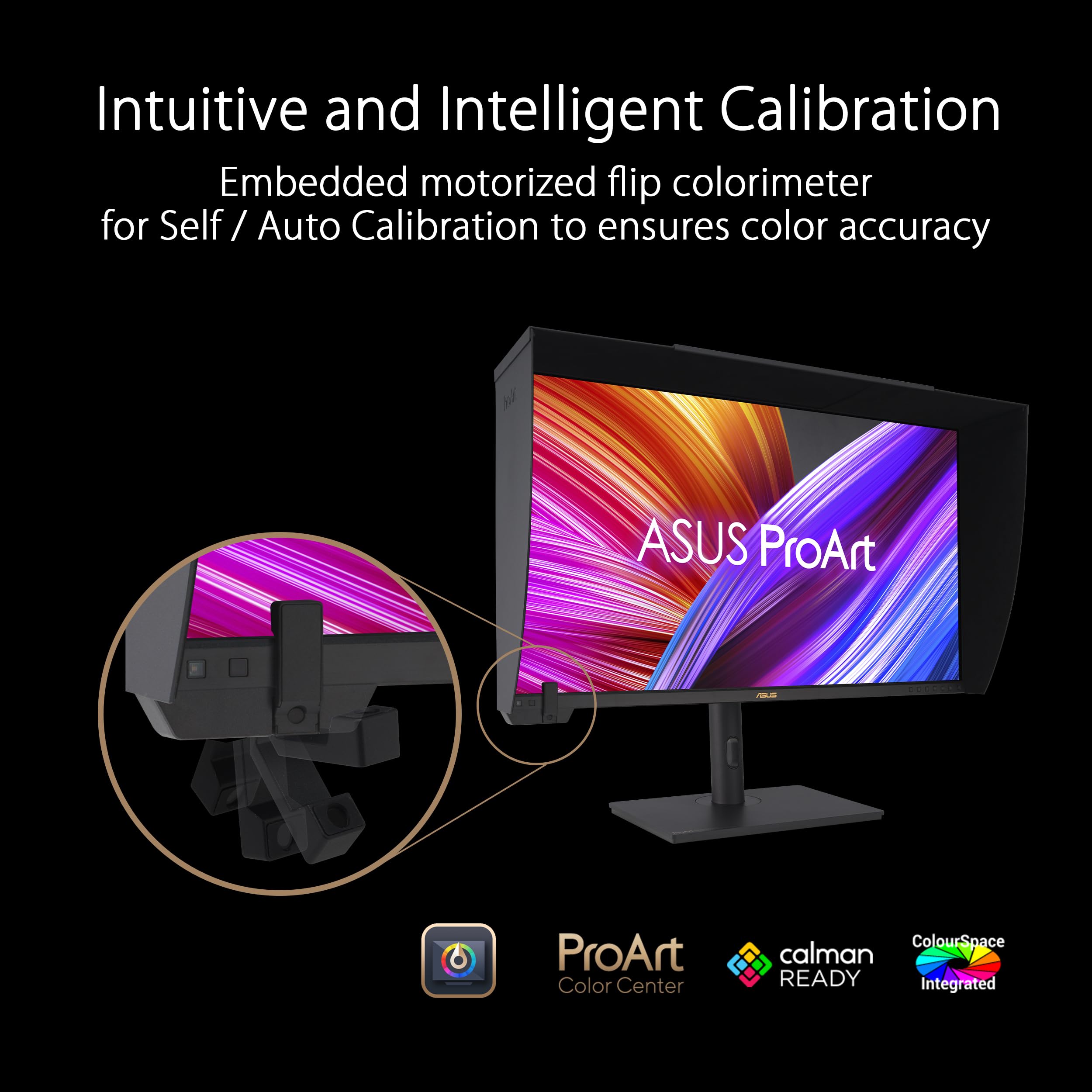

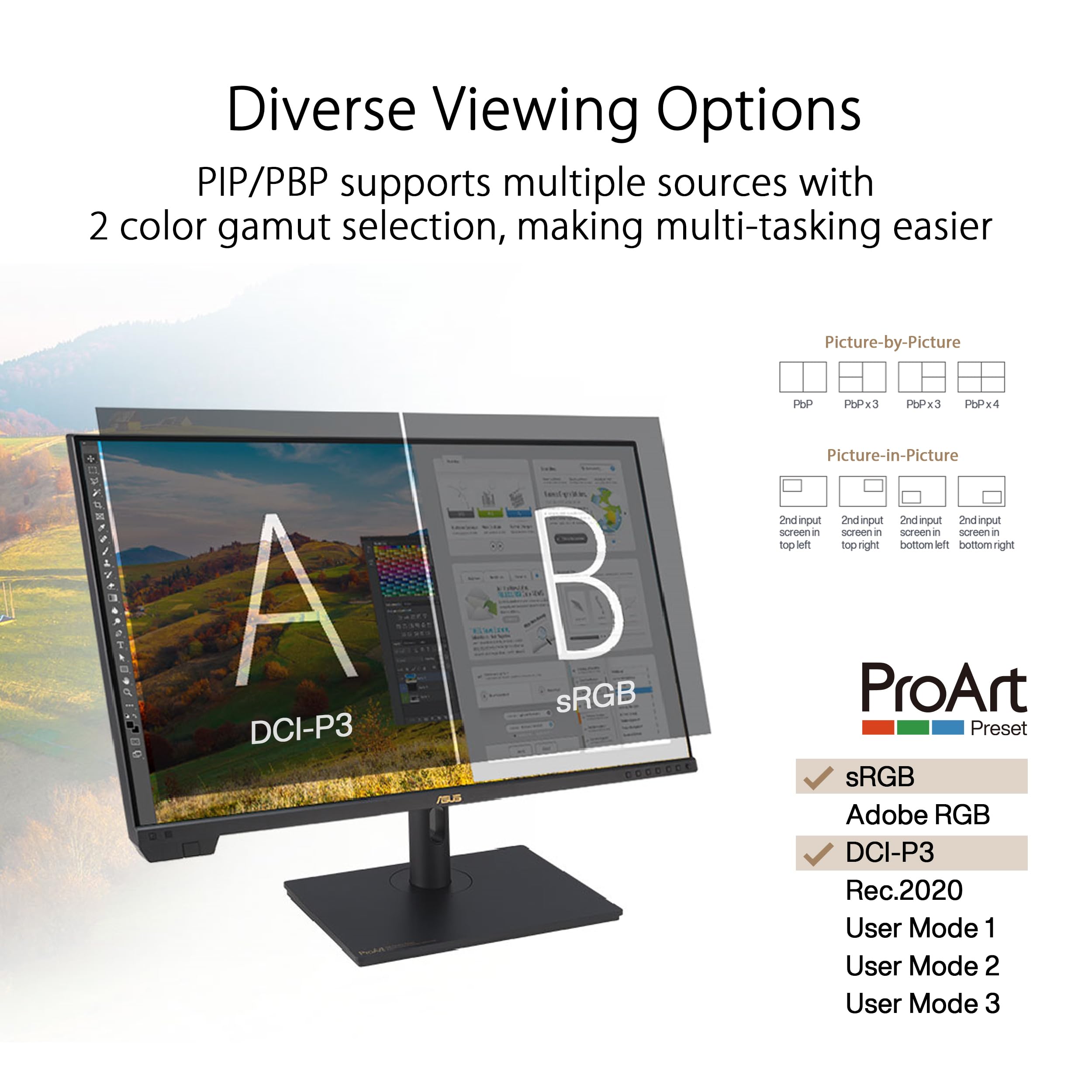


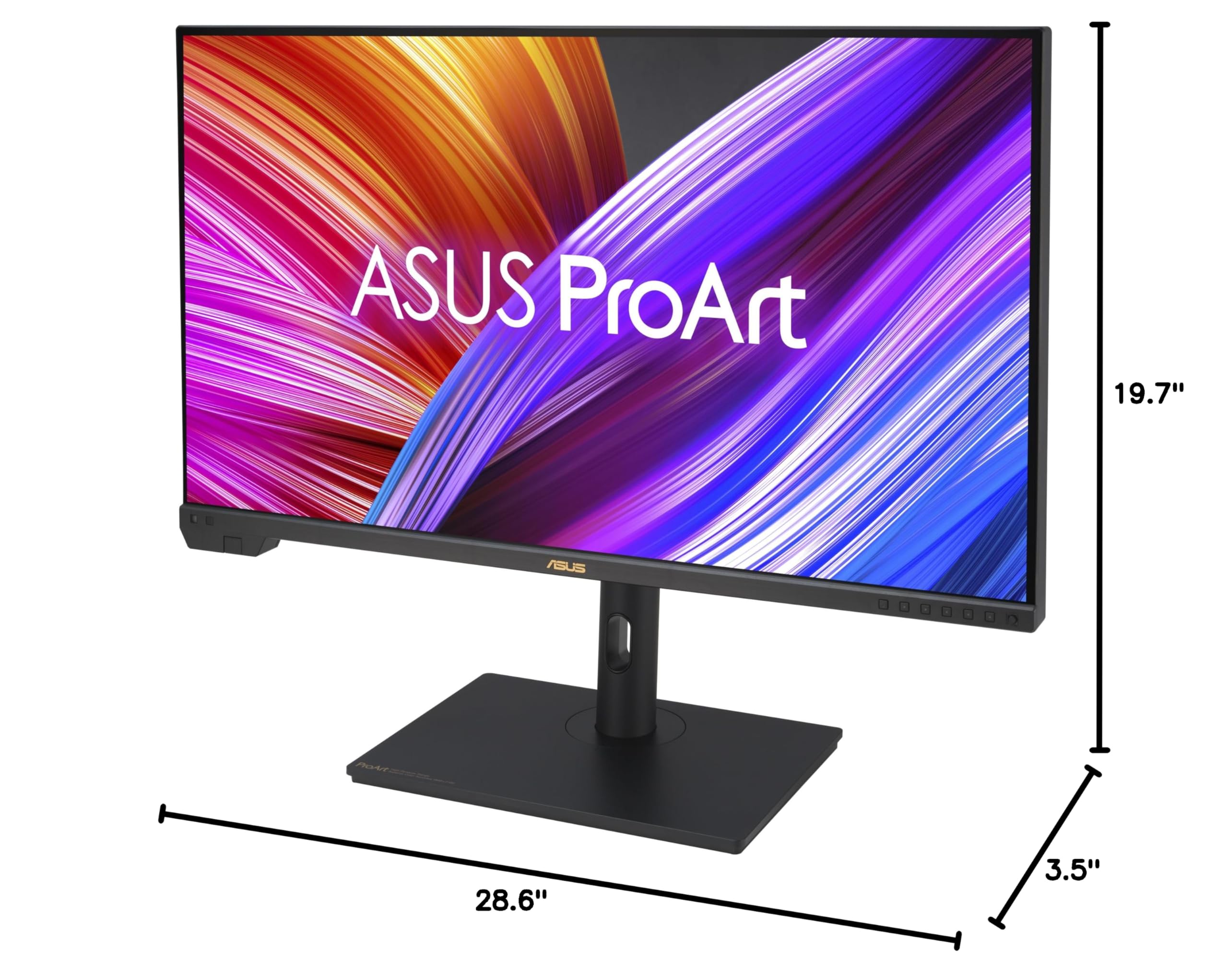
🎨 Elevate your creative vision with pro-grade color and HDR brilliance
The ASUS ProArt Display PA32UCXR is a 32-inch 4K UHD professional monitor featuring advanced 2304-zone Mini-LED backlighting with 1600 nits peak brightness and Dolby Vision HDR support. It offers exceptional color accuracy with 99% Adobe RGB, 97% DCI-P3, and ΔE<1, plus a built-in motorized colorimeter for effortless calibration. Equipped with dual Thunderbolt 4 ports delivering 90W power, HDMI, DisplayPort, and USB hub connectivity, it’s designed for seamless, high-performance creative workflows. Includes a 3-year warranty and complimentary 3-month Adobe Creative Cloud access.



























| ASIN | B0CDF83MXM |
| Best Sellers Rank | #1,768 in USB Hubs #3,107 in Computer Monitors |
| Brand | ASUS |
| Card Description | Integrated |
| Color | Black |
| Customer Reviews | 3.2 3.2 out of 5 stars (25) |
| Date First Available | December 30, 2023 |
| Hardware Platform | Asus |
| Item Dimensions LxWxH | 28.6 x 3.5 x 19.7 inches |
| Item Weight | 30.4 pounds |
| Item model number | PA32UCXR |
| Manufacturer | ASUS |
| Max Screen Resolution | 3840 x 2160 Pixels |
| Number of Processors | 1 |
| Operating System | Window 10 and 11 |
| Processor | none |
| Product Dimensions | 28.6 x 3.5 x 19.7 inches |
| RAM | DIMM |
| Screen Resolution | 3840x2160 |
| Series | PA32UCXR |
| Standing screen display size | 32 Inches |
H**H
High quality HDR alternative to other vendor's much more expensive XDR displays, works on Macs
10 bits/channel HDR mode works flawlessly even on a small Macbook M1 in the display's full resolution and of course also on the Pro. HDR with its high contrast, the 10 bits for avoiding color banding and the large P3 color space provide a new experience for photos taken with a camera in raw mode providing that enhanced information. Non-annoying power indicator LED pointing downwards from the underside, the matte screen surface and the massive and well designed stable mount are important details for the whole high quality experience. At lowest mount position the bottom active screen border starts at 11cm above the table surface. The fan runs every half an hour for a few minutes only when HDR mode is active and its sound is not annoying as it's a low frequency wind noise only, no mechanical motor sound or vibration. Much quieter than that of a Macbook Pro for example. The Macbooks attached to this screen only need a single USB-C (Thunderbolt) cable to be powered and transfer the graphic signal. Don't use a USB-C hub in between as when attaching those typically over HDM, you will only get 8 bits/channel SDR. Audio output and input via a USB-C cable headset plugged into the display which acts as USB hub, also works fine.
D**W
This is a review for PA32DC unlike all the others listed here.
DO NOT BUY THE ASUS PA32DC So the details of this long saga would take too long for me to write down. Here is the shortish version. I was looking for a new professional monitor to do video editing, 3d animation, and light photo work. I love the OLED technology, and this product got good reviews on the internet. Although as I subsequently learned there are also a whole lot of regular users who had problems similar to mine. Out of the box the first problem is that the plastic hood wouldn't fit properly. I've done this kind of thing for decades so I know what I'm doing. I really can't explain why the top piece was just a millimeter too short, but it was. Ok I could live without it. More importantly, was the large number of technical things that just wouldn't work. Monitors nowadays can be like little computers with software and hardware that takes some attention. This monitor has an embedded color calibrator, which is so cool - if it works. This was probably the most important problem I had. It would work running directly from the monitor, but not with the accompanying software. I kept getting a no connection error, even though it was of course connected. So a call to customer support. They asked me a bunch of questions that I patiently answered, and then said they'll be "escalating" this to someone who can help. Ok, I'm used to that. As I learned however, escalating doesn't mean that an expert will call me, it actually means they will email something to someone, and then email their response back to me. Often these responses made no sense. As I continued to test the monitor I discovered a bunch of other functions that didn't work at all (like PIP). I had initially assumed that it was me, that I just needed to change a setting or driver differently or something, and someone would just tell me what to do. But no, ever 2 days I would get an email from a different customer support person saying I would get a response in 24 to 48 hours. They often asked for the same information over and over. I rarely got anything useful to try out. As it was getting closer to the 30 day limit on Amazon return, I realized I could not wait any longer. I returned it to Amazon (I'm still waiting on the refund from them, but I assume it will come through, otherwise ...). So literally on day 29 I get an email saying that I "might" have to get an RMA and send it to ASUS for repair. There was no way that was going to happen. I've moved on. I bought the BenQ SW321C, which although not OLED, looks great, and everything works right out of the box. DO NOT BUY THE ASUS PA32DC
M**T
Great monitor...impres color and range
I upgraded to this monitor to obtain a higher range of color fidelity and pixel count for video and photo editing. The resolution and color accurracy across the monitor is stunning.
I**A
Picture quality is superb
Never liked Asus' way of controlling OSD, with multiple choices which are sometimes hard to find.
R**R
Too many bugs and quirks
Not at all friendly on MacOS. For an HDR screen, I wouldn’t expect a giant white ghost to follow the mouse pointer when using apps in dark mode. Several combinations of settings result in the screen just displaying a giant RGB grid. Often requires rebooting and reconnecting for the screen to show correct contents. Extremely slow to startup. This isn’t a hassle free reference monitor.
L**M
It could have been great!
I really tried to like this monitor. The monitor refused to "wake" when the computer does (Mac Studio). The user must manually force the monitor to come to life each time the screen goes to sleep. I could have lived with that. However, the color calibrator that comes with the monitor was announced as obsolete by the manufacturer in early 2025, with ALL support ending on Dec 31, 2025 (18 days before I opened the calibrator) I knocked off one star for the monitor wake up issue, and 1 star for sending obsolete hardware.
S**S
Excellent monitor
Image quality excellent. Flexibility of controls and inputs excellent. Can purchase two for about the price of the Apple 32” XDR monitor, though the asus has more flexible inputs and pc output handling. The Apple XDR monitor requires using a DSC enabled adapter to get 6k from a PC. Make sure to mute the display volume if you’re using separate speakers, as this monitor has small speaker(s) built in. The buttons feel a bit cheap for the price of this display. There is a fan inside the monitor that starts after viewing bright scenes at the default max brightness setting. That’s louder than my pc. Too bad this doesn’t have the nice aluminum heat sink ala the Apple XDR monitor.
Trustpilot
3 weeks ago
2 weeks ago