
DOWNLOAD THE APP


Customer Services
Copyright © 2025 Desertcart Holdings Limited
DOWNLOAD THE APP

📺 Elevate your living room with the future of TV — where style meets smart brilliance.
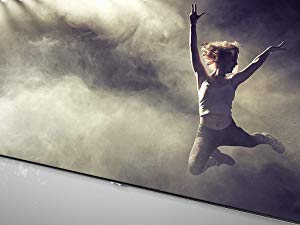
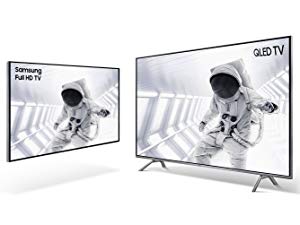
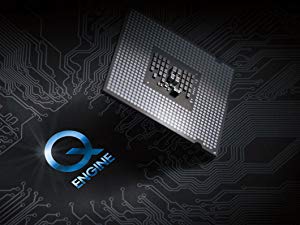
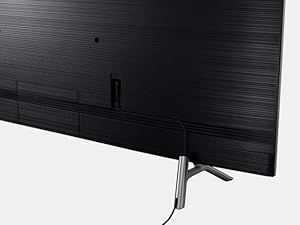
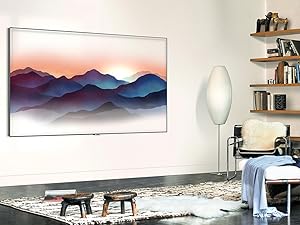
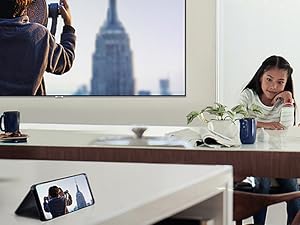
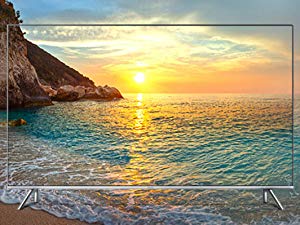
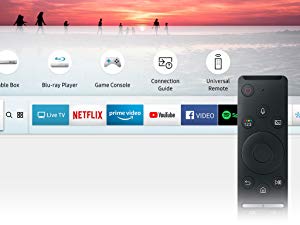
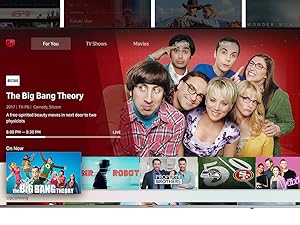
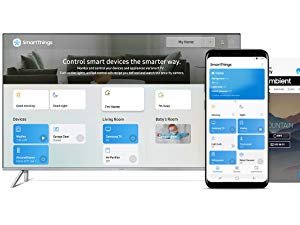
The Samsung QN82Q6 is an 82-inch flat QLED 4K UHD Smart TV from 2018, featuring Quantum Dot technology for over a billion colors, dynamic HDR contrast, and Ambient Mode that turns your TV into a customizable art display. It includes Bixby voice control and a OneRemote for seamless smart navigation, all wrapped in a sleek, clutter-free design perfect for modern living spaces.


| Brand Name | Samsung Electronics |
| Item Weight | 100.8 pounds |
| Product Dimensions | 72 x 15.2 x 45.1 inches |
| Item model number | QN82Q6FNAFXZA |
| Is Discontinued By Manufacturer | No |
| Color Name | Silver |
| Specification Met | (unset) |
| Special Features | Flat |
| Speaker Type | 2.1CH |
| Item Weight | 100.8 Pounds |
| Standing screen display size | 82 Inches |
L**R
Happily "burning out my retinas"
When I told my daughter I was buying the Samsung 82" QLED, she texted back that I would "burn out my retinas". She wasn't far off.This is a magnificent electronic tour de force. For full disclosure, I've had my issues with Samsung TVs in the past. This TV replaced a 75" Samsung HD set that I had for about 8 years and, for the most part, was great. But twice I had that dreaded failure where the TV would randomly shut off and restart repeatedly. After months of troubleshooting and anguish, I replaced a cable and all worked well, but it raised serious concern about Samsung and their QA.Nevertheless, when it came to buy a new one, I ended up going back to Samsung basically for two reasons. First, the quality of the picture is only second to the LG OLED. But LG does not make an 80"+ OLED TV that doesn't require a second mortgage. So the second reason I bought the Samsung is because the cost is reasonable by comparison (although still high). I also rationalized that over the years, Samsung has hopefully addressed their QA issues and I won't suffer though more troubleshooting issues in the future. (File this one under "Denial".)But enough of that. The TV itself is stunning. We purchased the wall-mounting as part of our package and Angel, the Amazon installer, was terrific. In and out in about 45 minutes, and that included the assembly of the mount. Once turned on, the set-up wizard walks you through everything you need to get you up and running, including the recognition of the attached DVR, Apple TV, Roku, and game console. No need to remember which HDMI port each is plugged into. The TV labels all the ports in an easy-to-access menu that you display via the sleek remote.The remote is minimalistic but very functional. Others have complained about it, but honestly, other than using my DirecTV remote to change channels, I use the Samsung remote for all other functions. The Home button displays a menu that allows you to access all your other devices, and those are integrated with access to the apps for quick access to Netflix, Prime Video, Hulu, or, in my case, the MLBTV app. No more of this nonsense of reaching for the TV remote, pressing "Source", trying to remember which HDMI port is the Apple TV, selecting the port, then reaching for the Apple TV remote. The magic all happens with one single remote.But the beauty of this TV (and the reason you shell out all that money) doesn't really come home to roost until you see the vibrancy of the colors. It's hard to convey. It's like Dorothy living her life in Kansas in black and white for the first 45 minutes of "The Wizard of OZ", and then opening the door of her tornado-transported house only to see the REAL colors of the Emerald City. The first time I saw the red and greens in the graphics of some of the networks, it was like seeing what real color is supposed to look like. It jumps off the page (if your TV was paper). On the other hand, maybe my retinas were sufficiently burned. Either way, several days later, I'm still in awe when I turn the TV on and the colors become living, all-encompassing waves of vibrancy. It's spectacular.It's probably a good idea to plan to fool with some of the motion settings. Accepting the defaults made for some interesting effects while watching football on the NFL Network, especially in close-ups of fast-moving interior linemen, or a camera tracking a pass upfield. But after an afternoon of twiddling with the settings, I have the best television picture I've seen in my life. Now if we can just get the networks to start broadcasting in 4K, that would be great.It's a lot of money to pay for a TV, and I'm sure if you wait, the price of these will drop significantly as the technology improves. But if you're looking for what amounts to cutting edge picture quality now and the price doesn't scare you, you can't go wrong with the Samsung QLED. They're making retinas a thing of the past. :-)
F**E
Great picture quality; apps don't get in the way
I was anxious about ordering this TV based on several of the reviews complaining about apps you couldn't get rid of and that were slow, cumbersome, and in the way. I never intended to use the TV's apps because I have a 5.1 surround home theater that's the heart of the system, but apps getting in the way on the TV, and pushing me to buy content from Samsung, might be a problem. I'm happy to say they're not. Once the TV is set up you can disable the menu bar showing up at all, unless you ask for it with the remote, and it is quietly and peacefully just a big, beautiful display for whatever the amp sends it via the HDMI cable. You'd have the same results if you used a Roku, cable box, or DVR for your input to it, and didn't need to use the TV's own "smart" apps.I also didn't use the TV's internal speakers, but disabled them, since my audio is going to my surround sound speakers. So I can't speak to how well those work.But when it comes to the picture, it's amazing. Well, out of the box, it's terrible, but only in the same way nearly every high-def TV is -- they set them to Vivid or Dynamic, some settings designed to catch the eye in a visually noisy Best Buy under bright fluorescent lights, but look awful at home, with an odd jerky motion and harsh colors. Change to Movie mode, and it's ten times better. Then disable all the "smart" signal processing and automatic image changing settings, and it's even better. 20 minutes with the Spears & Munsil calibration disc led to a few small tweaks to color, balance, tint, etc. and it's even better yet. All the benefits of OLED (strong colors with sharp contrast and fine variations in shading, for instance) without the disadvantages (high cost, burn-in issues, and poor blacks). 4k video is breathtaking, and even older video upscales amazingly well (we were stunned at how good old ST:TOS looked), though of course, no force in heaven or earth can make 70s BBC footage look like anything but 70s BBC footage.Also, bafflingly, the TV comes on streaming some YouTube-like source that has some of the worst image quality imaginable. Way to go, guys. It ought to come up showing some breathtaking 4k footage, not blocky, poorly edited video taken with an old phone.I can well imagine the apps are not great. The remote is pretty bad, the menus are a bit clunky to navigate, Samsung's online presence (probably pretty smooth if you already have a Samsung phone and thus accounts) is oddly broken (I had to create one account to get the TV set up, but couldn't link it to Samsung's cloud, so needed a second one to be able to show images), and I can see how the apps seem determined to push you to buy content from Samsung. But all it takes is a Roku (price: drop in the bucket compared to the cost of this TV) to avoid all that. Just consider it part of the price of the system, just like you would HDMI cables or a mount.
Z**G
Another Samsung large LED TV picture problem.
Great TV with a great picture when there are no problems. After 50 days this TV started showing a edge to edge line halfway up the screen. This the second of three large Samsung LED TVs that has failed soon after purchase. The good news is it looks like Samsung will fix or replace this set. What a pain. That makes a 66% failure rate.The Samsung repair team showed up today. Within 1 hour they changed the screen on my 82 inch qled TV that had a bad pixel. Professional and polite is how I would describe them. Life is good again.
S**L
Super clear picture and great UI - but silver bevel???
This is a great TV, probably the best we have ever owned. The 82" screen is massive and crystal clear, and the bevel, is thin. That bevel is my only complaint: it is silver! It should be black, why in the world would you want something that reflects light right up against your television?? Not everybody watches TV in a black room with no lights at all behind them. Such a little but obvious thing that takes a bit of enjoyment from what would be a perfect TV.The standard above-average Smart TV UI from Samsung is here, which is a plus.
Trustpilot
3 weeks ago
1 month ago