
DOWNLOAD THE APP


Customer Services
Copyright © 2025 Desertcart Holdings Limited
DOWNLOAD THE APP

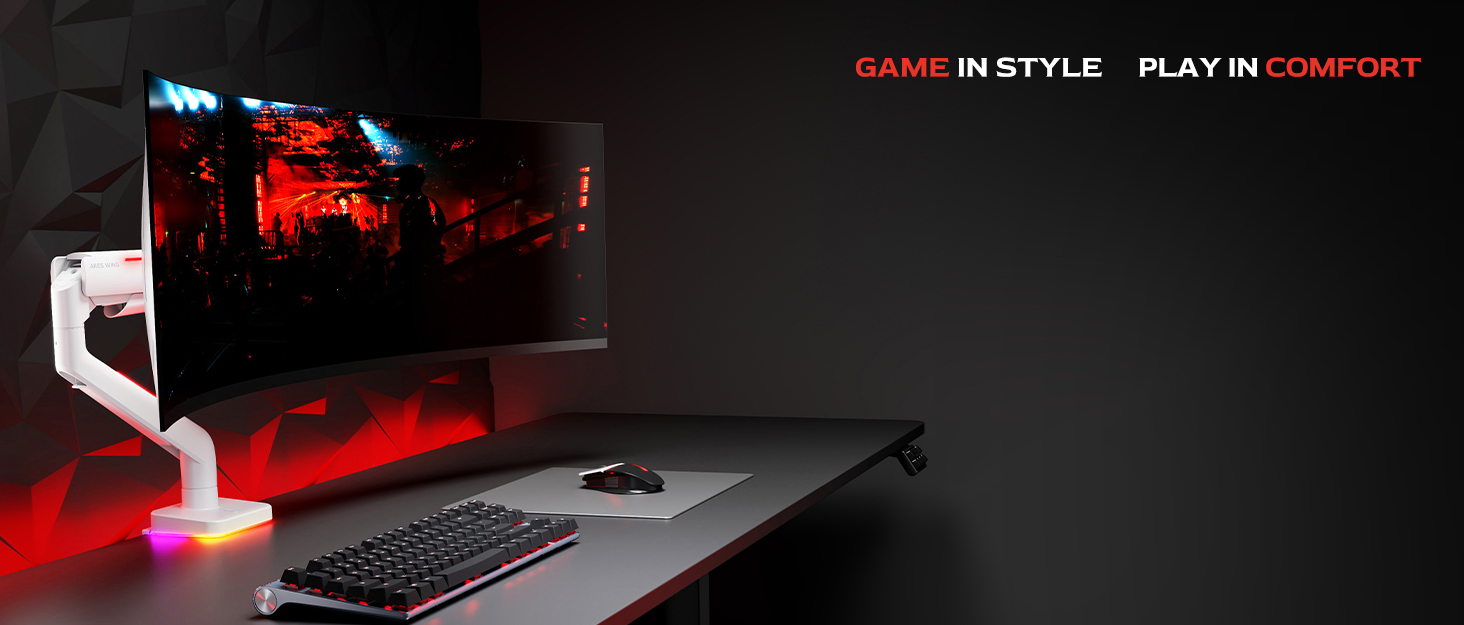
🖥️ Elevate your ultrawide game with style and strength — because your desk deserves the best!
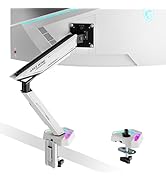
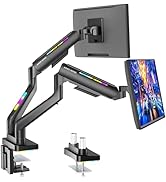
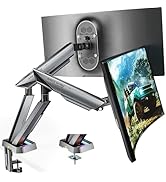
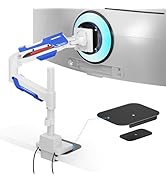
The Ares Wing Ultrawide Monitor Arm supports 17-49" monitors up to 44 lbs with robust iron and aluminum construction. Featuring 20 customizable RGB lighting effects, full ergonomic adjustability including 360° rotation and 18-inch height lift, it offers both style and comfort. Easy to install with versatile mounting options and backed by expert support, this heavy-duty arm is designed to keep your premium ultrawide display stable and perfectly positioned.











| ASIN | B0DP3YYH6R |
| Best Sellers Rank | #427 in Computer Monitor Arms |
| Brand Name | ARES WING |
| Color Name | Black |
| Customer Reviews | 4.3 4.3 out of 5 stars (262) |
| Date First Available | January 12, 2024 |
| Item Weight | 13.2 pounds |
| Item model number | GDT1003LBKV1 |
| Package Dimensions | 16.89 x 12.83 x 5.79 inches |
| Special Features | ergonomics |
T**R
Rock-solid monitor arm, perfect for ultrawide screens
This monitor arm is extremely well built and easily handles a large, heavy ultrawide monitor without sagging or drifting. The materials feel premium, the joints are tight but smooth, and once positioned it stays exactly where you set it. Installation was straightforward, and the cable management is well thought out, keeping the desk looking clean. Height, tilt, and rotation adjustments are smooth and precise, making it easy to dial in an ergonomic setup. The RGB lighting is subtle and tasteful rather than over-the-top, which is a nice touch. If you’re running a larger or higher-end monitor and want a sturdy, premium arm, this is absolutely worth it.
N**Y
Very nice arm for all monitors
I ordered this based on the recommended arm on the page of my recent 49; inch monitor purchase. I just received the monitor so I am just setting it all up finally. The arm is nice and hefty and says it will hold up to 44lbs/20kgs so that's a start. The leds are nice and bright and patterns are cool but standard. The first issue I had however is that the lip of my desk is to shallow to have the cross piece contact the desk fully so I was worried about the weight distribution but went ahead anyway. Ultimately I had to add a piece of wood to extend the contact area under the desk as well as a wood shim on the back edge. I highly recommend you measure how much surface area is available but this goes for any arm I imagine. Once mounted securely, it was time to add the monitor which was relatively easy for the size I have (49") and weight of 38lbs. Here is where the only issue I truly had came up and why I am returning this unit. It will not hold the monitor up and is currently resting on the desk. I tried to adjust it as far as the screw will allow and it will not stay put. I also even noticed that it would not hold the monitor level after adjusting that screw. I like this stand and would keep and use it with a lighter and smaller monitor for sure but it definitely does not work with at 35lbs. ***Updated*** I want to first apologize to Aries as I should have reached out first or tbh RTFM ;) They responded right away and sent a video and guides that I should have checked before but rushed to get set up which is on me. Once done, this arm is rock solid and I really do like it enough that I will be using it for some contract jobs solutions. As mentioned however check the amount of contact area for where it will be attached as that can be a point of failure for stability. Granted I am used to Ergotron and a few others and its the same across the board but I did have to use a different Allen wrench than the one supplied to get enough torque to get the proper tension set. Thank you for reaching back out and i would absolutely recommend this to anyone.
H**R
Decently priced
Feels like plastic, but it's decent. The monitor arm is pretty short for better or for worse but the arm is sturdy enough for my ~14 LBS LG 34GP83A-B ultrawide monitor. Unsure if it will hold a ~20 LBS 49 inch ultrawide but hopefully I'll be able to edit this review. The mount is stable in the middle, but going towards the edge have wobble, which makes sense since there's no support on the edges (probably the short arm is helping minimize the wobble). Just like any other monitor arm, it supports height, tilt, and swivel as well as the ability to have your monitor in portrait if you desire. Assembling the monitor arm was pretty simple; took me around 10 minutes and if you're unsure on how to assemble it there's a picture manual. The cable management is left to be desired in my opinion as the covers are flimsy and the weight of the cables pulling down will loosen the covers. RGB is powered by a USB-A cable which I'm pretty sure is soldered onto the monitor arm base. Turned on the RGB lights by holding down the button on the base and pressing the button once will change modes. The RGB is at most a 7/10, there was a mode I liked which is solid red. Overall, I will not know it's value until I have my 49 inch ultrawide monitor to see if it will hold steady and not wobble a lot. Edit: Bought the G9 OLED from Best Buy since I did not want to indefinitely wait for Samsung to give me a delivery date. This arm can support the G9 OLED, but I had to tighten all the screws so it would not fall down or sag. However, the edges do wobble a lot but it could just be physics. Overall this monitor arm is worth the price.
R**L
Excellent mount as long as the monitor isn't close to the maximum weight.
I was hoping for better but should have understood the price level vs. quality. First and foremost, I think it's a good monitor arm. It does hold the weight of my monitor and I can move it around... sort of. And I LOVE the lighting on it. But, that's where the good ends. The mount says "screen up to 44lbs," and that seems to be true for the arm itself. However, the tilting head mechanism... not so much. My screen now sits tilting down, which not looks strange while on my desk, but also makes looking at it uneasy, as it is an ultrawide curved monitor. The monitor without base is supposed to be 38lbs, so I had expected there to be no issue, but that is simply not the case, and now I find myself having to use the monitor arm that came with the monitor and set it on my desk in the traditional manner. So, a quick recap... Pros: It can physically hold up the weight of my massive monitor, which is 38lbs. It can move around, albeit very carefully, and I don't know if I'd ever extend it out toward me. The lighting looks great. Easy to assemble. Minimal footprint. It has a very sleek look to it. Cons: The tilting mechanism (where the monitor attaches to the mount) is too weak to sustain being upright. Even after really wrenching down on the screw to tighten the tilting mechanism, it still allows the monitor to droop or tilt forward. This is the reason for the 4 out of 5 stars, with all else being as advertised.
G**.
Very clean, extremely sturdy RGB monitor arm
Installation was a breeze. Was perfect for my 49” LG Ultra widescreen. The light modes are really cool with lots of options. The only product improvement suggestion I would have is to include two protective clamp pads to prevent desk impressions on both sites of the desk.
B**A
I recently purchased the ARES WING Monitor Desk Mount, and I have been thoroughly impressed with its performance and build quality. This mount has exceeded my expectations in terms of both functionality and ease of use. 1. Sturdy and Durable Construction The mount features a robust build designed to support monitors ranging from 43.2 cm to 124.9 cm (17 to 49 inches), which makes it an excellent choice for large or ultra-wide monitors. It can hold up to 20 kg, which is plenty of weight capacity for most monitors on the market. The materials used are solid and premium, providing a strong and reliable hold for even heavier monitors. 2. Gas Spring Technology for Smooth Adjustments One of the standout features of the ARES WING mount is the gas spring mechanism. The arm is incredibly smooth and easy to adjust, whether you’re moving the monitor up and down, tilting it, or rotating it. The gas spring system ensures that you can effortlessly adjust the monitor to your ideal position with just one hand. This feature is particularly useful for those who need to quickly change their setup, whether for work, gaming, or media consumption. 3. Perfect for Curved and Ultra-Wide Monitors The ARES WING is particularly well-suited for curved and ultra-wide monitors, which can sometimes be tricky to mount due to their size and weight. This mount provides excellent support and stability, preventing any wobbling or sagging, even for large 49-inch ultra-wide monitors. The arm design allows for a full range of motion, giving you complete flexibility in how you position your monitor for comfort. 4. Easy to Install and Adjust Installation was straightforward and quick. The clamp base is easy to attach to most desks, and the instructions were clear. Once installed, adjusting the monitor height and tilt is simple, with the gas spring providing an effortless movement range. The cable management system is also a nice touch, helping to keep your workspace clean and organized by hiding cables behind the arm. 5. Versatile and Ergonomic With the ability to adjust not only the height but also the tilt and rotation, this mount ensures that you can achieve an ergonomic setup tailored to your needs. Whether you're standing, sitting, or simply looking to fine-tune the angle for your optimal viewing position, the ARES WING delivers a highly customizable experience. 6. Space-Saving Design The single-arm design is perfect for freeing up desk space. It keeps your monitor elevated and off the desk, creating a more minimalist and organized work environment. This is especially useful for small desks or for those who prefer to maintain a tidy and clutter-free workspace. Conclusion: The ARES WING Monitor Desk Mount is an excellent investment for anyone looking to improve their workspace setup. Its sturdy construction, ease of adjustment, and compatibility with curved and ultra-wide monitors make it a standout choice. Whether you're working, gaming, or just watching movies, this mount will undoubtedly enhance your experience by providing a smooth, customizable, and ergonomic viewing solution. Highly recommended!
F**E
Sturdy and can hold a G9
L**1
Holds up my Samsung Odessey G9 handily. The cable management is not good, the plastic cowlings have channels that aren't wide enough and I broke the plastic pins just trying to get them off. I used zip ties and that's fine. I suggest that Ares switch to velcro straps with a slow in the metal to allow them to thread through, cables are thick and with a USB, Power, and two monitor cables to thread through plastic won't cut it. I like the RGB but unfortunately I can't see it unless I get up and look behind my monitor. I knew that would happen, but the price didn't differ from a non RGB so I took this one anyhow. I've rarely seen the nice RGB ring on the back of my Samsung either. Both would only be visible in an office environment or where the desk isn't against a wall or outside window like mine. It took some hit and miss adjustments to get the perfect spot for the Odessey G9 and it's heavy. I suggest asking someone to help you, I'm a big guy and I was worried about damaging my monitor while adjusting it. The way the swing arm works you can't have it centered on your desk unless you want the monitor way forward. I found the sweet spot. The last small issue I had, I know I seem to be pointing out mostly negatives, but I do like the arm which is why I put 4 stars, the way the tilt works is wonky, the fact that you can tilt up then it's hard to get it to tilt down is a mixed blessing. The monitor doesn't sag, that's for sure, but there was a few time when I was adjusting the tilt before mounting the monitor where it went past vertical, tilted up, and I couldn't figure out how to get it to go back down after completely backing off the tension screw. Perhaps I just don't understand the mechanism and if it wasn't that way the monitor would sag. I got it eventually though. I still think I made the right choice. Excuse the cables in the backside photo, I still haven't found a solution even though I have a Cable Management Spine Cord Organizer for my sit/stand desk, there are just too many.
V**O
This is so bad quality, 49” monitor not staying it’s kept on coming down, DON’T BUY IT
N**N
I just got a Samsung Odyssey G9 OLED 49" and it works perfectly, just make sure if you're doing it alone to increase the tension on the arm and the connector a bit before attempting to mount a heavy monitor or you might be in trouble. I managed to mount it myself with not much issue.
Trustpilot
1 week ago
2 weeks ago