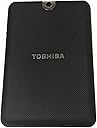
🔥 Thrive beyond limits with Toshiba’s powerhouse 10.1" tablet!
The Toshiba Thrive 10.1-Inch Android Tablet combines a vibrant HD multi-touch display with a robust NVIDIA Tegra 2 dual-core processor and Android 3.1 Honeycomb OS. Designed for professionals who demand flexibility, it offers 16GB internal storage expandable via SD card, full USB and HDMI ports for seamless connectivity, and a user-replaceable lithium battery for extended use. Its rugged, easy-grip rubber backplate and dual cameras make it a versatile, durable companion for work and play.
| ASIN | B0052P6DQI |
| Audio-out Ports (#) | 1 |
| Average Battery Life (in hours) | 11 Hours |
| Batteries | 1 Lithium Ion batteries required. |
| Battery Type | lithium_ion |
| Best Sellers Rank | #789,726 in Electronics ( See Top 100 in Electronics ) #7,025 in Computer Tablets |
| Brand | TOSHIBA |
| Card Description | GeForce Graphics |
| Chipset Brand | Nvidia |
| Color | Black |
| Computer Memory Type | SDRAM |
| Customer Reviews | 4.1 4.1 out of 5 stars (1,019) |
| Date First Available | June 6, 2011 |
| Flash Memory Size | 16 GB |
| Graphics Coprocessor | GeForce |
| Hard Drive | 16 GB |
| Hardware Platform | Android |
| Item Dimensions LxWxH | 0.62 x 10.75 x 6.97 inches |
| Item Weight | 1.6 pounds |
| Item model number | PDA01U-00101F |
| Max Screen Resolution | 1280 x 800 Pixels |
| Number of Processors | 1 |
| Number of USB 2.0 Ports | 1 |
| Operating System | Android 3.0 Honeycomb |
| Optical Drive Type | dvd_plus_minus_rw, dvd_rom, dvd_ram, cd_rom, cd_rw |
| Power Source | Battery Powered |
| Product Dimensions | 0.62 x 10.75 x 6.97 inches |
| RAM | 16 GB DDR2 |
| Rear Webcam Resolution | 5 MP |
| Screen Resolution | 1280 x 800 |
| Series | Thrive |
| Standing screen display size | 10.1 Inches |
| Voltage | 240 Volts |
| Wireless Type | 802.11bgn |
M**O
Toshiba Thrive Hands-On Review - Awesome Tablet
My Toshiba Thrive arrived yesterday and with a full 24 hours under my belt here's what I found. I gave it 5 stars based on the specs and I'm giving it 5 stars based on my experience with the Tablet. I'll skip the specs part because you can read that below. Arrival: The quick/getting started guide does a nice job of outlining the where all the buttons are. I went ahead and took the back off so I could see how I could change the battery. Very easy to do and there's a cover lock button that makes it all very easy. There's a great wizard that fires up when you first turn it on that walks you through WiFi setup and Google account login. I added all 4 of our family accounts for myself, my wife, and 2 daughters. The Gmail app has real nice quick select option to switch between accounts so we can share the device with ease. Speed: Lightening fast for everything. Screen swiping, apps opening, screen orientation switch, you name it. No lags anywhere which makes it a real joy to use. Apps: I downloaded a few of my favorite apps from the Android Market like Astro, Pandora, Swype (I'm in the Beta program), Angry Birds, Battery Left, and so on. No issues whatsoever. I do know that some developers have done better than others adding features that support the larger screen on a tablet vs. a phone. I have an old Android Phone which is Froyo 2.2 so I'm not sure if it's the new 3.1 Honeycomb OS or the Toshiba touches but there are some great widgets that I don't have on my phone. The Bookmarks widget is very cool and places the home page of all your bookmarks in a scrollable window on the desktop - very cool. Copying Files: I hooked it up with the included USB cable to my home PC and copied over some music in MP3 format, some movies in MP4 format, some pictures in JPG format and it was super easy. The home PC recognized the device right away and I was off to the races. Everything played fine on the nice Toshiba Media Player app that the tablet came with - very nice because it handles ALL media. There's also a really nice File Manager app which makes it easy to see and manage what you've copied. I used my 16GB USB flash drive to copy over a few files and it also worked perfectly. I tried plugging in a 170GB external hard drive to copy some more movies over and I'm sorry to say this did NOT work. The tablet froze and I had to hold down the power button to do a full re-start. Simulcasting: One of the things I really wanted to be able to do was simulcast movies played on the tablet with my 60 inch HD TV. I used this HDMI cable BlueRigger High Speed HDMI Cable with Ethernet 6.6 Feet (2m) - Supports 3D and Audio Return [Latest Version ] that I ordered from Amazon when I ordered the Thrive. It worked perfectly! In fact, once you hook up the cable, everything you do on the tablet shows up on the TV. The kids played Angry Bird while we watched on the TV. I can see us on vacation playing videos we make and pictures we take on the TV in the hotel room since most of them now have HDMI inputs. Form Factor: Like everyone else, I'll mention that it's a little thick but I love the rubber-like textured back which makes it easy to handle. I'll give up super thin for all of the connectivity in a heartbeat. I did buy this 360 case Toshiba Thrive Portfolio 360 Case for 10.1-Inch Tablet (PA1495U-1TWC) which is so far working out really well. I like that it can stand the tablet up in portrait or landscape mode. Battery: Pretty darn good. We've been messing with this thing a ton and I'm still working off the original charge. I do shut it all the way down when I'm done so I know that helps quite a bit. In Summary: I did my homework and I'm not disappointed at all. This is a great tablet for people like me that hate "Apple Jail". My kids don't want to put it down but my wife makes them. ORIGINAL PRE-HANDS-ON REVIEW: I've spent quite a bit of time looking at 10.1 inch tablets and I have some very specific needs that Toshiba has nailed. - Wireless-N Wi-Fi networking and Bluetooth with connectivity to peripherals; I don't want to get forced into another expensive plan from a wireless carrier (Xoom, are you listening?). I can always tether from my existing Droid phone. - Full-sized and mini USB ports as well as an SD card slot; I can easily transfer files including a bunch of MP4 movies I have to the tablet and I can expand the memory with an SD memory card (Samsung, are you listening? Asus, you were close but I needed to buy the keyboard I don't want to get the USB port). - HDMI output; One of the things I want to do is use my tablet to play MP4 movies and simulcast them on my 60 inch flat screen TV in full 1080p mode (Samsung can't do this). - User-Replaceable Battery; I have a spare battery for my Droid phone and every time I've used it I could not help but think "what would I do without this". It's just such a great option to have. Plus, as mentioned in an earlier review, eventually these batteries die. - Honeycomb 3.1; I want the tablet OS not the smartphone OS (Sorry Asus, you almost had me). I hope they release it soon and don't price it too high because I really want one.
B**R
Best Android tablet yet
In today's tablet market, there are a lot of choices. If price is no object, you could easily be drawn to a 64 gb Ipad 2, which would give you a reliable, user-friendly package with plenty of onboard storage. Ios 5 has also brought wireless syncing with Itunes and cloud storage. With a great selection of apps, and strict quality control on the hardware and software, Apple is really tough to beat. So why buy an Android tablet? Maybe you hate Apple. Maybe you love native Flash support in your browser. Maybe you like more flexibility from your desktop layout, to storage and peripherals. A lot of people go straight to the Samsung Galaxy Tab instead of the Ipad 2, seeing the Samsung as an Android Ipad, and why not - it is thin and light, has flashy aluminum on the back, and has a great display like the Ipad. For me, the Ipad was both expensive and restrictive, so I went looking for the Anti-Ipad. I wanted expandible memory, the ability to plug in a flash drive, independence from Itunes, and I wanted it to be rugged. It also needed a great display, needed to be comfortable to hold, and needed to be reliable. That left me with the Toshiba Thrive and Acer Iconia A500 to choose between. I initally bought the Acer, as it had good reviews and the price was right under $400. Three days with the A500 left me disappointed. It would go into a coma instead of going to sleep. The battery would drain, and it wasn't comfortable for me to hold, just like my wife's Ipad, because it was too thin. For me, there is a point when something is so thin it becomes hard to hold, which is why screwdrivers all have handles of a certain size, and why coffee mug handles do too, as well as why the handles on pliers flare out instead of closing to the point where they would meet- it's about comfort. I returned the Acer (I still have an A100 that I use when I want something smaller) and ordered the 16 gb Thrive from Amazon. I knew it was among the heaviest, and most likely the thickest tablet there is, but I had a feeling it was what I was looking for. As a bonus, it had a full-sized HDMI out, takes up to 128 gb SDXC cards, has a removable battery (who else offers this?) and a rubberized back for easier grip. Like just about every other tablet, phone, mp3 player, and toothbrush these days, it has 2 cameras. So with about 3 weeks of daily use, this has been everything I wanted. I ordered a 64gb sdxc card, dropped my favorite music and movies onto it, and have room for tons of storage left. Around the house, wifi reception is great, and I get good reception anywhere, whereas I sometimes had poor reception with the A500. Like all Android tablets, there are seemingly endless apps in any imagineable category, and Netflix streaming now works without having to fiddle with various workarounds. SIZE/WEIGHT The device is comfortable to hold in either portrait or landscape mode, and the border around the display lets my finger/thumbs rest without accidentally taping on something. Does it weigh a lot? I don't think so. The difference between my wife's Ipad and the Thrive are negligible, and the Thrive is more comfortable to hold, and the same is true vs. the HP Touchpad, which weighs about the same, but is as big (or small) as an Ipad 1. Its weight is hidden in how comfortable it is to hold. As for size, a tablet just needs to fit in a suitcase, small bag, or backpack, which the Thrive does with ease. It is thick, but never seems too big, or behind the tech curve. Toshiba isn't hiding vacuum tubes inside, they made it bigger because it is easier to work with. If it was a cell phone, this would have been a mistake, but full-sized tablets don't fit in your pocket, no matter what brand. ON THE GO This is where battery life, storage capacity, and connectivity either help or hurt you. Go somewhere without wifi, and there's no cloud access, no downloading, no streaming. Having your music and movies onboard makes this a non-issue. I can easily get 7 hours out of the battery if I turn off the wifi and just watch movies. An extra battery doubles that. If I need to plug in, I am not teathered to a 3-foot cord, like many tablets have. I can be several feet away from an outlet and not have to hold it awkwardly because the cord is too short. Charging seems to be reasonably fast, which is another plus. THE SCREEN This is what the user looks at all the time. The screen looks great. Colors are good, brightness is enough to use outside, and the screen responds well, too. SOUND The speakers are not huge, and won't blow you away. HP's touchpad has better speakers, maybe it's just that the slots are bigger and let more sound out. They are adequate. PORTS The USB port works as a host. I have used it to charge my Ipod. It sometimes wants a reboot before it will recognize some flash drives, but it has not had any serious problems, and is a real plus. HDMI out works immediately, and gives you the ability to stream Netflix to a hotel TV in a snap. Full sized SD card is very flexible, but I sometimes have trouble with micro SD cards reading. It could be the adapter itself, but i can plug the micro SD into a USB card reader and there is no trouble reading that way. NEGATIVES 1) No charging through USB. It would be nice, but even the Ipad requires a wall charger. The Thrive's charger is just like a netbook charger with a small brick. This has not been a problem, but it would be nice if it was smaller. 2) Android 3.1 isn't always stable. Probably not Toshiba's fault, but apps crash sometimes, which is a rarity with Ios stuff. I hope 4.0 will be better. 3) The power button is hard to find sometimes. You won't accidentally hit it, unless you're going for the volume rocker right next to it. I also like the home button to be a real, bonafide button, rather than the one on the screen. Only Apple and HP have a real button on their hardware for this. I like a real button because hitting it is always intentional, and an accidental sweep of it doesn't send you home. 4) No flash for the rear camera. I think it's absurd to hold up a tablet and start taking photos, as I can't believe anyone would use a tablet primarily for this, but since they have a camera, why not put a flash in with it, like others have? I do have a device that is made for this, and will always do a better job, though. It's called a camera. Also, Acer did it right by offsetting the cameras so landscape mode doesn't cause you to inadvertently cover the camera. CONCLUSION My advice to people who don't want an Ipad for whatever reason is to seriously consider the Thrive. Everything else has compromises and limitations, and nothing else is as rugged. You will need to buy a protector to prevent the plastic or aluminum from being scratched on everything else. Asus has the transformer, which I have not tried, but I didn't want to spend an extra $150 for a keyboard and USB (it's really a matter of what each person values). The Thrive is unique, and in a good way.
Trustpilot
3 days ago
1 week ago