
DOWNLOAD THE APP


Customer Services
Copyright © 2025 Desertcart Holdings Limited
DOWNLOAD THE APP
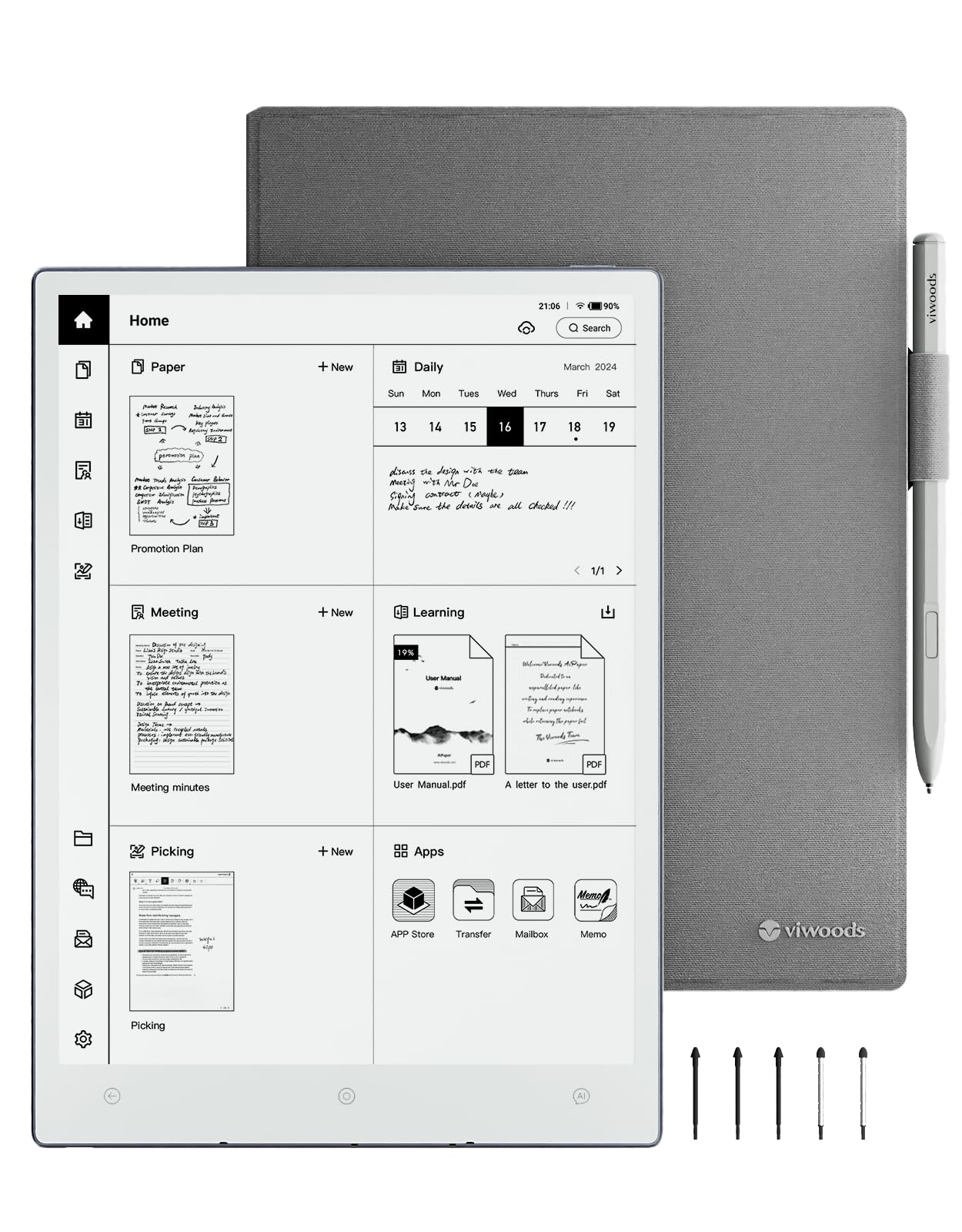


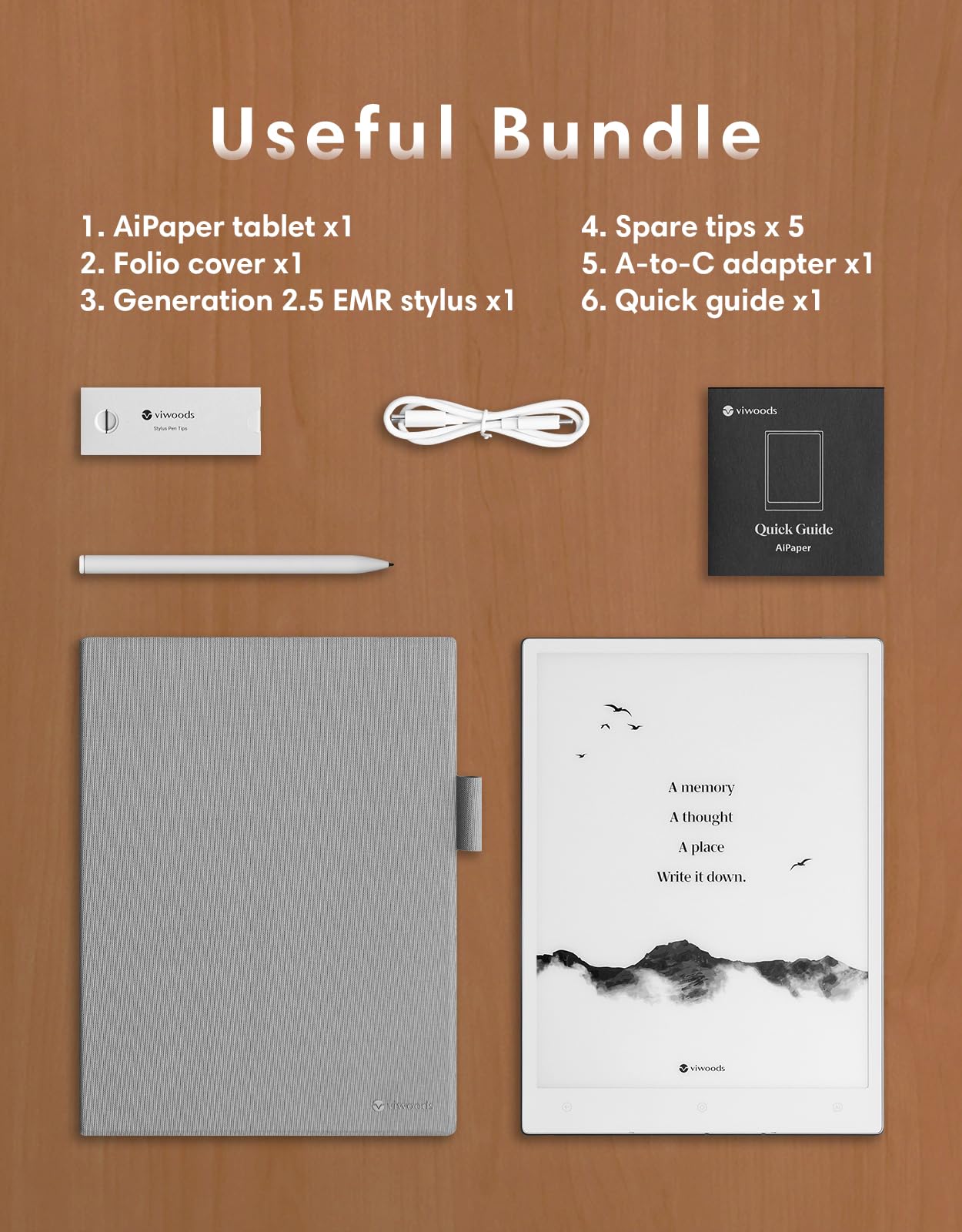
📝 Elevate your workflow with the ultimate AI-powered e-ink notebook
The VIWOODS AiPaper Carta 1300 is a sleek, ultra-thin 10.65'' e-ink tablet featuring a high-contrast 300PPI Carta 1300 Mobius screen and a responsive octa-core 2.0 GHz processor. Designed for professionals, it offers a realistic pen-on-paper writing experience with a 750 µm pen-to-ink distance, 128GB of storage without subscription fees, and seamless cloud integration with Google Drive, OneDrive, and Dropbox. Its AI-powered tools help summarize and organize notes, while its lightweight 370g frame and long battery life make it perfect for productivity anywhere.

| ASIN | B0DZ1TJYLN |
| Best Sellers Rank | #123,869 in Computers ( See Top 100 in Computers ) #2,109 in Computer Tablets |
| Item model number | SE03 |
| Manufacturer | VIWOODS |
| Product Dimensions | 24.64 x 0.43 x 17.78 cm; 921 g |
R**I
If you ever wanted a Remarkable that used Android and freely exchangeable EMR styli this is exactly it. The AI integrations are perfectly fine, I find the audio recording functionality incredibly useful. You can create custom templates in something like Claude and upload them reasonably easily. Highly recommend if you plan on using this is a professional setting.
J**N
After researching various e-tablet makers and products, watching at least a dozen or more YT reviews and comparisons, I was ready to finally try e-ink. Many reviewers (various brands) I saw featured comic strips, ghosting issues prominently - but wait, for me at least, at 600$ who buys this to read comic books? My use case is more hard-core professional software and cloud engineer. It has to be useful and many use cases. So their reviews I thought didn't make sense. But I decided to keep researching, at first I thought I was leaning towards Boox - however the pricing and the add-on purchases didn't compare to the value the Viwoods brings. For this price, I think you get a great stylus with lots of nibs, and the tablet and writing experience is fantanstic for what I do - take notes, draw software and infrastructure diagrams, draw building plans (for home improvement DYI projects). The icing on the cake was the Android and Google Play integration, I had not seen anyone going in depth about using some of my daily apps - Yahoo finance, online technical libraries, gmail, cloud storage, magazine subscriptions- in short multi-tasking when I needed to. Now I can work outside in the sun and less time behind my desk, I carry this around everywhere and keeps me focused. Battery life is very good too I find for me I can work on it regularly and the charge lasts almost a whole week. I use chatgpt fairly often to prototype stuff, so the Ai button is nice but only has 4.0 support not the latest openai 5 model, but I still use the Ai button some. The handwriting recognition is "meh" because my writing is too fast and a bit sloppy, so I use it less. I find When I want Chatgpt 5 I just go to the chrome browser and work in there as usual. Finally, the Android upgrades keep coming! It's patched and updated more often than a Windows OS, so my verdict - top of the list recommendation for anyone who needs more than just sketching or drawing and needs cloud integration to get the most use and best value for money. I've learned how to use the notes and "Picking" whch took a minute to figure out, but is easy and not too complicated. I wanted somehing that was not overly complicated, and could sync to my google and integrate to cloud. I'm always bouncing between laptop and this, I like the Google play support i can upload code to my "git" via the android git client and continue to work on it on my laptop seamlessly. The only "meh" I would have is minor, I admint, but the name is just.. a little strange -"viwoods", really? How do you even pronouce it, or come up with such a name? I dunno, but the I do admit I was suspicious at first just because of the name is just ... weird. But now, I know the product and it is really a very useful e-ink tablet at fair price.
S**E
I've waited for years for a product like this. I still have papers in a box from the last 12 months where I jotted my notes that I need to sort through. This Viwoods now keeps everything in one place digitised. I particularly love the layout where I know where my tasks are, where to find meeting notes and where I've committed to people and where my brainstorming ideas are. I love the AI buttons. Imagine collapsing several steps - opening laptop/phone, launch browser, type question and determine best answers - into one? I've asked questions like - compare market capitalisation of company A and B - explain the difference between cabinet, inner and outer ministry in Australia and bam! I got my answers within 5 seconds. I have a few ask - colour version - easier to work on documents on drives right away (this one possibly due to inexperience)
T**.
This is an excellent note taking tablet/eReader for the right context. The screen is at the top-of-its-class. The Carta 1300 screen has excellent contrast, the stylus works quite well, and the writing experience is top notch. There are several issues however that led me to return the device. First and foremost, this (as is the case with all e-readers) is difficult to use outside of optimal lighting conditions. Reading in bed- difficult without direct lighting by either a directional nightstand light or book light. Reading indoors in a well-lit office enviroment was good. However, living-room lighting conditions made reading difficult unless I turned on all the lights in the room. Outdoors performance was where this unit clearly showed off its best qualities. It was a joy to use it on my deck in typical outdoor lighting conditions. The more light the better. Unlike traditional back-lit tablets (iPad, Galaxy Tab, etc) which are difficult to view in the bright sun, this unit gets better and better the brighter the sun. Absolutely no glare or harsh screen conditions in any amount of sunlight. Secondly, the UI (user interface) is not as good as that of the Boox line of tablets. While their updates have been making progress, I still found myself getting frustrated at the limitations of the interface/OS compared to my experience with the Boox line of tablets (specifically the Boox Air 5C). Not that the AiPaper is an inferior product. However, if you are looking to leverage the Android OS to access and use the wide selection of apps available on Google Play, then there will be formatting issues and screen issues that are frustrating and distract from the overall user experience. Following-up on my first point, I believe I would have kept the device if it had a backlight like the Boox color devices. Yes, there are some compromises when incorporating a back or edge light - like the small but noticable distance between the pen tip and the text itself - or the slight increase in device thickness due to the addition of a light layer- but from my user perspective, the benefits of a light would far outweigh the disadvantages of it. This is the main reason I returned the tablet. All my other complaints would be mitigated with the inclusion of a back or edge light.
T**O
Been using this product for 2 weeks now and I am thoroughly impressed, especially the integrated AI tool and utilizing it throughout my uses. I have a ReMarkable 2 and Viwood AIpaper is now replacing it even though I'll dabble with it before bed. The battery life has been great! I've only had to recharge it every 2-3 days and I've been using this constantly. The flexibility of being able to transfer files to multiple devices has been such an amazing feature as it allows me to seamlessly go from one device to another and still use the same document or book. The fact that you can send emails through multiple different email accounts makes multi-tasking a breeze. Especially if i need to send the same document on my viwood to them. Plus you can link multiple third party Cloud services and to be able to access them is amazing. Even sending and retrieving files 2 ways from other devices make this Viwood superior to remarkable. The writing experience for me has been great! I currently switch between the viwood pen and Jumbo pen depending if I need the button to easily erase as I write on the viwood pen. I can keep going, but there's so much to do on this device that adds value and efficiency to my daily life. I highly recommend it.
Trustpilot
2 months ago
1 week ago