🚀 Elevate your network game with speed, security, and smart control!
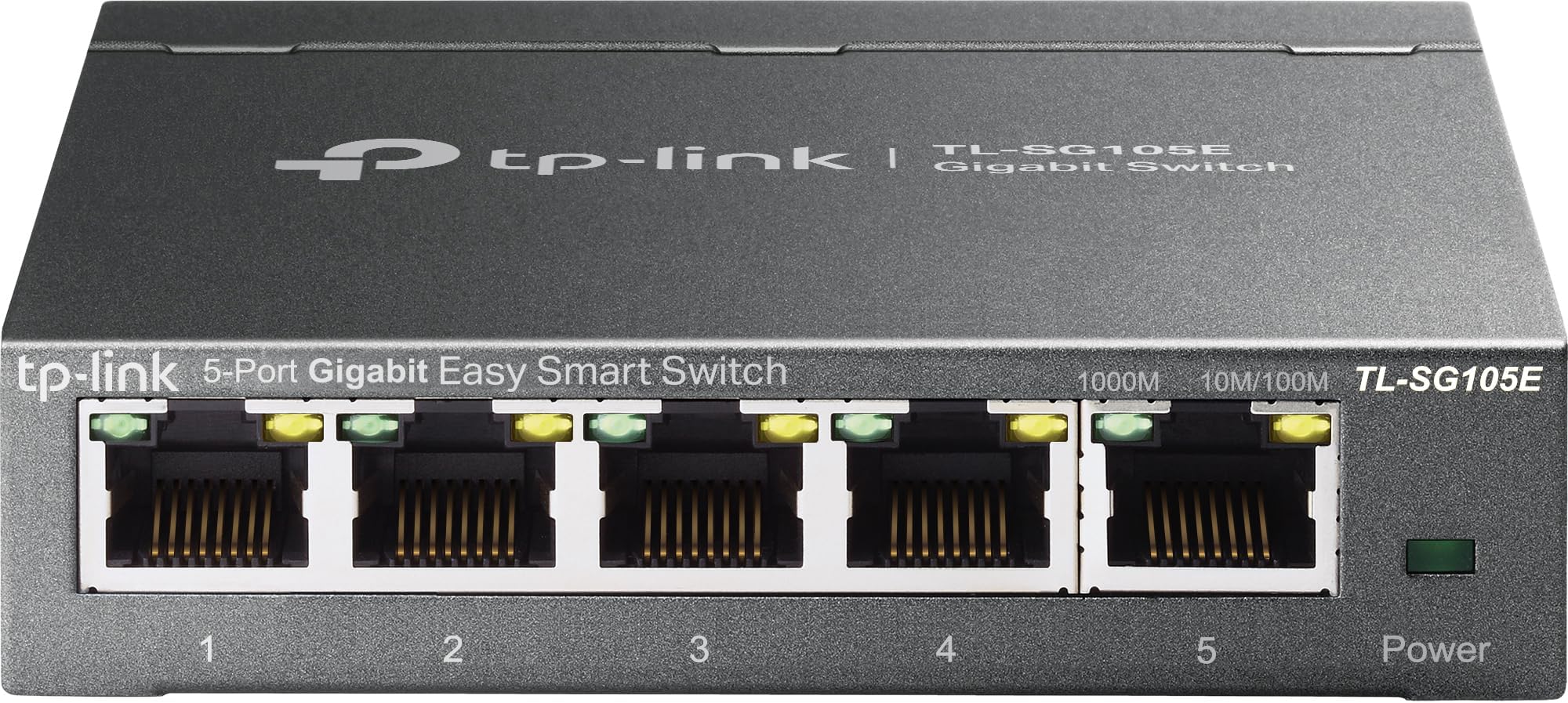
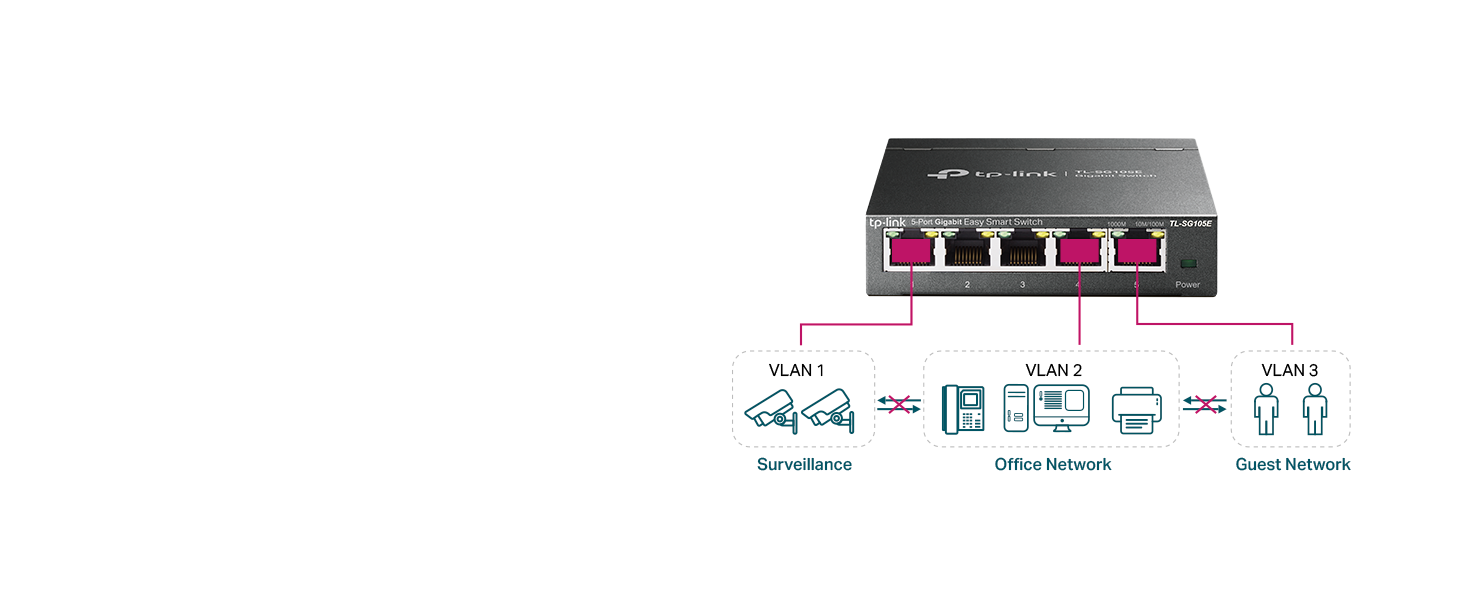
The TP-Link TL-SG105E is a compact 5-port gigabit Ethernet switch designed for small to medium business networks. Featuring easy smart management, VLAN support for enhanced security, and advanced traffic optimization with QoS, it ensures smooth, jitter-free connectivity. Its durable metal build stays cool and quiet, while energy-efficient technology reduces power consumption by up to 75%. Backed by a 3-year warranty and free technical support, it’s the perfect plug-and-play upgrade for professionals seeking reliable, high-speed wired networking.


| ASIN | B00N0OHEMA |
| Best Sellers Rank | #20 in Computer Networking Switches |
| Brand | TP-Link |
| Built-In Media | TL-SG105E Power Adapter Installation Guide Rubber Feet |
| Color | Black |
| Compatible Devices | Desktop |
| Current Rating | 1 Amps |
| Customer Reviews | 4.7 out of 5 stars 13,028 Reviews |
| Data Transfer Rate | 1 Gigabits Per Second |
| Global Trade Identification Number | 06935364022037 |
| Interface | 5 10/100/1000Mbps RJ45 PortsAUTO Negotiation/AUTO MDI/MDIX |
| Item Dimensions L x W x H | 3.9"L x 3.9"W x 1"H |
| Item Weight | 0.43 Kilograms |
| Manufacturer | TP-Link |
| Number of Ports | 5 |
| Platform | No Operating System |
| Product Dimensions | 3.9"L x 3.9"W x 1"H |
| Switch Type | Rotary |
| Unit Count | 1.0 Count |
| Upper Temperature Rating | 40 Degrees Celsius |
| Voltage | 220 Volts |
| Warranty Description | Limited Lifetime Warranty |
M**O
Great product - worth its weight in gold
This switch works amazingly, it is easy to set up, you plug it into the wall, and you are good to go! I have had up to 4 devices connected to it at once, and not a single issue, and it gives off 0 noise. The back of the switch has a mount that can be easily set up. The entire device is built with good quality metal, and looks nice aswell. The singal strength given off is also amazing. I am able to have a video playing on one screen, a game on another, and google open all at the same time without any issues!
C**S
Reliable, compact, and easy to set up
This 5-port switch has been excellent for my home office setup. The port capacity is perfect for my needs, and each port has worked flawlessly with consistent gigabit speeds. Heat level is very low—even after hours of use, the metal casing stays cool to the touch. Port functionality is straightforward, and it handles multiple devices without issues. Connectivity has been rock-solid, and I haven’t seen a single drop or slowdown. Setup was extremely easy—just plug and play—and the compact, sturdy design fits perfectly on my desk without taking up space. A great choice if you want a no-fuss, reliable way to expand your wired connections.
C**H
Connection for printer
It’s the best you can buy for the price.It’s excellent and is working great.
F**T
Good if you can deal with the Java utility
Pros: Inexpensive, compact, cool, does the job well. Supports 802.1q VLAN tagging, rate limiting and a handful of other enterprise-grade features. Great for networking enthusiasts (the 802.1Q VLANs work fine in cooperation with Cisco gear in my lab setup). Cons: No web interface for configuration. You have to use an awkward Java-based utility which (as shipped) only works with Windows. (There's instructions online for getting it to run on other platforms with an appropriate JRE) The unit clearly is a downgraded version of a similar switch, as it still exposes a Web server, but it doesn't do anything. (The actual configuration is done through apparently encrypted UDP packets). Also, you can't assign VLAN 1 as a tagged VLAN at all (see below for details). Upshot: Great if you need a cheap managed switch and don't mind fussing with the Java configuration utility. Once it's configured, you don't have to ever use the utility other than to modify the config, so it can run for a long time without any supervision once it's been setup in your environment. -------- Details (for the network geeks): You cannot assign VLAN 1 to be a tagged VLAN on any port. The only way VLAN 1 can be used is as an untagged (native) VLAN. This means if you have an e.g. Cisco switch connected to a port, you can't just configure that switch's port as a trunk with allowed VLAN 1. You have to set the Cisco switch's native VLAN on that port to 1. This is a minor inconvenience, but it stumped me for a while when trying to configure a lab environment. Not really a con, but also does not support any sort of automatic VLAN configuration, you have to manually enter the VLANs. (I don't expect automatic VLAN config from an entry level switch though, so again, not a con.)
T**R
Great Switch Box
Ethernet Connectivity is the way to go. It is faster, more reliable, and just a lot better overall connection as compared to WI-Fi. With all the hype that wireless gets, the connection is only as good as the signal strength and with the latest 5G advancement of wireless the wavelength is much shorter than previous versions 4G and below of which had the longer wavelengths. So as with 5G the short wave it has trouble going through many structures without having a tremendous outlay of many many relay towers to boost the short signal. Ethernet all-though older technology is the way to go, as the connection is always there. I recently had my house wired and purchased StarTech Ethernet Cables of varying lengths for the different connection points and components; such as router to multiple wall connection, computers, game consoles, streaming devices, security systems, exercise equipment. Yes, Exercise Equipment, there are still a few out there with Ethernet connectivity. I called up quite a few asking about Ethernet, but the trend for them is wireless. However; if you read exercise blogs and articles you find the opposite as actual real people would rather have Ethernet connections, stating many times losing wireless connection half way or three quarters of the way though an exercise routine or competition and being kicked out. There were even a few representatives of exercise equipment saying yes Ethernet is the way to go, but the manufacturers do not seem to care or listen. With exercise equipment you already have a power cord coming off the machine, so one more Ethernet cord is not going to hinder anything. I wanted a device for multiple connections in each room so I purchased this TP-Link 5 Port Gigabit Switch Easy Smart Managed,Plug & Play. Using the StarTech 6A Ethernet Patch Cables it has a nice solid connection with no wiggle, as I have experienced with other brands. Overall a well done quality product experience. purchased three so far, will purchase number four when I set up the last room. Great quality product, still have my first TP-Link 5 Port Gigabit Switch purchased years ago. Repeat customer for sure.
K**C
Works great
I ordered this specifically for the pot mirroring. Setting this up was easy and it works great.
P**R
Perfert for a home office/small office setup - Easy to setup and Use
I'm into cybersecurity and best practices (laugh), so, I like the ability to switch off unused ports, and custom configure even a small network. It is a set-and-forget device for most applications. In my setup, a cable modem feeds into a Mesh Network. This device empowers my three home office systems to have hard-wired connectivity, which basically means full utilization of the available bandwidth. The Mesh Network works great for my laptops and smartphones, but the bandwidth isn't quite the same as most wireless networks. I've never used TP-Link products before, and so far, I'm impressed with the quality, functionality and price/value for my temporary 'basement' home office setup (chuckle).
A**E
Does the job
This little switch does the job well, but, it has almost zero features as it is unmanaged. So no security, or anything really. It's basically like have a 1 to 4 ethernet splitter. Anyway, I just needed it to plug in the kids homeschooling computers to a single port on the router. All my security is based on my router and a managed switch I also have and of course on the computers themselves. So, if you don't need any advanced or security features and just need a cheap way to connect upto four devices via ethernet then this little switch is a pretty good choice and solution. It's been running full time 24/7 for about a month and haven't had it lockup or crash or need a reset yet. So it does it's job pretty well. The kids have dropped it off it's perch about 4.5 feet up, a few times and no problems with it. So the durability seems good too. The ports are snug and none seem loose. Cables go in secure and snug. Speed on each pretty is good. Each kid can zoom into class, watch videos in class, and do other demanding things. The switch handles the traffic well. No noticeable errors or drop outs. I'm about to monitor their screens and copy files to and from each computer through the switch without issues. Haven't run into any port issues or blocking issues. I've assigned a reserved local ip address to the switch through the router dhcp server to make life easier. As far as features available in the web interface... Well it's limited but you can set the status (on or off), speed and flow contol on each port individually. You can enable imp snooping do minimal Lag grouping. Port mirroring in a limited state is available if you need that. There is a cable testing feature. And it has loop protection that will block a port of it detects a loop. There are some vlan features as well. Basic vlan where you can put ports into vans (id's 1 to 5). Default is all ports on vlan 1. There is also 802.1Q vlan with id's 1 to 4094 tagged or untagged per port. And you can set the pvid of each port. There is QoS in the form of port based, 802.1P or DSCP/802.1P. There is in and out bandwidth control per port. And finally there is some basic storm control for broadcast messages. Basically, I need almost none of these features for my use and most people won't as they likely just want to connect the switch to a network and use it to be able to plug in multiple devices through a single ethernet port on the network. And right out of the box the switch will do that. You can stop this switch on about 1 min and be up and running with zero configuration. So, I think it's a great price to connect upto 4 computers to my network easily and worry free. Also, for easy setup use port 1 to connect to the router or netwrok then use the other ports for the computers you want to connect. Also note, I use a KVM to remote view and control other computers from my computer on the local netwrok and this switch hasn't given me any issues with that either. Anyway, hope that helps.
Trustpilot
2 weeks ago
2 months ago